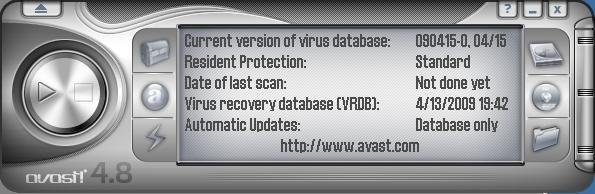
Avast! 4 Home Edition is a full-featured antivirus package designed exclusively for home users and non-commercial use. This edition is FREE OF CHARGE for non-commercial & home use only. Avast! antivirus Home Edition provides continuous protection of your valuable data and programs by updating itself automatically. Simply install and forget. It also comes with anti-spyware
-
-
Multiple Spyware Programs
In previous tips, I have explained that I feel like Spybot is probably one of the best free programs out there for spyware/adware removal. However, there are cases where one anti-spy program will not do the trick. Sometimes, you get some spyware/adware that keeps coming back. If you’re sure you have your current spyware application
-
Yahoo Toolbar with Anti-Spy – Great pop-up blocker with spyware protection
Yahoo Toolbar with antispyware is great pop-up blocker with spyware protection. Surf the Web safely, easily, and conveniently. Yahoo Toolbar with antispyware features:
-
So how do I protect my computer from viruses?
The only way to protect against virus attack is a solid anti-virus program. Don’t forget to update it regularly because new viruses are written everyday. Almost all anti-virus software has an “auto-update” feature I would recommend you utilize. I have several links to quality anti-virus software on my links page. Some are even 100% FREE!
-
What is “Phishing”?
Keeping your computer and personal information secure is very important. This past week I received an email that was apparently from a popular auction website that I am a member of. The email stated my account had been suspended to protect the security of the members of the site and that I needed to log
-
Thunderbird reclaim your inbox
Thunderbird makes emailing safer, faster, and easier than ever before with the industry’s best implementations of features such as intelligent spam filters, built-in RSS reader, quick search, and much more. Smartest Way to Stop Junk Mail Thunderbird provides the most effective tools for detecting junk mail. Our tools analyze your e-mail and identify those that
-
Beware of spyware. If you can, use the Firefox browser.
The wait is over. Firefox empowers you to browse faster, more safely and more efficiently than with any other browser. Join more than 100 million others and make the switch today — Firefox imports your Favorites, settings and other information, so you have nothing to lose. Popup Blocking Stop annoying popup ads in their tracks
-
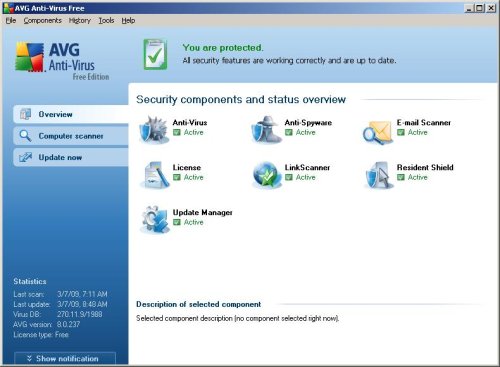
AVG Antivirus Free Edition – Scans, removes, and protects against viruses
AVG Free Edition is the well-known anti-virus protection tool. AVG Free is available free-of-charge to home users for the life of the product! Rapid virus database updates are available for the lifetime of the product, thereby providing the high-level of detection capability that millions of users around the world trust to protect their computers. AVG
-
What are computer viruses?
Computer viruses are programs specifically written to wreak havoc on your system. The main intent of a virus is to cause problems with as many computers as possible. The problems caused could be minor, or could shut down the network of an entire company.
-
Scanning at Startup
If you have a hard time remembering to do your virus and spyware scans, you can set most programs to scan when you start your computer up. For example, if you are using Spybot, go to SETTINGS on the left hand menu, then click on the settings icon, scroll down and check the box thats


 |
 |
 |


