1. Been infected with spyware? Tell us about your problem.
2. Protect your PC from viruses, spyware.
3. For fast automatic spyware removal, try CounterSpy, SUPERAntiSpyware

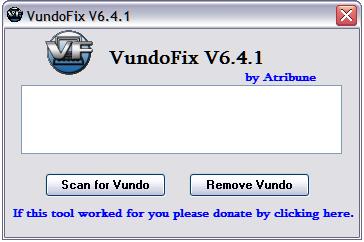
VundoFix - freeware removal tool for Trojan.Vundo

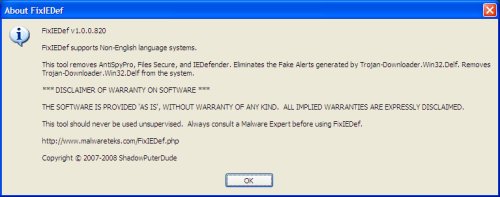
VundoFix is a freeware removal tool for many of the known variants of Trojan.Vundo, Trojan.Conhook and other similar infections.
VundoFix - free trojan removal tool

Usually when infected with Vundo the user is bombarded with popups for WinFixer, Amaena, WinAntiVirus, ErrorSafe, SystemDoctor and DriveCleaner. Downloading and running these Fraudware applications will result in a fake scan telling you that you are infected with malware then telling you that you need to buy their program to remove the malware that it found. DO NOT BUY THESE PROGRAMS. They are scams and will not remove anything but could possibly make your infection worse.
A slowdown in PC performance may also be noticed when Vundo is running as well as the possibility of random BSOD’s.

Usage for Removal:

Download VundoFix to your desktop.
Double-click VundoFix.exe to run it.
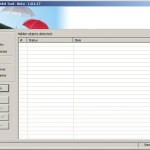
When VundoFix opens, click the Scan for Vundo button.
Once it’s done scanning, click the Remove Vundo button.
You will receive a prompt asking if you want to remove the files, click YES
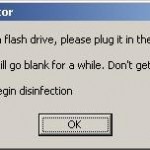
Once you click yes, your desktop will go blank as it starts removing Vundo.
When completed, it will prompt that it will reboot your computer, click OK.

Note: It is possible that VundoFix encountered a file it could not remove. In this case, VundoFix will attempt run on reboot, simply follow the above instructions starting from “Click the Scan for Vundo button.” when VundoFix appears at reboot.

If you encounter a variant of Vundo that VundoFix does not detect or cannot remove follow the steps outlined in the topic linked below:
Spyware removal - Read Before Posting

Vundofix homepage, Download VundoFix.

November 18, 2007 on 3:52 am | In Free Software, Trojan | 3 Comments |
Submit to: Digg | SlashDot | Del.icio.us

SnoopFree Privacy Shield - informs you when another programme is wanting to log your keystrokes

SnoopFree Privacy Shield works in a unique and powerful way against all spy software. Detect all known and unknown spy software programs. SnoopFree software protects your privacy by watching for suspicious programs running on your computer. A suspicious program is any program that tries to watch your keyboard, take pictures of your screen or read text from un-owned windows. These three activities are the cornerstone of all modern spy software.

Download SnoopFree Privacy Shield

Read more: How to detect keylogger on my computer ?

November 12, 2007 on 8:50 pm | In Free Software, Spyware protection and removal | No Comments |
Submit to: Digg | SlashDot | Del.icio.us

Comodo BOClean - Anti-Malware - 100% Free

BOClean software protects you against a full spectrum of malware, automatically removing these programs from memory, your hard disk and your registry without the need to reboot or drop your internet connection. BOClean safely neutralizes these threats instantly without any risk of damage to your files or computer. Updates are FREE, and the update download and installation process is (or, in the case of network deployment, can be) completely automated.

BOClean Features

  • Destroys malware and removes registry entries
  • Does not require a reboot to remove all traces
  • Disconnects the threat without disconnecting you
  • Generates optional report and safe copy of evidence
  • Automatically sweeps and detects INSTANTLY in the background
  • Configurable “Stealth mode” completely hides BOClean from users
  • Update automatically from a network file share
  • Protects itself from malware tampering or shutdown
  • FREE daily malware database updates from our web site
  • Update file can be shared/pushed on a server for easy maintenance
  • Optional rollback of update to an earlier version
  • Full spectrum malware coverage and protection


Download Comodo BOClean Free Anti-Malware

November 12, 2007 on 8:17 pm | In Free Software, Spyware protection and removal | No Comments |
Submit to: Digg | SlashDot | Del.icio.us

Dr.Web CureIt! A FREE anti-malware utility

Cure your computer of viruses, Trojans, spyware and other malicious programs with Dr.Web CureIt!, which uses the Dr.Web engine. There is no need for installation and therefore this is an ideal on-demand scanner as there is no conflict with your primary AV. The utility is always armed with the most up-to-date add-ons to the virus databases.

How to use CureIt:

# Double-click the drweb-cureit.exe file and allow it to run the express scan.
# This will scan the files currently running in memory and when something is found, click the yes button when it asks you if you want to cure it. This is only a short scan.
# Once the short scan has finished, select the drives that you want to scan.
# Select all drives. A red dot shows which drives have been chosen.
# Click the green arrow > to the right and the scan will begin.
# At the first infection, select ‘Yes to all’ if it asks if you want to cure/move the file.
# When the scan has finished, click the “Select all/select none” toggle button (if available) next to the files found:
# Then click the green cup icon right below and select Move incurable as you’ll see in next image:

This will move any infected files to the %userprofile%\DoctorWeb\quarantaine-folder that can’t be cured (in case if we need samples).
# Then, from the main Dr.Web CureIt menu (top left), click File and choose save report list
# Save the report to your desktop.
# Close Dr.Web Cureit and Restart your computer to completely remove any stubborn files in reboot.

Download Dr.Web CureIt

November 10, 2007 on 9:22 am | In Free Software | No Comments |
Submit to: Digg | SlashDot | Del.icio.us

SDFix free trojan remover tool

The fixtool removes big amount Trojan Variants (Listed using Trend Micro’s - HijackThis)

Backdoor (IRCBot) Trojans:

F2 - REG:system.ini: Shell=Explorer.exe %WINDIR%\accwiz.exe
F2 - REG:system.ini: Shell=Explorer.exe %WINDIR%\astra32.exe
F2 - REG:system.ini: Shell=Explorer.exe %WINDIR%\Avsynmgr.exe
F2 - REG:system.ini: Shell=Explorer.exe %WINDIR%\BTStack.exe
F2 - REG:system.ini: Shell=Explorer.exe %WINDIR%\BTTray.exe
F2 - REG:system.ini: Shell=Explorer.exe %WINDIR%\ctfmon.exe
F2 - REG:system.ini: Shell=Explorer.exe %WINDIR%\czsrv.exe

Trojan Ranky/Ranck:

F2 - REG:system.ini: Shell=Explorer.exe C:\WINDOWS\config\svchost.exe
F2 - REG:system.ini: Shell=Explorer.exe C:\WINDOWS\etc\services.exe
F2 - REG:system.ini: Shell=Explorer.exe C:\WINDOWS\NT\nrcs.exe
F2 - REG:system.ini: Shell=Explorer.exe C:\WINDOWS\system32\1.tmp
F2 - REG:system.ini: Shell=Explorer.exe C:\WINDOWS\system32\mbti.exe

Misc’ - Downloader/Dropper, Proxy, Backdoor, PWStealer Trojans:

F2 - REG:system.ini: Shell=explorer.exe %Temp%\cryptfg.exe
F2 - REG:system.ini: Shell=Explorer.exe boot
F2 - REG:system.ini: Shell=Explorer.exe C:\WINDOWS\alg32.exe
F2 - REG:system.ini: Shell=Explorer.exe C:\WINDOWS\MSACCESS.exe
F2 - REG:system.ini: Shell=Explorer.exe C:\WINDOWS\shell.exe
F2 - REG:system.ini: Shell=explorer.exe C:\WINDOWS\system\lsass.exe
F2 - REG:system.ini: Shell=Explorer.exe C:\WINDOWS\system32\explorer..exe
F2 - REG:system.ini: Shell=Explorer.exe C:\WINDOWS\system32\fservice.exe

HackerDefender:

O23 - Service: MSDN Driver (msdndr) - Unknown owner - C:\WINDOWS\system32\msdndr.pif
O23 - Service: MSDV Driver (msdvdr) - Unknown owner - C:\WINDOWS\system32\msdvdr.pif
O23 - Service: ro0 Service (ro0Srv) - Unknown owner - C:\WINDOWS\system32\ro0\ro0.exe
O23 - Service: Time Service (TIME) - Unknown owner - C:\WINDOWS\system32\(RandomName).exe

Trojan/Rootkit Components:

__oddysee.sys
asc355.sys
asc355O.sys
asc3550a.sys
asc3550o.sys
asc3550p.sys
asc3550u.sys
asc3550v.sys
backsys.sys
core.sys

Notes:
If this error message is displayed when running SDFix:

The command prompt has been disabled by your administrator. Press any key to continue . . .
Please goto Start Menu > Run > then copy and paste the following line: %systemdrive%\SDFix\apps\swreg IMPORT %systemdrive%\SDFix\apps\Enable_Command_Prompt.reg
Press OK then run SDFix again

If the Command Prompt window flashes on then off again on XP or Windows2000

Please goto Start Menu > Run > then copy and paste the following line: %systemdrive%\SDFix\apps\FixPath.exe /Q Reboot and then run SDFix again

If SDFix still doesnt run check the %comspec% variable

Goto Start Menu > Right click My Computer > click properties > click Advanced Click Environment Variables and check that the ComSpec variable points to cmd.exe %SystemRoot%\system32\cmd.exe

SDFix uses ERUNT to create a registry backup in this location: %SystemRoot%\ERUNT\SDFix\

Download SDFix

November 9, 2007 on 4:16 am | In Free Software, Trojan | 17 Comments |
Submit to: Digg | SlashDot | Del.icio.us

Free Registry Backup/Restore and Optimization Tools

ERUNT - Free Registry Backup/Restore Tool

Features:

- Backup the Windows NT/2000/2003/XP registry to a folder of your choice
- System and current user registries selectable
- Command line switches for automated registry backup and restoration
- Restore the registry in Windows 9x/Me/NT/2000/2003/XP and MS-DOS (all-in-one restore program) or the Windows Recovery Console
- Included in this package: NTREGOPT program for optimizing the registry
- All programs in this package are completely localizable (translate them into your language), German version included

NTREGOPT - Free Registry Optimization for Windows

The registry files in an NT-based system can become fragmented over time, occupying more space on your hard disk than necessary and decreasing overall performance. You should use the NTREGOPT utility regularly, but especially after installing or uninstalling a program, to minimize the size of the registry files and optimize registry access.

Download ERUNT - Free Registry Backup/Restore Tool
Download NTREGOPT - Free Registry Optimization for Windows

November 8, 2007 on 11:34 pm | In Free Software | No Comments |
Submit to: Digg | SlashDot | Del.icio.us

SUPERAntiSpyware Free for home use

Easily remove over 1 million pests and threat components such as VirusRay, AntiVirGear, VirusProtectPro, DriveCleaner, SmitFraud, Vundo, WinFixer, SpyAxe, SpyFalcon, WinAntiVirus, AntiVermins, AntiSpyGolden and thousands more!

SUPERAntiSpyware

# Quick, Complete and Custom Scanning of Hard Drives, Removable Drives, Memory, Registry, Individual Folders and More! Includes Trusting Items and Excluding Folders for complete customization of scanning!

# Detect and Remove Spyware, Adware, Malware, Trojans, Dialers, Worms, KeyLoggers, HiJackers, Parasites, Rootkits and many other types of threats.

# Light on System Resources and won’t slow down your computer like many other anti-spyware products. Won’t conflict with your existing anti-spyware or anti-virus solution!

# Repair broken Internet Connections, Desktops, Registry Editing and more with our unique Repair System!

Download SUPERAntiSpyware

November 6, 2007 on 9:17 am | In Free Software, Spyware protection and removal | No Comments |
Submit to: Digg | SlashDot | Del.icio.us

HostsXpert - Free hosts file manager

HostsXpert is a Hosts file Manager, Editor and Helper-outter
HostsXpert is an ultra-groovy Hosts file Manager, Editor and Helper-outter. Below you will find a list of HostsXpert’s important functions.

You can use a HOSTS file to block ads, banners, 3rd party Cookies, 3rd party page counters, web bugs, and even most hijackers. This is accomplished by blocking the Server that supplies these little gems.


Some key features of HostsXpert:

Append File - Allows selection of a file to be appended to your current hosts file.
· Replace File - Allows selection of a file to replace your hosts file.
· Merge File - Allows selection of a file
to be merged with your current hosts file.
· Create Backup - Creates a Backup of you current hosts file. Backup file will be placed where ever HostsXpert.exe resides on your Hard drive.
· Restore Backup - Restores the backup hosts file.
· Restore MS Hosts - Restores the hosts file to Microsoft’s original hosts file.
· Add to Hosts Files - Adds the line item into your hosts file.
· Delete Line - Deletes highlighted line from hosts file.
· Comments - Insert # / Remove# - Insert or Remove “#” (comment marker).
· Sort File - Sorts the current hosts file in alphanumeric order, removes all comment lines.
· Swap Localhost - Swaps the current hosts file between 127.0.0.1 and 0.0.0.0
· Remove Block Items - Removes all blocking lines in the current hosts file.
… and more

Download the HostsXpert 3.7 - Hosts File Manager

November 2, 2007 on 7:44 am | In Free Software | 1 Comment |
Submit to: Digg | SlashDot | Del.icio.us

Brute Force Uninstaller - uninstaller unwanted software

Brute Force Uninstaller (BFU) is a scripting program that can execute a series of preset commands like a Windows batch file, aimed at uninstalled programs that are hard to remove, uninstall improperly or simply unwanted. Scripts are plaintext and can be written with Notepad, and the command syntax is very transparent.
BFU is very complete and powerful, has a small memory footprint and has no uninstaller.

Download from MajorGeeks
Download from DKnoppix
Download from CastleCops
Download from Merijn.org

October 23, 2007 on 7:08 pm | In Free Software | No Comments |
Submit to: Digg | SlashDot | Del.icio.us

ComboFix another free anti spyware tool

This tool removes SurfSideKick, QooLogic, Look2Me or any combination of that group.
Also nicely picks out Vundo infections.

One of the better things it does is pick files recently created which can give clues to other infections. You can use it to unhook any dll in the system32 folder.You can use it to delete up to as many as 8 files using its command line functions.

Also it deletes a bunch of files related to the infections above automatically and is updated fairly regularly.

For use combofix, Download ComboFix from Here to your Desktop.

  • Double click combofix.exe and follow the prompts.
  • When finished, it shall produce a log for you.

Note: Do not mouseclick combofix’s window while its running. That may cause it to stall

Post the log at spyware remover help forum and finally remove the items as directed by the Member helping you. This involves no analysis of the list contents by you. That will be done by the Help Forum Staff.

October 8, 2007 on 8:39 pm | In Free Software, Spyware protection and removal | 48 Comments |
Submit to: Digg | SlashDot | Del.icio.us

McAfee free rootkit remover

McAfee have made free rootkit remover is a program designed and developed by McAfee Avert Labs to proactively detect and clean rootkits that are running on the system.

mcafee free rootkit remover
McAfee Rootkit Detective should only be used by knowledgeable individuals at the direction of, and with the support of, a representative from McAfee Avert Labs or McAfee Technical Support. Improper usage of this tool could result in damage to your applications or operating system.

Features
* Designed to proactively detect the system objects like processes, files and registry that are hidden to the user.
* Provides information about all running processes in the system.
* Provides information about various system hooks like SSDT(System Service Descriptor Table) hooks, user/kernel IAT/EAT(Import/Export Address Table) hooks.
* Allows the user to clean/remove the malicious objects from the system by renaming/deleting the hidden files/registry.
* Allows the user to terminate the malicious processes.
* Users can submit samples using the submission feature present in the tool.
* Users can also collect the samples manually after renaming them and submit to stinger@avertlabs.com for further analysis.

Download Rootkit Detective 1.0
Read more here

July 26, 2007 on 8:36 am | In Free Software, Rookit, Spyware protection and removal | No Comments |
Submit to: Digg | SlashDot | Del.icio.us

New version Comodo Free Firewall

What’s New?

Application Component Authentication - validates all the components of an application before allowing it internet access.

Application Behavior Analysis - analyzes each application behavior and detects any suspicious activity before allowing internet access.

Defense against Trojan Protocols - advanced protocol driver level protection

Smart Alerts - Every alert includes a Security Consideration section with advice to users.

Comodo Firewall is one of the smartest firewalls you can ever see. While providing answers to firewall questions, users usually do not understand the complex questions which involve complicated connection details like IP addresses, Ports, Application paths etc.

Comodo Firewall helps you to understand what is going on by analyzing each alert and providing you an intuitive, easily understandable Security Considerations section with each question it asks.

With its built-in application database, Comodo Firewall classifies more than 10.000 applications according to their risk level such as SAFE, SPYWARE, ADWARE etc. It is the only firewall which has such a big application database and which uses such a database to analyze the security risks.

Comodo Firewall is a complete, easy to manage and effective barrier that keeps hackers out and personal information in.

Free download.

October 2, 2006 on 5:45 pm | In Pop-Up Blockers and Firewalls, Free Software | 1 Comment |
Submit to: Digg | SlashDot | Del.icio.us

Don’t be a victim or how to make better choices

There are some current tools out there which may help users make better choices (or block their bad choices). I’m just going to talk about browser toolbars. For the user class of not completely hopeless up to expert I really recommend McAfee’s SiteAdvisor. This toolbar works with Firefox and IE and will provide more prominent and granular indicators that a site is dubious (or downright malicious). Users will need to keep an eye on their browser corner (which may require education) or optionally glance at the pretty red, yellow, green icons next to their google search results (RED means BAD)

SiteAdvisor

Also for those looking at getting involved in the community sign up to be a reviewer. Help SiteAdvisor catch and correctly flag all those bad sites that try oh so hard to look legit.

Netcraft Toolbar

So back to phishing. Netcraft has a really nice toolbar which can provide visual clues (YMMV) as well as speed bumps to doing something unsafe. It can actually block access to a site pending user verification (ok so we all know most users click OK on anything that pops up to get it out of the way)

NoScript

Extra protection for your Firefox: NoScript allows JavaScript, Java and other executable content only for trusted domains of your choice, e.g. your home-banking web site.
This whitelist based preemptive blocking approach prevents exploitation of security vulnerabilities (known and even unknown!) with no loss of functionality…
Experts do agree: Firefox is really safer with NoScript ;-)Works with: Firefox 1.0 - 3.0a1, Mozilla 1.7 - 1.8

SpoofStick

A spoofed website is typically made to look like a well known, branded site (like ebay.com or citibank.com) with a slightly different or confusing URL. The attacker then tries to trick people into going to the spoofed site by sending out fake email messages or posting links in public places - hoping that some percentage of users won’t notice the incorrect URL and give away important information. This practice is sometimes known as “phishing”. SpoofStick makes it easier to spot a spoofed website by prominently displaying only the most relevant domain information.

Sandboxie

You may want to run your Web browser inside the sandbox most of the time. This way any incoming, unsolicited software (spyware, malware and the like) that you download, is trapped in the sandbox. Changes made to your list of Favorites or Bookmarks, hijacking of your preferred start page, new and unwanted icons on your desktop — all these, and more, are trapped in and bound to the sandbox. You could also try a new toolbar add-on, browser extension or just about any kind of software. If you don’t like it, you throw away the sandbox, and start again with a fresh sandbox. On the other hand, if you do like the new piece of software, you can re-install it outside the sandbox so it becomes a permanent part of your system.

Sandboxie intercepts changes to both your files and registry settings, making it virtually impossible for any software to reach outside the sandbox.
Sandboxie traps cached browser items into the sandbox as a by-product of normal operation, so when you throw away the sandbox, all the history records and other side-effects of your browsing disappear as well.

Expect this warning and popup trend to continue. Google is taking steps to prevent accidental wrong exits (see http://www.stopbadware.org/ for details on this initiative)

The next versions of IE and Firefox should have some of these protections built in. None of these will remove the need for user education (good luck explaining hostnames and mouse-overs to grandma). The criminals will figure out ways to circumvent these technologies and users will continue to ignore all the annoying popup warning windows and glaring red warning symbols. Its just human nature. If only it were as simple as just telling people to “only surf trusted sites”. Right. uh huh.

August 28, 2006 on 11:48 pm | In Best Programs, Free Software, Internet Browsers and Mail and News readers, Spyware protection and removal, Tips | No Comments |
Submit to: Digg | SlashDot | Del.icio.us

Sophos Anti-Rootkit Eliminates hidden applications and processes

Removing rootkits without compromising system integrity is particularly challenging and needs to be done with care. Free Sophos Anti-Rootkit, finds and removes any rootkit that is hidden on your computer.
What is a rootkit?

The term rootkit is used to define a Trojan (or technology) used to hide the presence of a malicious object (process, file, registry key, network port) from the computer user or administrator.

Easily detect and remove rootkits

As part of its complete protection of endpoint computers, Sophos Anti-Virus detects rootkits and prevents them being installed on any of your desktops, laptops and servers.
Sophos Anti-Rootkit provides an extra layer of detection, by safely and reliably detecting and removing any rootkit that might already have secreted itself onto your system.

Using Sophos Anti-Rootkit is straightforward. Whether you use its simple graphical user interface or run it from the command line you can easily detect and eliminate any rootkits on your computer.
Download Sophos Anti-Rootkit

August 28, 2006 on 7:54 pm | In Free Software, Rookit | No Comments |
Submit to: Digg | SlashDot | Del.icio.us

Netcraft Toolbar

Netcraft has a really nice toolbar which can provide visual clues as well as speed bumps to doing something unsafe. It can actually block access to a site pending user verification (ok so we all know most users click OK on anything that pops up to get it out of the way).
The Toolbar community is effectively a giant neighbourhood watch scheme, empowering the most alert and most expert members to defend everyone within the community against phishing frauds. Once the first recipients of a phishing mail have reported the target URL, it is blocked for community members as they subsequently access the URL. Widely disseminated attacks (people constructing phishing attacks send literally millions of electronic mails in the expectation that some will reach customers of the bank) simply mean that the phishing attack will be reported and blocked sooner.

The Toolbar also:

  • Traps suspicious URLs containing characters which have no common purpose other than to deceive.
  • Enforces display of browser navigational controls (toolbar & address bar) in all windows, to defend against pop up windows which attempt to hide the navigational controls.
  • Clearly displays sites’ hosting location, including country, helping you to evaluate fraudulent urls (e.g. the real citibank.com or barclays.co.uk sites are unlikely to be hosted in the former Soviet Union).

Please download and try out the Netcraft toolbar.

August 27, 2006 on 8:02 am | In Free Software, Phishing | No Comments |
Submit to: Digg | SlashDot | Del.icio.us

SpoofStick

A spoofed website is typically made to look like a well known, branded site (like ebay.com or citibank.com) with a slightly different or confusing URL. The attacker then tries to trick people into going to the spoofed site by sending out fake email messages or posting links in public places - hoping that some percentage of users won’t notice the incorrect URL and give away important information. This practice is sometimes known as “phishing”. SpoofStick makes it easier to spot a spoofed website by prominently displaying only the most relevant domain information.

Download SpoofStick

August 26, 2006 on 8:40 am | In Free Software | No Comments |
Submit to: Digg | SlashDot | Del.icio.us

NoScript very nice toolbar for FireFox

Extra protection for your Firefox: NoScript allows JavaScript, Java and other executable content only for trusted domains of your choice, e.g. your home-banking web site.
This whitelist based preemptive blocking approach prevents exploitation of security vulnerabilities (known and even unknown!) with no loss of functionality…
Experts do agree: Firefox is really safer with NoScript ;-)

Download NoScript now.

August 26, 2006 on 8:37 am | In Free Software | No Comments |
Submit to: Digg | SlashDot | Del.icio.us

HostsMan 3.0 beta for Windows was released

HostsMan is a freeware application that lets you manage your Hosts file with ease.

You can use a HOSTS file to block ads, banners, 3rd party Cookies, 3rd party page counters, web bugs, and even most hijackers. This is accomplished by blocking the Server that supplies these little gems.

Features:

- online update and auto-update of hosts file;
- enable/disable usage of hosts file;
- open Hosts file with one click;
- merge two hosts files;
- built-in hosts editor;
- scan hosts for errors, duplicates and possible hijacks;
- find how many host names;
- easily install newly downloaded hosts file;
- create encrypted backups of your hosts file;
- resolve host names;
- keep log of latest blocked sites;
- exclusion list;
- etc.

What’s new:

- added: Auto-Updates;
- added: editable update list;
- added: option to mark updates as not installed;
- added: support for proxy basic authentication;
- added: option to restore original Windows hosts file;
- added: ‘Additional Information’ window;
- added: IPv6 support (hosts file);
- added: comment lines support;
- added: fix hijack of hosts file (’databasepath’ registry value);
- added: support for regular expressions to the Exclusion List;
- changed: 90% of the code rewritten;
- changed: memory manager replaced;
- changed: hosts lock removed;
- changed: interface updated;
- changed: exclusion list improved;
- changed: editor improved (rewritten from scratch);
- changed: ‘Block Adverts’ removed from update list;
- changed: HostsServer replaces built-in HTTP Server;
- fixed: some encrypted backups are not created correctly;
- fixed: several bugs;
- etc.

Download

August 23, 2006 on 6:28 am | In Free Software | No Comments |
Submit to: Digg | SlashDot | Del.icio.us

CleanCache - Clean Internet Explorer, Mozilla, Firefox, Opera and most Internet Explorer shells

CleanCache 3.0 is a free (for 1 - 2 systems), very powerful Internet Explorer 6.0, Mozilla, Netscape, Firefox and Windows 2000/XP cleaner.
clean cache
CleanCache 3.0 requires .NET Framework 1.1

CleanCache 3.0 will clean:

  • Temporary Internet Files and index.dat
  • Internet Explorer History and index.dat
  • Internet Explorer Cookies (with selective save) and index.dat
  • Typed URLs (with selective save)
  • Internet Explorer Form AutoComplete (using either CleanCache 3.0 built in AutoComplete deletion or by using IE’s built in function)
  • Works with all Internet Explorer based browsers (shell browsers)
  • Mozilla/Netscape/Firefox/Opera cache files
  • Mozilla/Netscape/Firefox/Opera history
  • Mozilla/Netscape/Firefox autocomplete
  • Mozilla/Netscape/Firefox/Opera cookies
  • Mozilla/Netscape/Firefox saved passwords
  • Mozilla/Netscape/Opera typed urls
  • Recent Documents
  • Start Run History
  • Search History
  • Users Temporary Directory
  • Windows Temporary Directory
  • Root Temporary Directory
  • Registry MRUs
  • Recycle Bins
  • Clipboard
  • Windows XP Prefetch
  • UserAssist registry entries
  • Windows Media Player
  • Word Pad
  • Microsoft Office applications
  • Create additives to delete user specified files/directories and registry entries
  • Automatically save cookies if they match your IE favorites
  • Secure file deletion using single, DoD and Gutmann wiping algorithms. Files are overwritten, renamed 26 times then deleted
  • Stealth mode
  • Modify the appearance of CleanCache to any color
  • Reboot or shutdown the PC after a manual clean
  • new Command line options to run CleanCache from a .bat file
  • new Multiple user support

Tools

  • Selectively delete UserAssist registry entries
  • Manage startup entries
  • Remove invalid software entries in the Add/Remove control panel list
  • Select files to securely wipe
  • Delete invalid entries in the installed software registry keys

CleanCache: Homepage, Download

June 13, 2006 on 7:39 am | In Free Software | No Comments |
Submit to: Digg | SlashDot | Del.icio.us

ZonedOut - Free tool for manage Internet Explorers Zones

Need a way to Manage Internet Explorer’s Zone’s? If so, then ZonedOut is for you. Add, Delete, Import, Export, Build a WhiteList and More.

ZonedOut is a complete Internet Explorer Security Zone Manager Manage Zone Sites at the Current User and Local Machine level in style.
zoneout main window
Program includes a help file with General Usage notes, An outline of Commands, and the Freeware License Agreement. It is very import to read this help file.

Read the article What is “Internet Zone” ? How to use “Internet Zone Settings” for more info about Internet Zone`s.

Click here to download ZonedOut.

May 28, 2006 on 11:58 pm | In Free Software | No Comments |
Submit to: Digg | SlashDot | Del.icio.us

Next Page »

MY ANTI SPYWARE Powered by WordPress with Pool theme design by Borja Fernandez.
Entries and comments feeds. Valid XHTML and CSS. ^Top^