Do you have pop-ups or your computer infected with trojan or spyware ? Learn how to ask us for help, click here!

How to remove Windows Police PRO (Removal instructions)

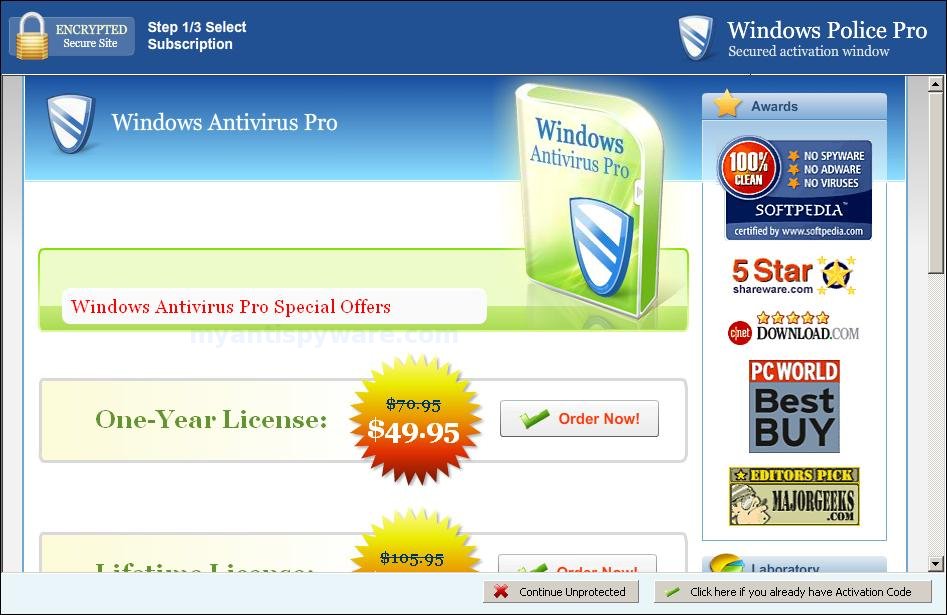
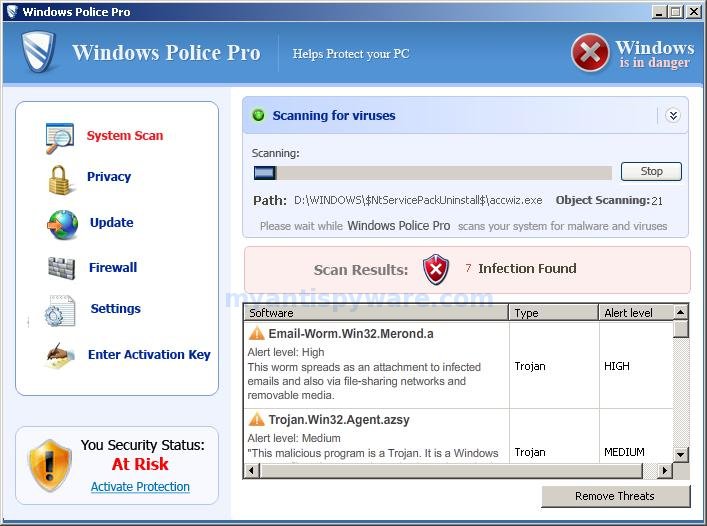
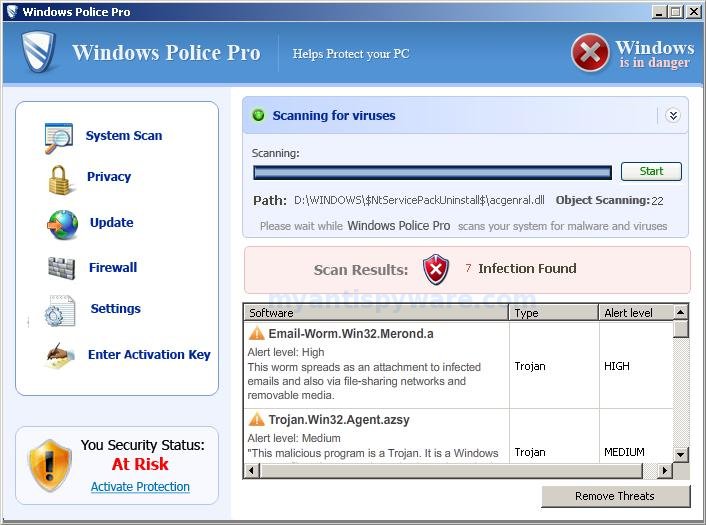
Windows Police PRO is a rogue antispyware program. It updated version of Windows Antivirus Pro. Windows Police PRO detects fake infections, displays fake security alerts and nag screens, prevents execution of any programs as a method of scaring you into buying the software. The scareware does not offer any protection to computer! During installation, Windows Police PRO will be set to start automatically when you start your PC. Once running, it starts scanning the computer and found a lot of infections, but all these infections do not exist on your computer, so you can safely ignore them.
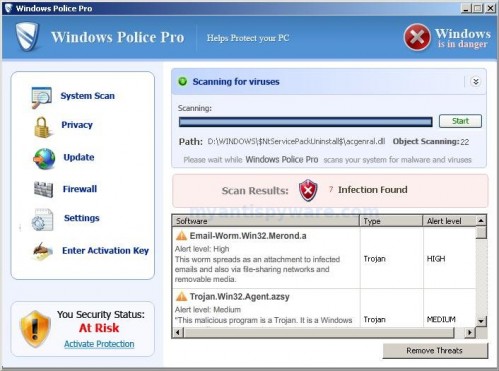
WindowsPolicePRO
Windows Police PRO

Windows Police PRO contains file desote.exe that disables the ability to run any programs, including MalwareBytes’ Anti-Malware and other antivirus and antispyware software. The following alert will be shown when you try to run any program (files with “exe” extension):

This application has failed to start because the application configuration is incorrect. Reinstalling the application may fix this problem.

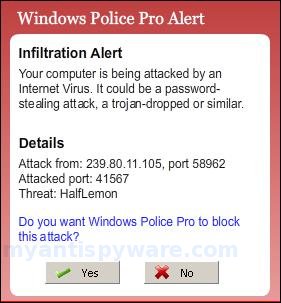
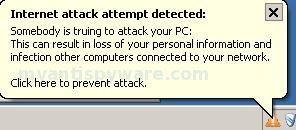
While Windows Police PRO is running your computer will display nag screens and fake security alerts that tells you:

Internet attack attempt detected:
Somebody is trying to attack your PC:
This can result in loss of your personal information and
infection other computers connected to your network.
Click here to prevent attack

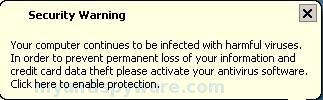
Security Warning
Your computer continues to be infected with harmful viruses.
In order to prevent permanent loss of your information and
credit card data theft please activate your antivirus software.
Click here to enable protection.

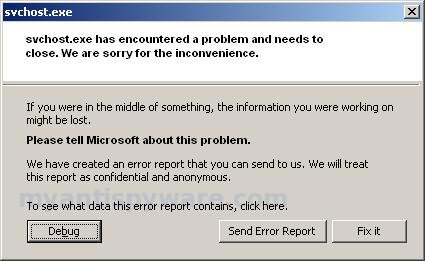
svchost.exe
svchost.exe has encountered a problem and needs to
close. We are sorry for inconvenience.

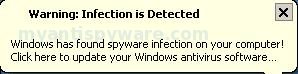
Warning: Infection is Detected
Windows has found spyware infection on your computer!
Click here to update your Windows antivirus software…

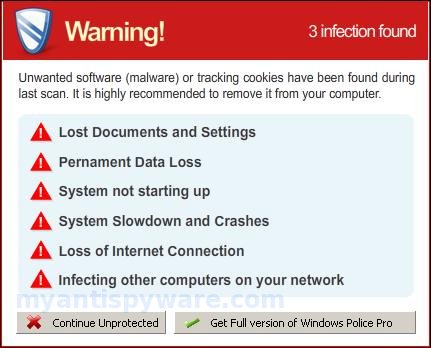
Warning!
Unwanted software (malware) or tracking cookies have been found during
last scan. It is highly recommended to remove it from your computer.

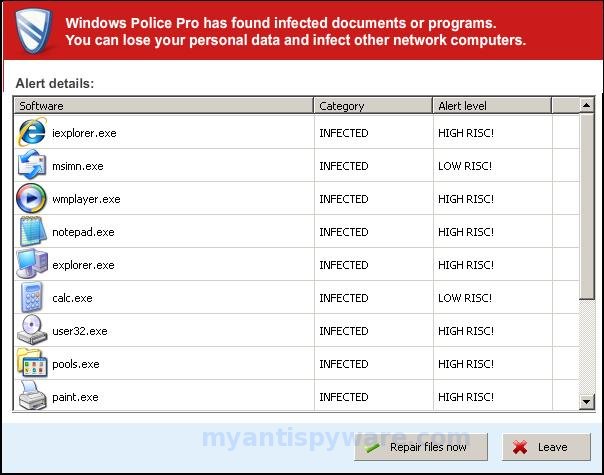
Windows Police Pro has found infected documents or programs.
You can lose your personal data and infect other network computers.

Windows Polics Pro Alert
Infiltration Alert
Your computer is being attacked by an
Internet Virus. It could be a password-
stealing attack, a trojan-dropper or simular.
Details
Attack from: 239.80.11.105, port 58962
Attacked port: 41567
Threat: HalfLemon

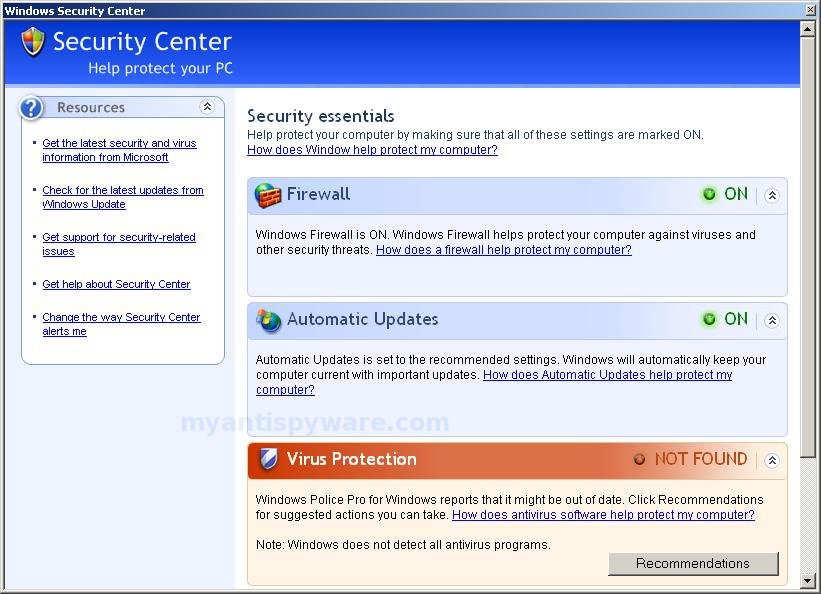
Also the program will display fake Windows Security Center that will recommend you use Windows Police Pro. Instead of doing so, use these Windows Police Pro removal instructions below in order to remove this infection and any associated malware from your computer for free.

More Windows Police PRO screen shoots
Symptoms in a HijackThis Log

O2 – BHO: ICQSys (IE PlugIn) – {76DC0B63-1533-4ba9-8BE8-D59EB676FA02} – C:\WINDOWS\system32\dddesot.dll
O23 – Service: AntipPro2009_100 (AntipyProex) – Unknown owner – C:\WINDOWS\svchasts.exe

Use the following instructions to remove Windows Police Pro (Uninstall instructions)

1. Remove Windows Police Pro main components.
Please download OTM by OldTimer from here. Once Save Dialog opens, please rename a file from OTM.exe to OTM.com and click Save button to save it to desktop.

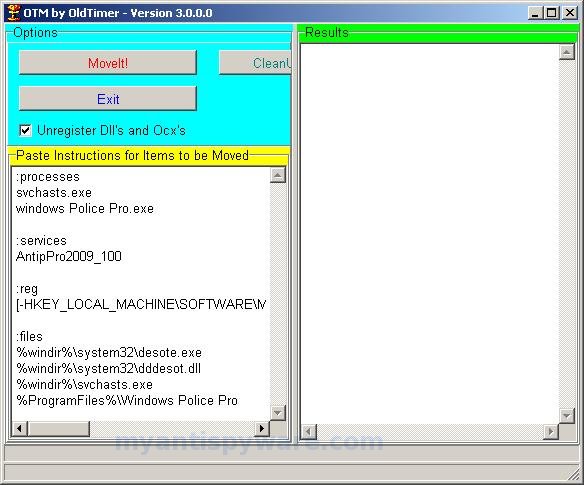
Run OTM. Copy,then paste the following text in “Paste Instructions for Items to be Moved” window (under the yellow bar):

:processes
svchasts.exe
windows Police Pro.exe

:services
AntipPro2009_100

:reg
[-HKEY_LOCAL_MACHINE\SOFTWARE\Microsoft\Windows\CurrentVersion\Explorer\Browser Helper Objects\{76DC0B63-1533-4ba9-8BE8-D59EB676FA02}]

:files
%windir%\system32\desote.exe
%windir%\system32\dddesot.dll
%windir%\svchasts.exe
%ProgramFiles%\Windows Police Pro

You will see window similar to the one below.
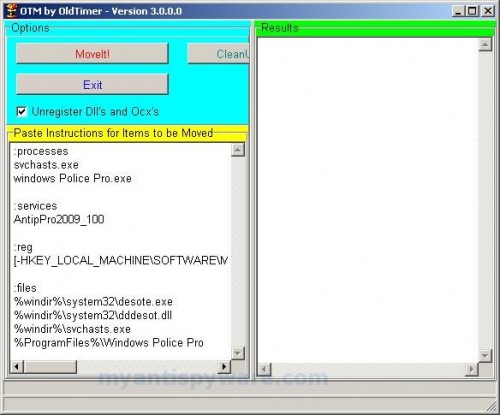
WindowsPolicePRO_otm
OTM

Click the red Moveit! button. When the tool is finished, it will produce a report for you. If you are asked to reboot the machine choose Yes.

2. Repair running .exe files.
Click Start, Run. Type command and press Enter. Type notepad and press Enter.
Notepad opens. Copy all the text below into Notepad.

Windows Registry Editor Version 5.00
[HKEY_CLASSES_ROOT\exefile\shell\open\command]
@="\"%1\" %*"

Save this as fix.reg to your Desktop (remember to select Save as file type: All files in Notepad.)
Double Click fix.reg and click YES for confirm.
Reboot your computer.

3. Remove Windows Police Pro associated malware.
Download MalwareBytes Anti-malware (MBAM). Close all programs and Windows on your computer.

Double Click mbam-setup.exe to install the application. When the installation begins, keep following the prompts in order to continue with the installation process. Do not make any changes to default settings and when the program has finished installing, make sure a checkmark is placed next to Update Malwarebytes’ Anti-Malware and Launch Malwarebytes’ Anti-Malware, then click Finish.

If an update is found, it will download and install the latest version.

Once the program has loaded you will see window similar to the one below.

malwarebytes-antimalware1
Malwarebytes Anti-Malware Window

Select Perform Quick Scan, then click Scan, it will start scanning your computer for Windows Police Pro infection. This procedure can take some time, so please be patient.

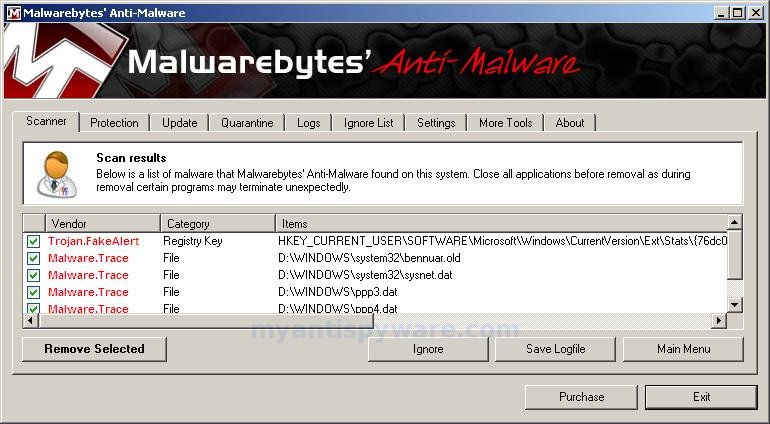
When the scan is complete, click OK, then Show Results to view the results. You will see a list of infected items similar as shown below. Note: list of infected items may be different than what is shown in the image below.

WindowsPolicePRO_mbam
Malwarebytes Anti-malware, list of infected items

Make sure that everything is checked, and click Remove Selected for start Windows Police Pro removal process. When disinfection is completed, a log will open in Notepad and you may be prompted to Restart.

Note: if you need help with the instructions, then post your questions in our Spyware Removal forum.

Windows Police Pro creates the following files and folders

c:\WINDOWS\system32\dddesot.dll
c:\WINDOWS\system32\desote.exe
c:\program files\windows police pro\msvcm80.dll
c:\program files\windows police pro\msvcp80.dll
c:\program files\windows police pro\msvcr80.dll
c:\program files\windows police pro\Windows Police Pro.exe
c:\program files\windows police pro\tmp\dbsinit.exe
c:\program files\windows police pro\tmp\wispex.html
c:\program files\windows police pro\tmp\images\i1.gif
c:\program files\windows police pro\tmp\images\i2.gif
c:\program files\windows police pro\tmp\images\i3.gif
c:\program files\windows police pro\tmp\images\j1.gif
c:\program files\windows police pro\tmp\images\j2.gif
c:\program files\windows police pro\tmp\images\j3.gif
c:\program files\windows police pro\tmp\images\jj1.gif
c:\program files\windows police pro\tmp\images\jj2.gif
c:\program files\windows police pro\tmp\images\jj3.gif
c:\program files\windows police pro\tmp\images\l1.gif
c:\program files\windows police pro\tmp\images\l2.gif
c:\program files\windows police pro\tmp\images\l3.gif
c:\program files\windows police pro\tmp\images\pix.gif
c:\program files\windows police pro\tmp\images\t1.gif
c:\program files\windows police pro\tmp\images\t2.gif
c:\program files\windows police pro\tmp\images\up1.gif
c:\program files\windows police pro\tmp\images\up2.gif
c:\program files\windows police pro\tmp\images\w1.gif
c:\program files\windows police pro\tmp\images\w11.gif
c:\program files\windows police pro\tmp\images\w2.gif
c:\program files\windows police pro\tmp\images\w3.gif
c:\program files\windows police pro\tmp\images\w3.jpg
c:\program files\windows police pro\tmp\images\wt1.gif
c:\program files\windows police pro\tmp\images\wt2.gif
c:\program files\windows police pro\tmp\images\wt3.gif
%UserProfile%\start menu\Programs\windows police pro\Windows Police Pro.lnk
%UserProfile%\Desktop\Windows Police Pro.lnk
c:\WINDOWS\svchasts.exe

Windows Police Pro creates the following registry keys and values

HKEY_CURRENT_USER\SOFTWARE\Windows Police Pro
HKEY_LOCAL_MACHINE\SOFTWARE\Microsoft\Windows\CurrentVersion\Uninstall\Win Police Pro
HKEY_LOCAL_MACHINE\SYSTEM\ControlSet003\Services\antippro2009_100

Share and Enjoy:

  • Print
  • Digg
  • Sphinn
  • del.icio.us
  • Facebook
  • Mixx
  • Google Bookmarks
  • Slashdot
  • Twitter
August 31, 2009 on 10:10 am | In Rogue Anti Spyware, Tutorials - HowTo | 78 Comments |


78 Comments »

RSS feed for comments on this post. TrackBack URI

  1. Been working on this thing since last night. Machine was pretty hosed by the time I got to it. Everything has worked great up until actually running MBAM. It doesnt ever actually launch it just sits in the task bar for about 5 minutes using between 2,250b and 2,500b before it drops out and dissapears. Ran Dr.Web and killed some trojans and that seemed to help the machines performance a bit. Also tried running HijackThis. Could only run the installation after renaming it to a .com and then it died about 10 seconds into the scan without generating a log and I am now getting a not sufficient permissions error when I try to re-launch the program. Any advise at all would be appreciated as my next anti virus tool might possably be a hammer.

    Comment by Tony — August 31, 2009 #

  2. can only access internet through firefox cannot change .exe to .com how do i fix

    Comment by Matt Bilbrey — August 31, 2009 #

  3. I can do all but run a malware scan… It closes in the early part of scanning and takes ownership of that antivirus program with the shared icon in corner. I can take ownership back but each time i try to scan it will stop it.

    and geez that security code is hard to read when commenting!

    Comment by problem — August 31, 2009 #

  4. Thanks! Everything worked except the fixing the registry part. To fix that, I used http://support.microsoft.com/kb/555067 .

    Comment by Tired Hubby — August 31, 2009 #

  5. Tony, looks like your PC infected with a trojan thta blocks MalwareBytes. Ask for help at our Spyware removal forum.

    Comment by Patrik — September 1, 2009 #

  6. Matt, download OTM.exe to your desktop. Enable “show file extensions”. For it: Click Start, Open My Computer, Select the Tools menu and click Folder Options, Select the View tab, Uncheck the Hide file extensions for known types option, Click Yes to confirm, Click OK.
    Then right click to OTM.exe, select Rename. Type a new name – OTM.com and press Enter. Run it.

    Comment by Patrik — September 1, 2009 #

  7. Wonderful solution, thanks a lot, it worked: I got rid of it

    Greetings from Germany!

    Comment by Morganfield — September 1, 2009 #

  8. I cannot get online evey with firefox, can someone explain step by step for me how to put OTM and Malware Bytes on a disk and get them renamed so maybe I can get them onto the infected PC to run?

    I thought I had Malware Bytes, got it to set up and install, but it’s blocked from running, so maybe renaming it would work?

    I am going to lose a lot of pictures if I have to reinstall on this one:( Would sure appreciate any help.

    Comment by Karen133 — September 2, 2009 #

  9. Karen133, ask for help at our Spyware removal forum.

    Comment by Patrik — September 2, 2009 #

  10. Hello all, I am also suffering from this Windows Police Pro my problem is that I have a completely black screen and cannot access anything except for the task manager. I cannot even get a hijack log, nor can I use Malware. I really need someone to help me. I am able to get into the registry and can see the items listed above, but cannot delete them. I am running Windows XP. Thank you for any help.

    Comment by Jean — September 4, 2009 #

  11. Jean, go to our Spyware removal forum.

    Comment by Patrik — September 4, 2009 #

  12. Patrik, the instructions worked beautiful. I can now get into all my applications including able to run Regedit. My PC in mine once again

    Comment by NotreDan — September 6, 2009 #

  13. Forgot – Thank you.

    Comment by NotreDan — September 6, 2009 #

  14. Patrik,

    Getting an error when I double-click the notepad file.

    “Registry editing has been disabled by your administrator.”

    Suggestions?

    Comment by Niko — September 7, 2009 #

  15. Thanks so much on all the detail of how to remove this crappy Police Pro that is driving me crazy, only problem is that I can’t download the OTM in the first step on the infected computer because it won’t let me get online. Please tell me what I need to do (and is it safe to download to my uninfected PC)to save it on a disk and open on the infected PC. ANY HELP WILL DO!!!! Thank you so much before hand!

    Comment by Julie — September 7, 2009 #

  16. Niko, make a new topic at our Spyware removal forum.

    Comment by Patrik — September 7, 2009 #

  17. Julie, yes you can move files from uninfected to infected PC. Only use CD disk or set write protection on USB drive.

    Comment by Patrik — September 7, 2009 #

  18. ok so I was able to copy and paste with another disc onto the OTM finally, but when I hit move it gave me the info under results and then an Error box came up saying Error creating Log file! Then another came up saying Error creating Restore file!
    So i hit ok on both those errors and then it asked me about if I wanted to reboot and I hit yes, but it didn’t reboot on its own, so I went to the start and hit restart computer, but it restarted and all the 34 error boxes popped up as always…so I continued with the step 2 completed and restarted my computer again…but can’t go on to step three to download MBAM but it still won’t let me go online at all, what am I missing? should I be able to go online by completing step 1 and 2 or should I be saving malware to a disk and transferring it onto infected computer. Please send help and if theres a email I can write to that makes this easier then posting all this please let me
    Thanks Julie

    Comment by Julie — September 8, 2009 #

  19. OMG THANK YOU SOOOOOO MUCH FOR ALL THIS INFORMATION!!! Disregard last post, I got it to work!!! NO MORE POLICE PRO!!! Just one more question, do I need to remove any of the new stuff I put on my PC once it’s not infected anymore (like that fix.reg thing I put on the notebook now on my desktop along with that malwarebytes anti-malware on my desktop? One more thing all my icons on my desktop still have a blue backround behind the words as if they are highlighted, will that ever come off or does that even matter! THANKS AGAIN!!!!

    Comment by Julie — September 8, 2009 #

  20. Just curious that now that police pro is removed do I need to delete anything that I had to install or will it be fine to leave on the computer? Also, all of my desktop icons are highlighted blue still, how do I stop that from happening? Thats all and thanks again!!!

    Comment by Julie — September 8, 2009 #

  21. Everything works fine till i run malware, it looks like its starting to scan but after 10 seconds it closes by itself and i can not open it again. Please help!!

    Comment by KR — September 8, 2009 #

  22. This fixed everything. Thank you! A+

    Comment by Steven Sanders — September 8, 2009 #

  23. I tried several other sites and none of them worked. These instructions are the only ones I have found that worked. The key though, was having another computer so I could save the OTM and Malwarbytes program and the text to paste into OTM onto a CD and move it to the infected computer. I spent the last four hours trying everything else, and this WORKED! Thank you, Thank you!

    Comment by Janet — September 8, 2009 #

  24. Julie, run Run OTM. Click CleanUp button. If you are asked to reboot the machine choose Yes.
    Uninstall Malwarebytes Antimalware using Add/Remove programs panel. And open Desktop settings to set your own.

    Comment by Patrik — September 9, 2009 #

  25. I have saved the file fix.reg to the desktop
    and double clicked then said yes, now when I go to reboot the computer the command box is still there, how do I remove the command box? so I can reboot? do I hit end now?

    Comment by Joe — September 9, 2009 #

  26. Hey, i have the same problem as nko. I did everything here but my regedit is disabled so fix.reg brings up “Registry Editing is disabled by administator”. I’ve tried changing this through group policy settings but it won’t work. it changes the settings but i still get the same error. Any suggestions?

    Comment by matt — September 9, 2009 #

  27. I can not get the registry file to work. I’ve used the microsoft fix as suggested by another user, but that does not work. i can not disable system restore in safe mode which also is a key component. Any help on this matter?

    Comment by Steve — September 9, 2009 #

  28. Now that this Police Pro trojan is gone, will an anti-virus program like McAfee keep it out? Why didn’t McAfee keep it out in the first place?

    Comment by John — September 9, 2009 #

  29. Thanks for all the detail – finally got this off my husband’s computer.

    One thing – I had trouble installing the mbam-setup program at first, had to change the name and the extension – THEN it wouldn’t RUN after I’d installed and done all the other stuff. It just did absolutely nothing. Turned out I had to navigate to the install folder and change the name of the program and it’s extension to finally get it to run. (I changed it to “whatever.com” and then it ran fine. Of course, then my shortcut didn’t work, so I just deleted it.) I’m thinking I had a more recent version of the malware and it had gotten “smarter”.

    Comment by Kelcee — September 9, 2009 #

  30. I used this solution and it got rid of Windows Police Pro with OldTimer, but I still cannot open Malwarebytes’ Anti-Malware and my computer is not running explorer.

    This was happening before I got rid of Windows Police Pro with your tutorial and it’s still happening.

    The only way I can access my desktop and the start menu are in Safe Mode. But even in Safe Mode Malwarebytes won’t work.

    On normal mode boot up I can only use Windows Task Manager.

    Comment by Josh — September 9, 2009 #

  31. Joe, Matt and Steve ask for help at our Spyware removal forum.

    Comment by Patrik — September 10, 2009 #

  32. Josh, looks like explorer.exe is damaged or removed by trojan. Also ask for help at our Spyware removal forum.

    Comment by Patrik — September 10, 2009 #

  33. I have tried the procedure without success. It would not let me use the copy/paste procedure, so I typed the program info into the OTM. It was not successful and it would not let me downlaod MalwareBytes Anti-malware. Where do I go from here?

    Comment by Leo Corcoran — September 10, 2009 #

  34. AWESOME solution – worked like a charm — thanks!

    Comment by Paul C — September 10, 2009 #

  35. Josh,
    Try this,
    delete dbsinit.exe from this folder ==> c:\Program Files\Windows Police Pro\
    =>This will allow you to open EXE files and Malwarebytes also. Good Luck.

    Comment by ChungMoo — September 10, 2009 #

  36. I tried all of the above. OldTimer says it sees none of the files listed. MalwareBytes gets started and disapears and the system is right where I left it. I think this thing is progressive and a bummer. Any new stuff about it?

    Comment by Dave — September 10, 2009 #

  37. Dave, probably your infected with a new version of the fake antispyware. Please make a new topic in our Spyware removal forum.

    Comment by Patrik — September 10, 2009 #

  38. This was the most pervasive I’ve had to deal with. The OTM was a lifesaver. I had to tinker with msconfig to finally clean things up, but it’s fixed. Thanks

    Comment by Dan — September 11, 2009 #

  39. WOW!!! Simple steps with crystal clear directions and guidelines.. Class act website..I had the windows police pro virus.. I had the laptop fixed and working in 20 minutes..Great jop folks!! I appreciate your support…I am a fan for life and I will plug this site…Thank you!! John H

    Comment by John H — September 12, 2009 #

  40. I have been trying to remove windows police pro for the past 2 days. otm works fine in removing the files and the system then runs fine. ran spybot search and destroy and malwares antimalware and they both ra and found some problems and fixed them. The problem is as soon as the system reboots the stupid thing is back and is reinstalled before the system even finishes booting up. Is there something I’m missing tat is causing it to keep reinstalling? Please help

    Comment by Dominic Muscante — September 12, 2009 #

  41. Dominic, looks like you right. Please make a new topic in our Spyware removal forum. I will check your computer.

    Comment by Patrik — September 13, 2009 #

  42. I recently removed this using OTM, but no matter what I do, My malaware, will not scan, I can load it up but once the scan starts a few seconds in it closes the program, and I have to either reinstall or mess with the security settings in properties/Security. Any help would be nice since I don’t really feel safe about my Computer since none of my anti-virus will scan.

    Comment by Jacob — September 15, 2009 #

  43. Jacob, then only one. Make a new topic in our Spyware removal forum, i will help you.

    Comment by Patrik — September 16, 2009 #

  44. Wow, thanks so much! It was blocking me from accessing anything with pop ups all over. was lucky to find you. It worked just as you said. What a relief to know it is fixed. Thanks again.

    Comment by Judi — September 21, 2009 #

  45. Thanks so much. Went thru the process and it worked great. The only thing I would recommend would be to include instructions ora link on how to access the internet thru safe mode so as to access some of the components. I was reading from a desktop not infected and working on a laptop (infected) until I was able to run OTM which I was able to download in safe mode. I found the info on other web pages but it took some web searching since I am an optimistic neophyte at fixing computer stuff. While I like to try (and succeed) at fixing problems, I get frustrated at having to go through many resources since I am NOT familiar with many of the basics involved in computer repair. I read, I learn, I conquer (sometimes). Thanks again! Your site is a big advantage for us.

    Comment by mike — September 21, 2009 #

  46. It didn’t work after clicking the move it button, says fix complete. The results we

    Error: Unable to interpret in the current context!

    Please walk me through this.

    Comment by Mike — September 21, 2009 #

  47. Mike, looks like your PC is infected with a new variant of the rogue. Please ask for help in our Spyware removal forum.

    Comment by Patrik — September 22, 2009 #

  48. WoW! Works Great! Thanks!! Here’s some missing details:
    1. A suggestion would be to add to get to \

    Comment by Terry — September 22, 2009 #

  49. When I ran the fix.reg file I got a message asking for me to confirm that I wanted to run the file. When I clicked Yes it gave me a message saying “Cannot import C:\Documents and Settings\Guest\Desktop\fix.reg: Not all data was successfully written to the registry. Some keys are open by the system or other processes.”

    Does anyone have any idea as to why the fix.reg file I created is not working?

    Please help.

    Comment by Adrienne — September 22, 2009 #

  50. Adrienne, make a new topic in our Spyware removal forum.

    Comment by Patrik — September 22, 2009 #

  51. Thanks so much all instructions worked! I was ready to throw my computer out the window..LOL

    Comment by julie curry — September 25, 2009 #

  52. Thanks a whole bunch!
    This just made my day!!
    My dad would have been furious if he couldn’t go to internet and research, and I’d have been inside my room until i fixed it, you know.. haha

    This thing worked great! from the beginning to the end. Even that Malware program worked great for me. I hope it does so with everybody… Good luck to you all who got this nasty virus.
    God bless you.

    Comment by Steven Kim — September 28, 2009 #

  53. no kidding, and for real,

    I cannot agree more with curry…

    I was just about to smash the monitor when

    Add/Remove didn’t work, along with System Restoration…

    Comment by Steven Kim — September 28, 2009 #

  54. My screen is complete black. I can not get into anything. I had the window police pro 2009 come up on it. Can I get help to get this removed?

    Comment by Sharon — October 1, 2009 #

  55. I am having to use someone else computer right now until I can fix mine. It is completely black.

    Comment by Sharon — October 1, 2009 #

  56. Sharon, ask for help in our Spyware removal forum.

    Comment by Patrik — October 2, 2009 #

  57. Thanks. One of my clients got this on their desktop and I was able to clear their problem up with help from this thread.

    Comment by LatinLunatic — October 7, 2009 #

  58. … I tried this and now I can’t even load into Safe Mode (solution failed; backfired). Just gives me the same black screen I get in Regular Mode. Any solutions at that point?

    Comment by Michael R — October 7, 2009 #

  59. Michael, if Normal and Safe modes blocked, try boot your PC using Last Good Configuration option (F8 menu).

    Comment by Patrik — October 8, 2009 #

  60. After spending days, found this forum–fantastic. Don’t try shortcuts, follow step by step and you will hopefully have the same happy ending!

    Comment by Paula — October 9, 2009 #

  61. Follow step by step-you’ll be all set! Great forum!!

    Comment by Paula — October 9, 2009 #

  62. Thank you ever so much! I’ve tried various things, but only your instructions did it for me (though registry part only worked after malware scan). This bloody windows police pro was scary – the most difficult I had to help to get rid off so far…

    Comment by giedre — October 12, 2009 #

  63. This is a nasty little virus. Good Luck – it really messed up my computer. the more you attack it, the more it attacks different areas of your computer. It deleted the drivers to my network hardware and wouldn’t let me reinstall. I am at the point where I think I’ll just copy pix and docs to another drive and format.

    I got it from a popup window, don’t open links from email. I was following a link and bam – I got it.

    Comment by soloart — October 13, 2009 #

  64. I am using the MS Knowledgebase article to perform the registry editing functions. When i get to the point where it to run I start regedit.com from the command line, I receive a pop-up that says registry editing has been disabled by the administrator. I am logged in as administrator on the local machine not the network admin.

    Comment by Don — October 18, 2009 #

  65. Don, ask for help in our Spyware removal forum.

    Comment by Patrik — October 18, 2009 #

  66. I found that if you do step #1 and #2 then I was able to run combofix and it removed all of the programs and registry entries that you listed and more. Thanks for The OTM do get everything going

    Comment by sam — October 18, 2009 #

  67. thx alot it helped and and widnows police pro got removed… but its still not opening control pannel and cannot open security center too. so can u help me for this one plz
    ?

    Comment by Omar — October 19, 2009 #

  68. Omar, make a new topic in our Spyware removal forum.

    Comment by Patrik — October 19, 2009 #

  69. I found out you can run programs if you open up your task manager and go to processes and end task on window police gives you a short time to open up what you need.

    Comment by Ken the man — October 20, 2009 #

  70. Ok I have run the OTM and restarted and all but now I can’t open command prompt or notepad where do I go from here?

    Comment by Mike — October 21, 2009 #

  71. i cant get passed step two. I belive police pro was removed cause i dont see it anymore but now i get annoying popups from Security Tool i did everything you told me and now my computer went completley blank all icons dissapperard as well. i can only acess the internet the Run will not work task manager cannot be executed and step 3 wtih Notepad does not work. please help

    Comment by carmen — October 22, 2009 #

  72. Mike, you can`t run command.com or cmd.exe ?

    Comment by Patrik — October 22, 2009 #

  73. carmen, please open a new topic in our Spyware removal forum.

    Comment by Patrik — October 22, 2009 #

  74. Hi, I have used your OTM program and it worked in removing windows police pro, but I already had malwarebytes installed on my computer and I cannot access that or any other cleaners or add/remove programs. Everytime I click on it a black box appears for a second then disappears. Also when not in safe mode, when I start up about 30 black boxes pop up then slowly delete on thier own. Any suggestions?

    Comment by LeaAnn — October 22, 2009 #

  75. LeaAnn, looks like your computer is infected with a rootkit thats blocks the ability to run anti-spyware programs. Ask for help in our Spyware removal forum.

    Comment by Patrik — October 23, 2009 #

  76. I found your blog on the internet about removing Windows Police PRO and I have a question.

    1. All Safe Mode boot options result in the computer restarting. Thus only normal boot and last known good boot options are available which result in virus display.

    2. Cntl + Alt + Del to get to Task Manager result in popup stating that the task manager has been disabled by the system administrator.

    3. The windows taskbar is gone along with the Start button and all interfaces to the computer with the exception of the Windows Police PRO interface.

    4. Alt F4 does shut Windows Police PRO down for about 1 minite but no taskbar appears and Taskbar remains disabled.

    5. Their is no boot CD for this computer.

    Any Advise??

    Comment by Kevin — November 6, 2009 #

  77. Kevin, you need ask for help in our Spyware removal forum. Looks like your computer infected with Win32k trojan/rootkit.

    Comment by Patrik — November 8, 2009 #

  78. Thank you so much for this information. My PC is MINE again! I’ve been battling this infection for over a month now and was ready to wipe it clean and start new but I’d lose my data. (Stupid to have no backup, I know. That WILL be rectified.)

    Comment by Andy — March 24, 2010 #

Leave a comment

XHTML: <a href="" title=""> <abbr title=""> <acronym title=""> <b> <blockquote cite=""> <cite> <code> <del datetime=""> <em> <i> <q cite=""> <strike> <strong>


My Anti Spyware - Free antispyware programs and Spyware Removal Instructions.