• Downloads
  • Threats
    • Adware
    • Browser Hijacking
    • Phishing
    • Ransomware
  • Questions and Answers
  • Recover Encrypted Files
  • Free Malware Removal Tools

MyAntiSpyware

Menu
  • Downloads
  • Threats
    • Adware
    • Browser Hijacking
    • Phishing
    • Ransomware
  • Questions and Answers
  • Recover Encrypted Files
  • Free Malware Removal Tools
  • How to use JRT to remove adware and malware

    Myantispyware team November 7, 2015     No Comment     Free Software

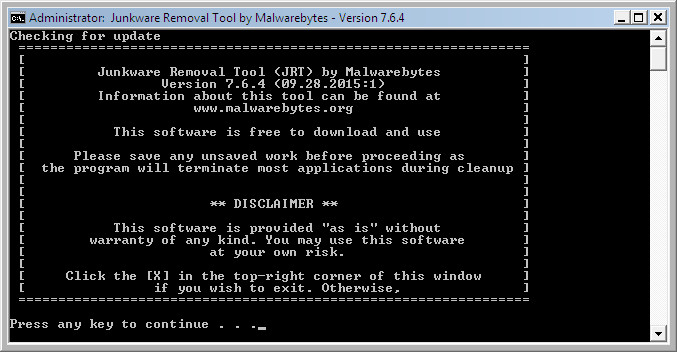
    JRT or Junkware Removal Tool is a small free security tool. Once started, it will perform a scan for malicious software such as adware, toolbars and potentially unwanted programs (PUPs). When the scan will be done, JRT will try to clean all of infections that has been found. While running, Junkware Removal Tool will delete

    Read more »

New Guides

Vyrobet.com Review: Promo Code Scams Exposed
scam alert
Hoverspin.cc Scam Alert: Fake Promo Codes
scam alert
Holydex.com Scam Alert: Fake Promo Codes
scam alert
Hefowex.com Promo Codes: A Crypto Scam
Garmibet.cc Promo Code Scam: What You Should Know

Follow Us

Search

Useful Guides

adwcleaner
AdwCleaner – Review, How to use, Comments
This setting is enforced by your administrator (Removal guide)
How to reset Internet Explorer settings to default
How to reset Google Chrome settings to default
search.yahoo.com
Remove Search.yahoo.com Redirect Virus ✅ (Quick & Easy) in 2024

Recent Guides

Remove Intsearch.info hijacker (Removal guide)
Remove Quivisi.com hijacker (Removal instructions)
Remove Virus-found.in virus popups
Remove Computer-error.net fake alert
Remove operatingsystemerror.in popups (Fake Alert virus)

Myantispyware.com

Myantispyware has been a trusted source for computer security and technology advice since 2004. Our mission is to provide reliable tech guidance and expert, practical solutions to help you stay safe online and protect your digital life.

Social Links

Pages

About Us
Contact Us
Privacy Policy

Copyright © 2004 - 2024 MASW - Myantispyware.com.
