Scammers are aggressively promoting the Starbucks Yeti Tumbler Giveaway Scam—a scheme that claims you can get a free Starbucks-branded Yeti tumbler simply by completing a short survey. This scam promises exclusive rewards and supposedly limited-time offers, but these enticing claims are designed to lure victims into providing personal information or downloading harmful software. The scam is spreading rapidly across social media platforms and fraudulent websites, using the trusted Starbucks name to appear legitimate and trustworthy.
The scammers behind this giveaway spread false advertising, suggesting the mugs are available exclusively through their links and claiming endorsements from Starbucks. However, a closer look reveals no official Starbucks involvement or authorization. These scams often ask users to complete multiple surveys or share the offer with friends, weaving a web of deceit that wastes your time and jeopardizes your privacy.
If you encounter offers for a free Starbucks Yeti tumbler, proceed with caution. Always verify promotions directly through official Starbucks channels and avoid clicking on suspicious links or sharing personal information. Genuine giveaways never require you to complete vague surveys or pay hidden fees. Protect yourself by staying informed and skeptical of too-good-to-be-true online offers.
Table of Contents
Starbucks Yeti Tumbler Giveaway Scam in detail
The Starbucks Yeti Tumbler Giveaway Scam is a deceptive scheme that tricks people into believing they can receive a free premium mug. 🚨 It’s a type of fraud where fake giveaways using well-known brand names are used to lure victims into completing surveys, sharing personal information, or downloading malicious files. 🔗 Step-by-Step Breakdown of the Scam:
🛒 Posing as a Free Giveaway
Scammers advertise a “free Starbucks Yeti tumbler” across social media, fake websites, and scam emails. These promotions claim you can receive a high-value branded mug at no cost or for a small shipping fee, attracting people with the promise of a coveted free gift.
🕸️ Creating Fake Websites
They set up convincing but fraudulent websites mimicking Starbucks or giveaway platforms. These sites often use URLs similar to legitimate brands and contain little to no verifiable contact information, making it hard to trace or verify the offer.
📢 Promoting Through Misleading Ads
The scam is boosted via targeted ads on Facebook, Instagram, TikTok, and YouTube, featuring eye-catching graphics and phrases like “Claim your FREE Starbucks Yeti Tumbler now!” or “Limited time offer”. These ads mislead people into clicking through without suspicion.
💼 Forcing Survey Completions and Data Collection
To claim the “free” tumbler, victims are required to complete detailed surveys, sign up for newsletters, or enter personal and financial information. This data is often sold to third parties or used for identity theft and further scams.
💸 Hidden Fees and Charges
While the offer claims the mug is free, victims are frequently charged unexpected “shipping and handling” fees or unknowingly enrolled in costly subscription services as part of the checkout process.
🌟 Using Fake Reviews and Testimonials
The fake giveaway sites often display fabricated customer testimonials praising the offer’s legitimacy and quality, aiming to build trust and reduce suspicion among visitors.
⚖️ False Assurances of Authenticity and Legality
They falsely claim the giveaway is officially sponsored or authorized by Starbucks and that sharing information is safe and private, which is untrue.
🛍️ Streamlined Yet Deceptive Claim Process
The process to “claim” the tumbler is designed to feel simple and fast, encouraging users to provide information quickly without reading terms and conditions.
🔁 No Actual Product Delivery
In most cases, victims never receive the Starbucks Yeti tumbler they were promised. Instead, they are left waiting or receive cheap, unrelated items if anything at all.
📦 Delivering Ineffective or Malicious Files
Sometimes, the scam involves downloading attachments or software that contain malware or viruses, putting users’ devices at risk.
In summary, the Starbucks Yeti Tumbler Giveaway Scam exploits the popularity of a well-known brand to lure victims into providing personal data, completing pointless surveys, or paying hidden fees under the false pretense of receiving a free mug. The scammers use fake websites, misleading ads, and fake reviews to appear genuine, but those who fall victim end up with nothing or worse, compromised security. Always verify giveaways through official brand channels and never share personal information on untrusted sites.
Similar scams exposed
A few examples of such survey scams: You’ve made the 5-billionth search, CashApp Reward Survey SCAM, 2023 Annual Visitor Survey, $750 Cash App Survey, Chrome search contest 2022.
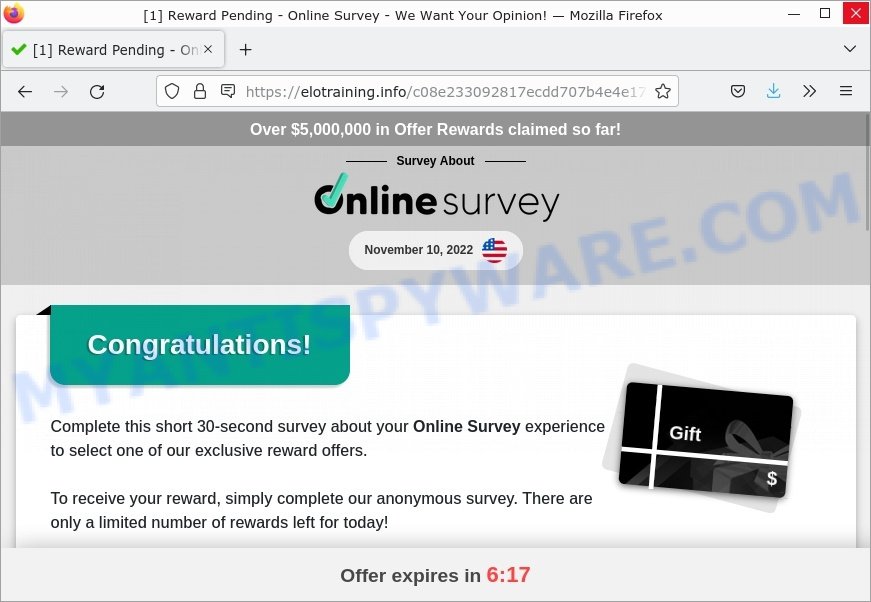
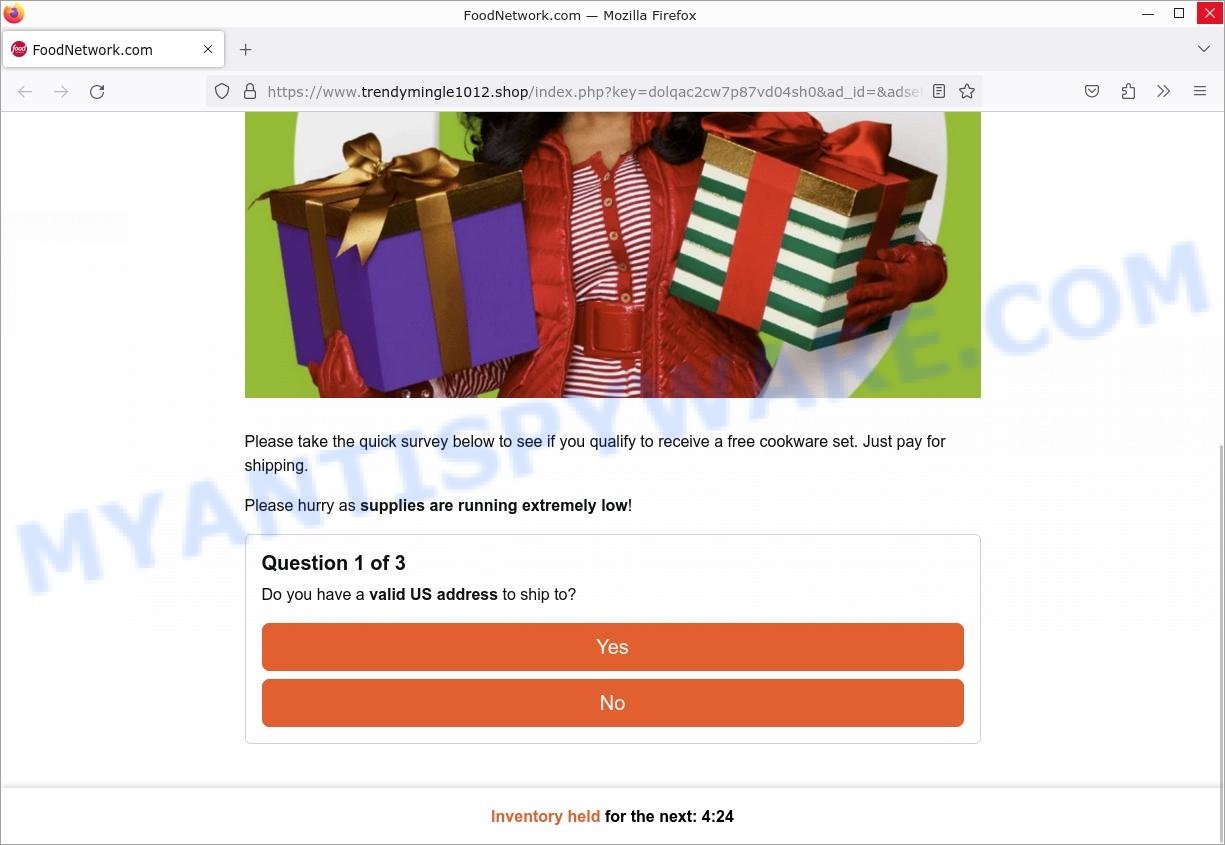
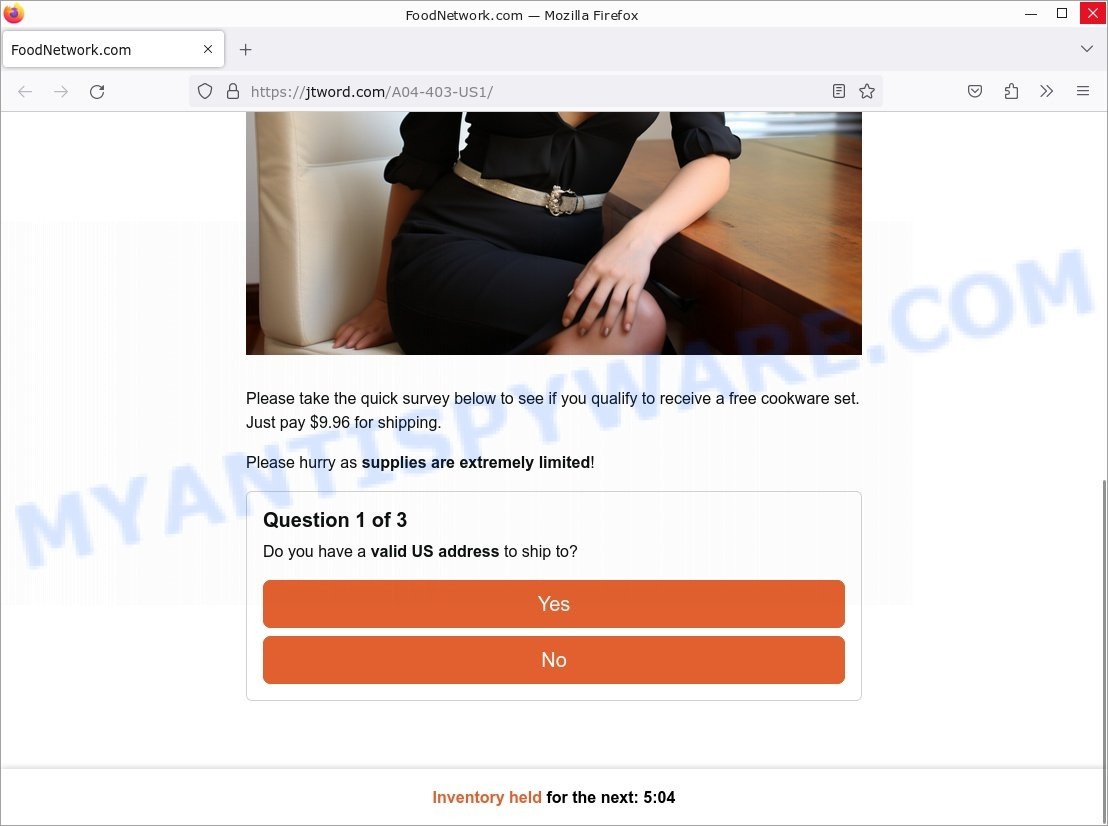
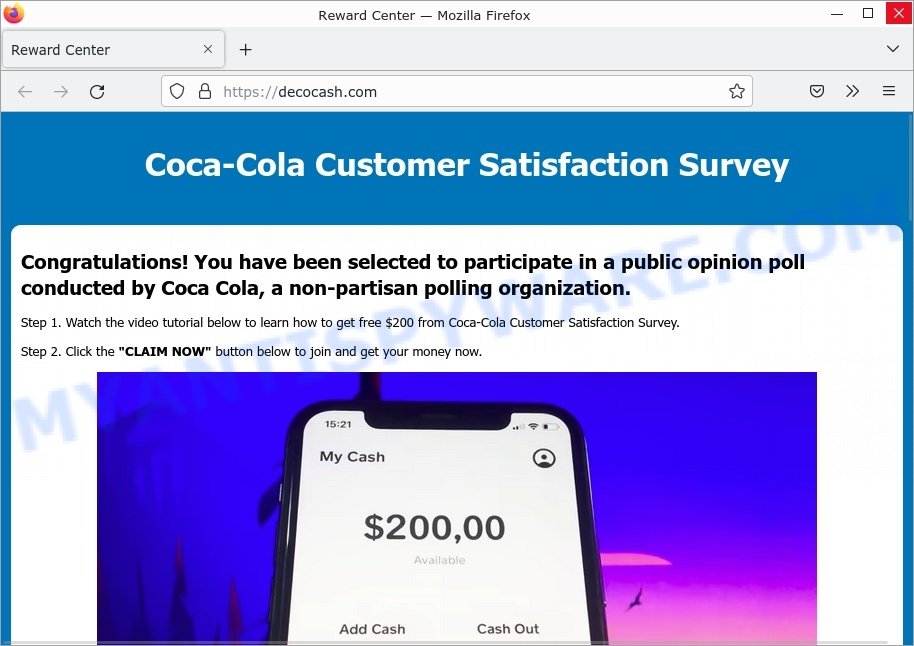
In fact, there are many more, the Internet is full of fraudulent websites, ads, social media pages, and apps promoting different “giveaway”, “online survey”, and other “get rich quick” schemes. So be careful!
How to protect against Survey Scams
To avoid becoming a victim of scammers, it is important to always keep in mind:
- NO ONE EVER WINS MONEY OR PRIZES IN THESE SCAMS!
- NEVER share your personal information.
- Legitimate surveys do not require the disclosure of confidential, personal or financial information.
- Use the official website of the company sponsoring the survey to verify that the survey is legitimate.
- Use an ad blocker. Ad blockers allow you to browse sites without ads, thus eliminating the possibility of clicking on something malicious and preventing it from being downloaded to the device.
- Pay for premium versions of popular services. The easiest way to avoid malvertising (malicious advertisements) and phishing pages is to pay for the service you use. Many Internet services make it possible to use them without ads if you purchase a premium subscription. This helps ensure that malicious ads cannot reach you.
Close the Starbucks Yeti Tumbler Giveaway pop-up as soon as it appears on your computer screen. Scammers can prevent you from closing it in various ways. In such cases, close your browser using Task Manager or restart your computer. If the next time you launch the browser, it prompts you to restore the previous session, abandon it, otherwise this scam will reopen on your screen.
Threat Summary
| Name | Starbucks Yeti Tumbler Giveaway |
| Type | survey scam, phishing, fake survey |
| Detection names | malware, malicious, suspicious |
| Whois Details | Recently created domain, WHOIS contact information hidden |
| Distribution | rogue ad networks, adware bundles, suspicious websites |
| Symptoms | links redirect to a pages different from what you expected, you experience lots of unwanted advertisements, new entries appear in your Programs folder, unwanted browser toolbars/extensions, your browser homepage has modified and you cannot change it back, low ping but slow Internet |
| Damage | loss of personal data, disclosure of confidential information, financial losses |
| Removal | Starbucks Yeti Tumbler Giveaway removal guide |
Where did Starbucks Yeti Tumbler Giveaway pop-ups come from?
As mentioned above, the Starbucks Yeti Tumbler Giveaway pop-ups are caused by Adware, malvertising (malicious advertisements), push notifications, followed by software downloads and redirects. Browser (push) notifications are originally developed to alert the user of recently published news. Cyber criminals abuse ‘push notifications’ by displaying unwanted ads. These ads are displayed in the lower right corner of the screen urges users to play online games, visit scam pages, install malicious browser add-ons & so on.
Adware is a form of malicious software that displays unwanted advertisements on a personal computer, redirects search queries to scam pages, and collects sensitive information for marketing purposes. Adware may display banner ads, full-screen ads, pop-ups, videos, or other forms of online advertising. Typically, adware ends up on personal computers bundled with freeware, malicious downloads, fake updates, shared files, and other unsafe software downloaded by users from the Internet.
How to remove Starbucks Yeti Tumbler Giveaway pop-ups
If you have encountered Starbucks Yeti Tumbler Giveaway pop-ups, you should not trust them and refrain from clicking any buttons or links that appear on the page. Instead, follow the steps below to remove the pop-up and any potential malware from your computer:
To remove Starbucks Yeti Tumbler Giveaway pop ups, complete the steps below:
- Close the pop-up
- Clear your browsing history
- Disable push notifications
- Scan your computer for malware
- Reset your browser settings
Close the pop-up
Closing the pop-up is the first step you should take when dealing with the Starbucks Yeti Tumbler Giveaway scam. Although it may seem like a simple task, some users may find it challenging, especially if the pop-up is designed to be persistent and difficult to close. This step is crucial because it prevents the user from falling into the trap set by the scammers and clicking on any of the buttons or links that can lead to further harm. In this section, we will provide a detailed guide on how to close the “Virus-Warning Windows locked due to unusual activity” pop-up safely and effectively.
- Don’t click on anything within the pop-up as it could lead to further harm.
- Look for a small “X” or “Close” button within the pop-up window. Click on it to close the window.
- If there is no “X” or “Close” button, try pressing the “Esc” key on your keyboard to close the pop-up.
- If the pop-up still won’t close, try opening your computer’s Task Manager by pressing “Ctrl + Shift + Esc” on your keyboard (or “Ctrl + Alt + Delete” and then select “Task Manager”). Find the browser window that the pop-up is in, right-click on it, and select “End Task” to force close the window.
Clear your browsing history
Clearing your browsing history is an important step in removing Starbucks Yeti Tumbler Giveaway pop-ups. These pop-ups often come from malicious websites that can be stored in your browsing history.
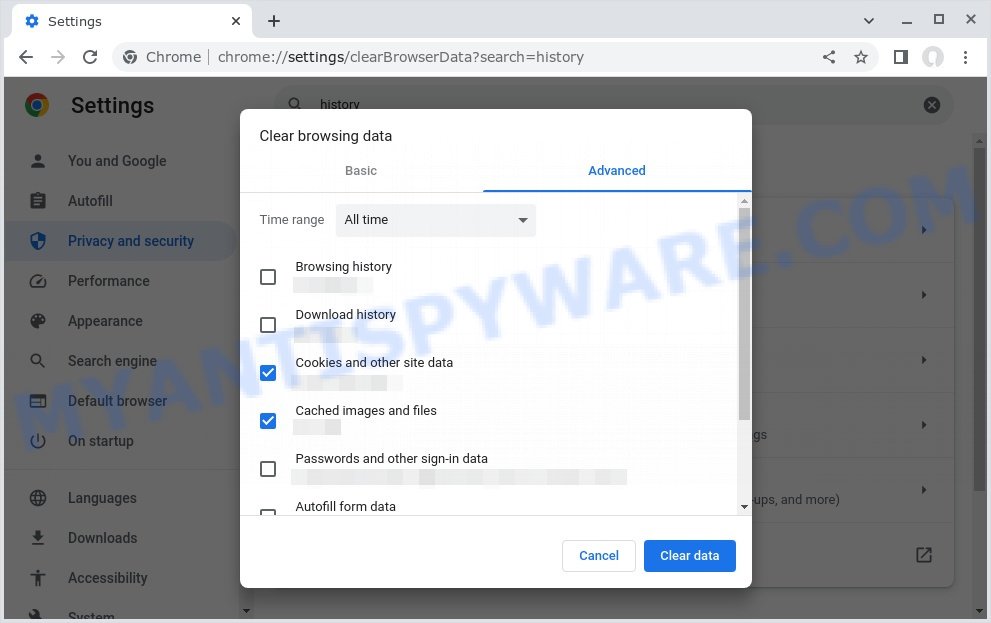
By clearing your browsing history, you can get rid of any traces of these websites and prevent the pop-ups from reappearing. In this step, we will walk you through how to clear your browsing history on different browsers.
- Open your browser’s settings or options menu. This can usually be accessed by clicking on the three dots or lines in the top right or left corner of the browser window.
- Scroll down to the “Privacy & Security” or “History” section of the settings menu.
- Click on “Clear Browsing Data” or “Clear History” (the wording may vary depending on the browser you are using).
- In the pop-up window that appears, choose the time range for which you want to clear your browsing history (e.g. “Last hour”, “Last 24 hours”, “All time”, etc.).
- Make sure that “Browsing history” or “History” is selected as one of the types of data to be cleared.
- Click on the “Clear Data” or “Clear History” button (the wording may vary depending on the browser you are using).
- Wait for the browser to finish clearing your browsing history. This may take a few moments, especially if you have a lot of browsing data stored on your computer.
- Close and restart your browser to ensure that the changes take effect.
Disable push notifications
If you’re experiencing persistent push notifications from websites that are showing Starbucks Yeti Tumbler Giveaway scams, the best course of action is to disable push notifications altogether. Disabling push notifications prevents malicious websites from showing you unwanted pop-ups and alerts, which can help protect your computer from further harm. In this step, we’ll walk you through the process of disabling push notifications in your web browser.
Google Chrome:
- Click on ‘three dots menu’ button at the top-right corner of the Google Chrome window.
- Select ‘Settings’, scroll down to the bottom and click ‘Advanced’.
- At the ‘Privacy and Security’ section click ‘Site settings’.
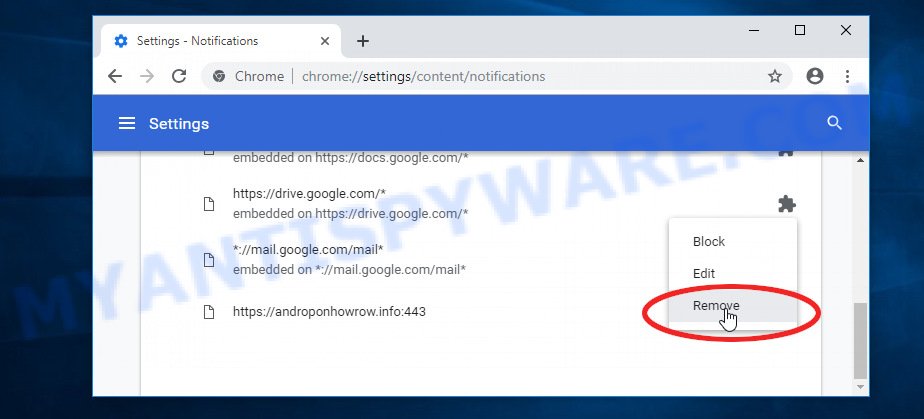
- Click on ‘Notifications’.
- Locate a malicious site and click the three vertical dots button next to it, then click on ‘Remove’.
Android:
- Open Chrome.
- Tap on the Menu button (three dots) on the top right corner of the screen.
- In the menu tap ‘Settings’, scroll down to ‘Advanced’.
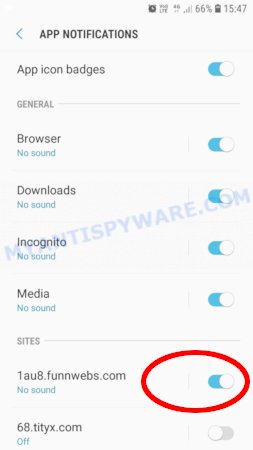
- In the ‘Site Settings’, tap on ‘Notifications’, locate a phishing URL and tap on it.
- Tap the ‘Clean & Reset’ button and confirm.
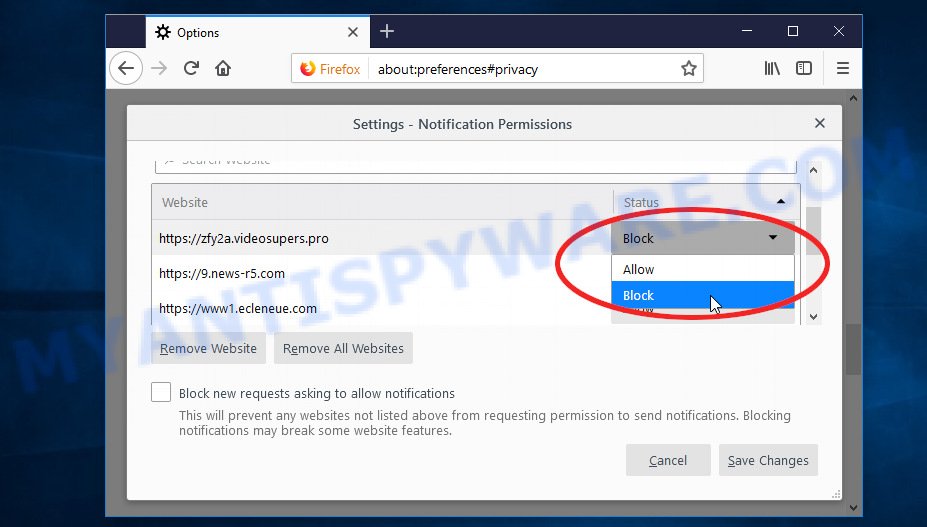
Mozilla Firefox:
- In the top right corner, click the Firefox menu (three bars).
- In the drop-down menu select ‘Options’. In the left side select ‘Privacy & Security’.
- Scroll down to ‘Permissions’ section and click ‘Settings…’ button next to ‘Notifications’.
- Find a suspicious URL, click the drop-down menu and select ‘Block’.
- Click ‘Save Changes’ button.
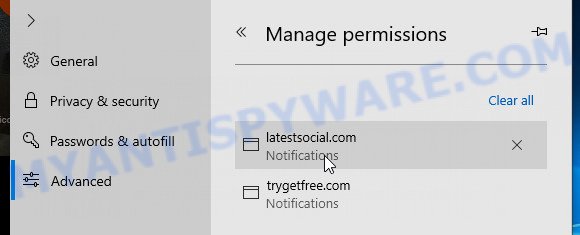
Edge:
- Click the More button (three dots) in the top-right corner of the window.
- Scroll down, locate and click ‘Settings’. In the left side select ‘Advanced’.
- In the ‘Website permissions’ section click ‘Manage permissions’.
- Disable the on switch for a malicious domain.
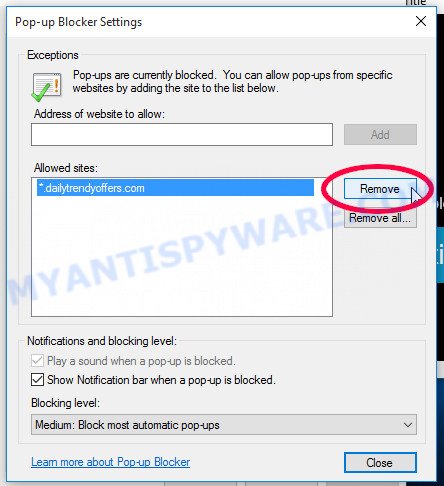
Internet Explorer:
- Click the Gear button on the top-right corner of the browser.
- Select ‘Internet options’.
- Click on the ‘Privacy’ tab and select ‘Settings’ in the pop-up blockers section.
- Locate a scam site and click the ‘Remove’ button to delete the site.
Safari:
- Go to ‘Preferences’ in the Safari menu.
- Select the ‘Websites’ tab and then select ‘Notifications’ section on the left panel.
- Find a phishing site and select it, click the ‘Deny’ button.
Scan computer for malware
If you have encountered the Starbucks Yeti Tumbler Giveaway scam, it is possible that your computer has been infected with malware. In order to ensure that your system is completely clean, it is important to perform a thorough scan for malware. This will help to identify any malicious files or programs that may be hiding on your computer and remove them to prevent further damage. In this step, we will guide you through the process of scanning your computer for malware using trusted antivirus software.
Malwarebytes is a reputable anti-malware program that can effectively detect and remove adware, potentially unwanted programs and malware. It has a user-friendly interface and offers both free and paid versions, with the paid version offering real-time protection and other advanced features. To use Malwarebytes to remove malicious software, you can download and install the program, perform a scan of your system, and follow the prompts to remove any detected threats.
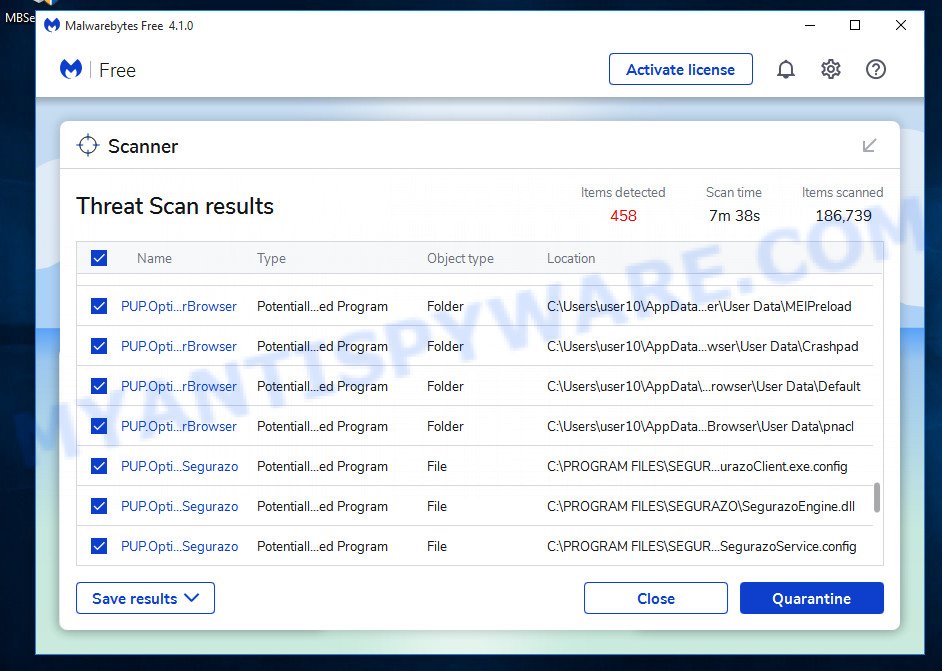
Visit the following link and download the latest version of Malwarebytes. Once the download is complete, run the installer and follow the instructions to install the program on your computer.
327725 downloads
Author: Malwarebytes
Category: Security tools
Update: April 15, 2020
Open Malwarebytes and click on the “Scan” button. The program will start scanning your computer for any malware or potentially unwanted programs. Depending on the size of your hard drive, this may take a few minutes to complete.
Once the scan is complete, Malwarebytes will display a list of any threats it has found. Review the list carefully and make sure that all the items are checked for removal. Then, click on the “Quarantine” button to remove the threats from your computer. After the removal process is complete, you may be prompted to restart your computer to complete the process.
Please follow this step-by-step video tutorial to learn how to use Malwarebytes to scan and remove any potential threats from your computer. The video will guide you through the entire process, from downloading and installing Malwarebytes to running a scan and removing any identified threats.
Reset your browser settings
If the Starbucks Yeti Tumbler Giveaway pop-ups persist even after clearing your browsing history, disabling push notifications, and scanning your computer for malware, resetting your browser settings might be the next step to take. Resetting your browser settings can remove any unwanted extensions or changes made to your browser that may be causing the pop-ups to appear. In this step, we will guide you through the process of resetting your browser settings in different popular browsers.
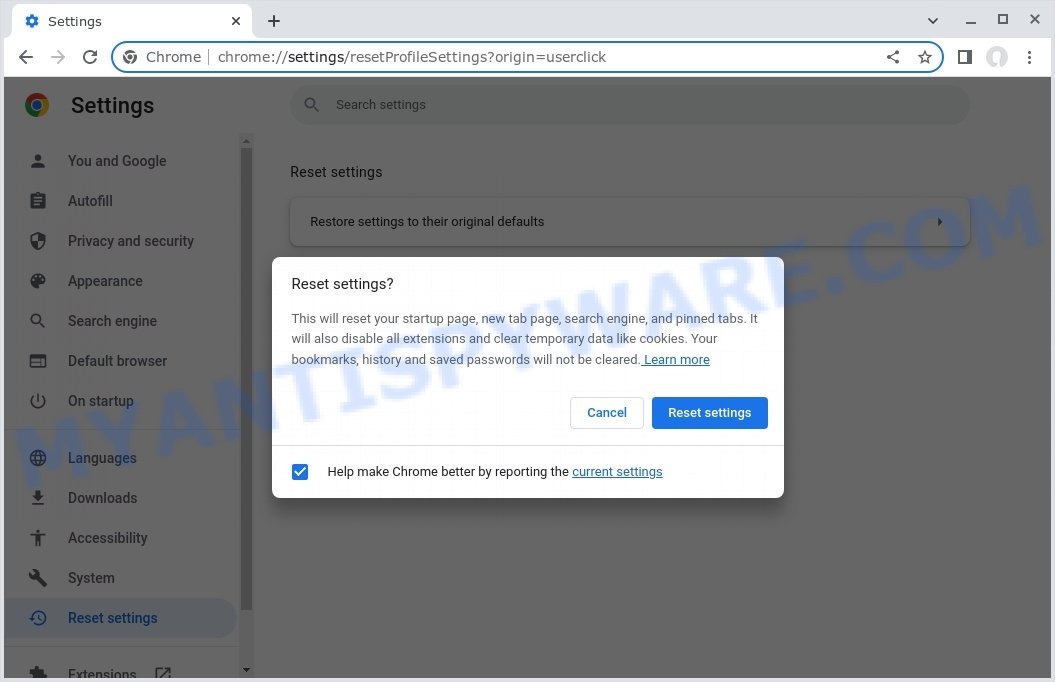
To reset your browser settings in Google Chrome:
- Open Chrome and click on the three-dot icon in the top-right corner.
- Select “Settings” from the drop-down menu.
- Scroll down to the bottom of the page and click on “Advanced”.
- Scroll down to the “Reset and cleanup” section and click on “Restore settings to their original defaults”.
- Click “Reset settings” to confirm.
To reset your browser settings in Mozilla Firefox:
- Open Firefox and click on the three-line icon in the top-right corner.
- Select “Help” from the drop-down menu and then click on “Troubleshooting Information”.
- Click on the “Refresh Firefox” button in the top-right corner.
- Click “Refresh Firefox” again to confirm.
To reset your browser settings in Microsoft Edge:
- Open Edge and click on the three-dot icon in the top-right corner.
- Select “Settings” from the drop-down menu.
- Scroll down and click on “Reset settings”.
- Click “Restore settings to their default values”.
- Click “Reset” to confirm.
After resetting your browser settings, be sure to check for any remaining suspicious extensions and remove them if necessary.
Conclusion
In conclusion, the Starbucks Yeti Tumbler Giveaway scam and similar deceptive schemes continue to pose a threat to unsuspecting individuals. By understanding the tactics employed by scammers, recognizing the red flags, and taking preventive measures, you can protect yourself from falling victim to these fraudulent schemes.
Remember to be cautious of suspicious pop-ups, unsolicited contact, and requests for personal or financial information. Legitimate companies will not display alarming messages or demand immediate action through aggressive pop-ups. Stay informed about common scams, rely on official support channels, and use reputable security software to safeguard your devices.





