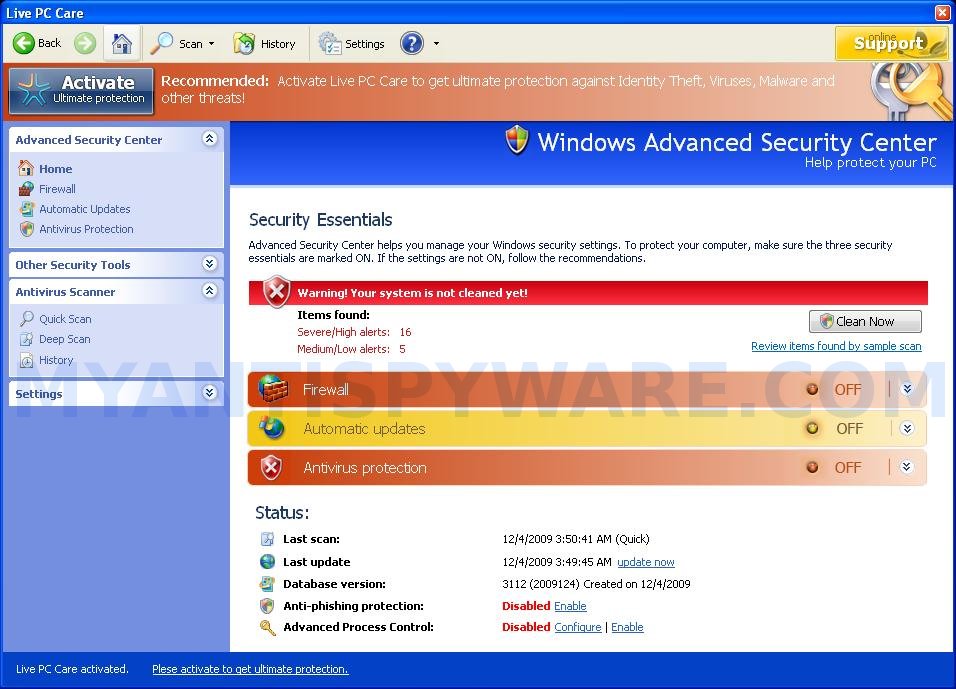
 Live PC Care is a rogue antispyware program. It is a clone of Windows Enterprise Defender, which is also rogue antispyware application. The rogue spreads mostly with the help of fake online malware scanners.
Once downloaded and installed, Live PC Care configures itself to run automatically and creates a lot of harmless files with random names in %UserProfile%\Recent folder, which later during the scan will be detected as worms, trojans and viruses. Of course, the scan results are false, because Live PC Care identifies harmless files as dangerous infections. So, you may easily ignore all that the rogue shows you!
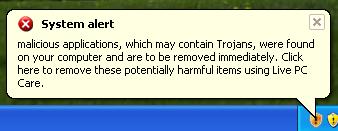
When running, Live PC Care will flood your computer with warnings, fake security alert and notifications from Windows task bar. The fake alerts state:
System alert!
malicious applications, which may contains Trojans, were found
on your computer and are to be removed immediately. Click
here to remove these potentially harmful items using Live PC
Care.
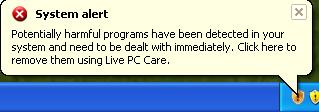
System alert!
Potentially harmful programs have been detected in your
system and need to be dealt with immediately. Click here to
remove them using Live PC Care.
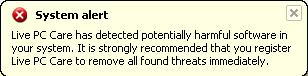
System alert!
Live PC Care has detected potentially harmful software in
your system. It is strongly recommended that you register
Live PC Care to remove all found threats immediately.
Warning
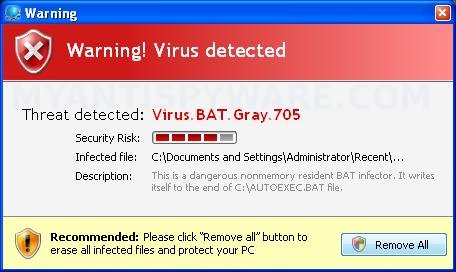
Warning! Virus detected
Threat detected: Virus.BAT.Gray.705
What is more, Live PC Care will block Task Manager and legitimate antivirus and antispyware programs (Kaspersky Antivirus, DrWeb, AdAware, McAfee, Norton AV, etc) and hijack Internet Explorer so that it randomly shows a warning page when you browsing the Internet. The title of the page is “There is a problem with this websites`s secuirty. Possible spyware threat detected”. However, all of these alerts and warnings are fake and like scan false results should be ignored!
As you can see, this program is a scam and should be removed from the system upon detection. Please follow the guidelines below to remove Live PC Care and any associated malware from your computer for free.
More screen shoots of Live PC Care
Symptoms in a HijackThis Log
O4 – HKLM\..\Run: [Live PC Care] “C:\Documents and Settings\All Users\Application Data\17c1f\LPf9a.exe” /s /d
Use the following instructions to remove Live PC Care (Uninstall instructions)
Download MalwareBytes Anti-malware (MBAM). Close all programs and Windows on your computer.
Double Click mbam-setup.exe to install the application. When the installation begins, keep following the prompts in order to continue with the installation process. Do not make any changes to default settings and when the program has finished installing, make sure a checkmark is placed next to Update Malwarebytes’ Anti-Malware and Launch Malwarebytes’ Anti-Malware, then click Finish.
If an update is found, it will download and install the latest version.
Once the program has loaded you will see window similar to the one below.

Malwarebytes Anti-Malware Window
Select Perform Quick Scan, then click Scan, it will start scanning your computer for Live PC Care infection. This procedure can take some time, so please be patient.
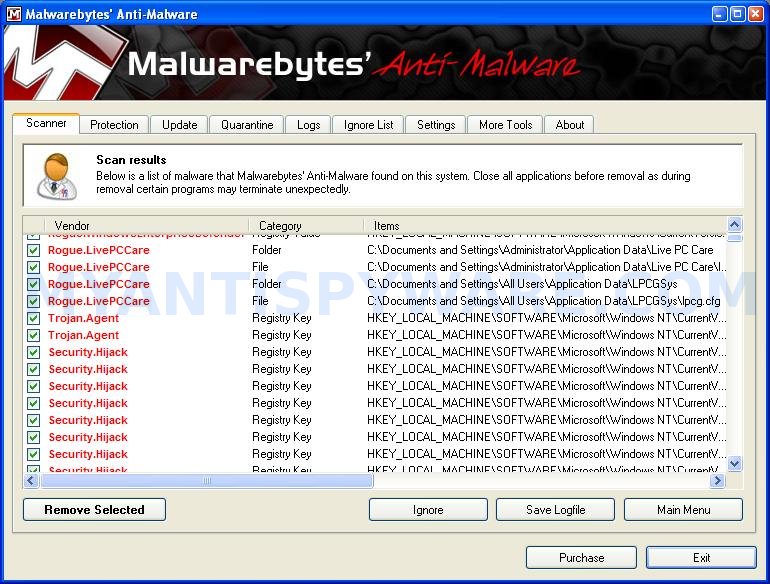
When the scan is complete, click OK, then Show Results to view the results. You will see a list of infected items similar as shown below. Note: list of infected items may be different than what is shown in the image below.

Malwarebytes Anti-malware, list of infected items
Make sure that everything is checked, and click Remove Selected for start Live PC Care removal process. When disinfection is completed, a log will open in Notepad and you may be prompted to Restart.
Note: if you need help with the instructions, then post your questions in our Spyware Removal forum.
Live PC Care creates the following files and folders
%UserProfile%\Application Data\Live PC Care
C:\Documents and Settings\All Users\Application Data\LPCGSys
C:\Documents and Settings\All Users\Application Data\17c1f\LPf9a.exe
%UserProfile%\Application Data\Live PC Care\Instructions.ini
C:\Documents and Settings\All Users\Application Data\LPCGSys\lpcg.cfg
%UserProfile%\Desktop\Live PC Care.lnk
%UserProfile%\Application Data\Microsoft\Internet Explorer\Quick Launch\Live PC Care.lnk
%UserProfile%\Start Menu\Live PC Care.lnk
%UserProfile%\Start Menu\Programs\Live PC Care.lnk
Live PC Care creates the following registry keys and values
HKEY_LOCAL_MACHINE\SOFTWARE\Microsoft\Windows\CurrentVersion\Run\live pc care





jose, try rename installed of MBAM before running.
is this legit?
gab, what ?
Malwarebytes Anti-malware is a good malware remover.
Hey this worked well… I was so frustrated that I could not get into task manager to stop the processes. This was a great solution. Thanks for your help.
Also, to people in doubt, this is a legit program. You can check it out at cnet if you have any doubts.
Excellent !!!! The instructions were easy to follow and was able to uninstall LIVE PC CARE. I tried everything to find the software and remove it from my PC, but all attempts were unsuccessful.
MUCH THANKS FOR YOUR HELP
J Book
Hi
I did the full scan should i re-start?
thx
Hi
Now completed download, seems to have gone but when trying to install MACfee it now comes up with a message saying that can not install as PC guard Anti Virus is still installed??? Cannot locate to uninstall? Please help…
i hawe live oc care porgram or antivivrus or whatever it is and i realu dont knowe haw to uninstal that because there no options uninstal an i try manyaly to delite that but i dont have lucky
sory if my english i bad, i relly need some help
thanks
sori live pc care
ivana, you need download and install Malwarebytes Anti-malware. Run it and perform a scan.
Hi, I downloaded the program but after it said it would perform the scan nothing happened…what do I do? Any help would be appreciated!
And the spyware doctor won’t launch when I click on it…
Sammy, if Malwarebytes Anti-malware does not help you, then ask for help in our Spyware removal forum.
thnks for this that f****ing live pc care pss me off
Thanks for the information and solution.
Thanks, removed live pc care but my windows security centre still hase live pc care as a firewall and virus protection, how can i get rid of this, please help, have ASO3 and it wont let any securty features activate properly
Hi, downloaded, full scan and removed, but log was not very long, and when clicked on “My Computer”, Live PC returns, so not completely removed. Shall I run in Safe Mode and try again? Thanks!
I have a theory that McAFee owns, or originated Live PC Care. Does anyone know who is behind Live PC Care?
During few days the Live Pc was driving me nuts, yesterday I downloaded your program and it got rid of all the malware from my laptop. Wanted to thank you guys for the great job and for your help.
Lucie, yes try run it in Safe mode. If the trick does not help you, then ask for help in our Spyware removal forum.
to fix the Secureity center do this
and allow mcaffe to install run this from the command prompt
net stop winmgmt
cd /d %windir%\system32\wbem
ren repository repository.old
net start winmgmt
Works like magic. Sooo easy to use. Thanx!
Had trouble trying to get it to run. I am using Vista home 64 bit. Saved to desktop, and then had to right click the icon and run as administrator. Got the program to run that way. Thanks for the help on getting rid of this psychotic malware. Was ready to throw my computer across the room!!!
It worked like a charm! So glad to have Live PC Care off my computer…Thanks so much for this program!!! 🙂 🙂
Lucie, the virus puts an icon on your desktop that looks like the MY Computer icon, but it is actually the virus.. delete the icon..
the mbam did it for me.. for the most part. my internet explorer is stilll corrupt. can’t access any search engines [yahoo, google, etc] can’t delete IE folder to reload the program.. it states i need permission [when i’m logged in as administrator]
anybody can help?
Dulsey, try update Malwarebytes and scan once again. If it does not help, then start a new topic in our Spyware removal forum.
Why dont you try Unlocker. type it in Internet explorer or something. and download it. and go the the Live PC Care and right click on it and click unlocker and delete it. it will allow you to pass the Warnign message to stop you from deleting it. so all u have to do it unlock it and delete! and off it goes