![]() | Do you have pop-ups or your computer infected with trojan or spyware ? Learn how to ask us for help, click here! |
How to remove Spyware.ISpynow (Fake Security Center Alert)
If you are seeing a Security Center Alert that is stating that Windows Firewall has blocked activity of harmful software, then you have become infected with a trojan that uses this Security Center Alert to trick you into purchasing Perfect Defender 2009 or another rogue antispyware program. Once running, this trojan will display a fake security center alerts that tells you:
Security Center Alert
To help protect your computer, Windows Firewall has blocked activity of harmful software.
Do you want to block this suspicious software?
Name: Spyware.ISpynow
Risk Level: High
Description: iSpynow is a Spyware program that records keystrokes and takes screen shots of the computer, stealing personal financial information.
If you are clicking on the enable protection button, then opens up a site asking you to download rogue antispyware program (Perfect Defender 2009).
Continue reading How to remove Spyware.ISpynow (Fake Security Center Alert)…
How to remove ExtraAntivir (Delete instructions)
ExtraAntivir is a rogue antispyware program. It is look like RapidAntivirus. ExtraAntivir uses scare tactics (fake alerts and false positives) to trick users into buying the fake software.
During installation, ExtraAntivir configures itself to run automatically every time, when you start your PC. Once running, ExtraAntivir will scan your computer and reports false or exaggerated system security threats on the computer that cannot be removed unless you first purchase the software. Also it finds are legitimate programs and labels them as spyware.
Continue reading How to remove ExtraAntivir (Delete instructions)…
November 29, 2008 on 4:19 am | In Rogue Anti Spyware, Tutorials - HowTo | No Comments |How to remove AntiSpywareGuard (Delete instructions)
AntiSpywareGuard is a rogue antispyware program that designed to trick users into buying a fake software by using scare tactics. AntiSpywareGuard is distributed through the use variety of malicious software and pop-ups.
When installed, AntiSpywareGuard configures itself to run automatically every time, when you start your computer. Once running, it will scan your computer and list a large amount of infections, but these “infections” are actually legitimate Windows files. Then, AntiSpywareGuard said that you should purchase the program in order to remove them. Running of it may drastically slow the performance of your computer.
Continue reading How to remove AntiSpywareGuard (Delete instructions)…
November 27, 2008 on 5:19 am | In Rogue Anti Spyware, Tutorials - HowTo | No Comments |How to remove Winweb Security 2008 (Delete instructions)
Winweb Security 2008 is a rogue antispyware application. It being distributed through the spam, keygen sites and trojans. In all cases, reported that the computer is infected and that you must download and install the Winweb Security 2008 to clean your computer. During installation, Winweb Security 2008 configures itself to run automatically every time, when you start your PC.

Continue reading How to remove Winweb Security 2008 (Delete instructions)…
November 25, 2008 on 7:14 am | In Rogue Anti Spyware, Tutorials - HowTo | 26 Comments |How to remove SpywareRemover 2009 (Delete instructions)
SpywareRemover 2009 is a rogue antispyware application that is distributed through the use variety of malicious software and pop-ups found on fake online scanners. In both cases, your computer will display popups with a message stating that your computer is infected with spyware and that you must download and install SpywareRemover 2009 to clean your computer.
During installation, SpywareRemover 2009 configures itself to run automatically every time, when you start your computer. Immediately after launch, the program starts scanning the computer and found a lot of malware and spyware. Then it alerted that you should purchase SpywareRemover 2009 in order to remove them and protect your PC.
SpywareRemover 2009 generates false security alerts such as the following:
SpywareRemover2009 Alert!
Warning: someones tries to change IE security level for Local Intranet from Custom to Medium!
An undefined process wants access to IE Security Settings. Don’t allow access unless you know changes were initiate by you.
These fake alerts may drastically slow the performance of your computer.
Continue reading How to remove SpywareRemover 2009 (Delete instructions)…
How to remove Antivirus Trigger (Delete instructions)
Antivirus Trigger is a rogue antispyware program designed to trick users into buying a fake software by using scare tactics. It is a fresh clone of rogue antispyware called VirusTrigger. Antivirus Trigger uses a Zlob trojan (fake audio and video codec) for the hit on your computer. Once infected, your computer will display fake security alert stating that your computer infected with malware:
System Alert!
Your system might be infected with malicious software that may impact the performance of your computer. Click the icon for a free scan to detect any active spyware applications.
After clicking this, you will be brought to the AntivirusTrigger website.
During installation, Antivirus Trigger configures itself to run automatically every time, when you start your computer. Once running, Antivirus Trigger will scan your computer and list a variety of spyware, malware. Then, it said that you should purchase AntivirusTrigger in order to remove them. Running of the program may drastically slow the performance of your computer.
Continue reading How to remove Antivirus Trigger (Delete instructions)…
November 23, 2008 on 10:25 pm | In Rogue Anti Spyware, Tutorials - HowTo | 9 Comments |How to remove XP Protection Center (Delete instructions)
XP Protection Center is a rogue antispyware program. XP Protection Center installed by a brastk.exe/karna.dat trojan and TDSServ trojan. Once infected, new icon, a red circle with a white X, will appear in the system tray and your computer will display fake security alert:
Your computer is infected!
Windows has detected spyware infection!
It is recommended to use special antispyware tools to pervent data loss. Windows will now download and install the most up-to-date antispyware for you.
Click here to protect your computer from spyware!
After clicking this, a window called XP Protection Center–Installer comes up stating “Please wait, downloading…”. These alerts are a fake and should be ignored!
During installation,XP ProtectionCenter configures itself to run automatically every time, when you start your computer. Once running, XP Protection Center will scan your computer and reports false or exaggerated system security threats on the computer to trick user to buy the paid version of XP Protection Center, in order to remove the potential and reported threats. Do not do it!
Continue reading How to remove XP Protection Center (Delete instructions)…
How to remove brastk.exe/karna.dat trojan or trojan.fakealert
brastk.exe/karna.dat are two main components of trojan (trojan.fakealert) that may represent security risk for the infected computer. The trojan.fakealert uses rootkit techniques designed to hide the software presence in the system and also blocks user access to security websites. Once running, this trojan will display a red circle with a white X in your taskbar and a fake security alerts that tells you to install a rogue antispyware application to delete the infection.
Your computer is infected!
Windows has detected a spyware infection!
It’s recommended to use special antispyware tools to pervent (sic) data loss.
Windows will now download and install the most up-to-date antispyware for you.
Click here to protect your computer from spyware!
These alerts are a fake and should be ignored!
Continue reading How to remove brastk.exe/karna.dat trojan or trojan.fakealert…
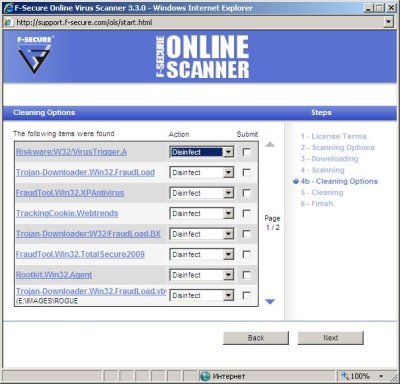
How to use F-Secure Online Virus Scanner
F-Secure Online Virus Scanner is a free service, which you can use to find out if your computer is infected and disinfect your computer if needed. F-Secure Online Scanner will automatically download the necessary components and virus definition databases as it is started.
Continue reading How to use F-Secure Online Virus Scanner…
November 15, 2008 on 10:04 am | In Online Scanners, Tutorials - HowTo | No Comments |How to remove VirusTrigger (Delete instructions)
VirusTrigger is a fake (rogue) antispyware program. It is new version of Virus Response Lab 2009. VirusTrigger is automatically installed by a Zlob trojan (fake audio or video codec). Once infected, your computer will display fake security alert:
System Alert!
Your system might be infected with malicious software that may impact the performance of your computer. Click the icon for a free scan to detect any active spyware applications.
Immediately after launch, VirusTrigger starts scanning the computer and found a lot of trojans and spyware.
Continue reading How to remove VirusTrigger (Delete instructions)…
November 13, 2008 on 4:27 am | In Rogue Anti Spyware, Tutorials - HowTo | 1 Comment |How to remove SecureFileShredder or SecureFile Shredder (Removal instructions)
SecureFile Shredder is a new rogue antispyware application. It being distributed through the spam and keygen sites. In both cases, reported that the computer is infected and that you must download and install the SecureFileShredder to clean your computer.

Continue reading How to remove SecureFileShredder or SecureFile Shredder (Removal instructions)…
November 10, 2008 on 9:46 am | In Rogue Anti Spyware, Tutorials - HowTo | No Comments |How to remove Ultra Antivirus
Ultra Antivirus is a rogue antispyware application. It is brother of Micro Antivirus 2009. Ultra Antivirus uses the trojans and “Recovery KEYS to your account” spam for the hit on your computer. In both cases, your PC will display false alerts with a warning that you must download and install Ultra Antivirus to protect your computer.
During installation, it configures itself to run automatically every time, when you start your computer. Once running, Ultra Antivirus will scan your computer and reports false or exaggerated system security threats on the computer that cannot be removed unless you first purchase the software. Do not do it!
Symptoms in a HijackThis Log:
O4 - HKLM\..\Run: [ANTIVIRUS] C:\Program Files\UltraAV\UltraAV.exe
O4 - HKCU\..\Run: [ANTIVIRUS] C:\Program Files\UltraAV\UltraAV.exe
Use the following instructions to remove Ultra Antivirus.
Continue reading How to remove Ultra Antivirus…
How to remove trojan TDSSserv (TDSSserv.sys), clbdriver.sys and seneka.sys
Trojan.TDSSserv (TDSSserv.sys) also known as Trojan Backdoor.Tidserv is a trojan horse that may represent security risk for the infected computer. The trojan uses rootkit-specific techniques designed to hide the software presence in the system and also blocks user access to security websites. Once running, this trojan will display a fake security alerts that tells you to install a rogue antispyware application to delete the infection. These alerts are a fake and should be ignored!
Use the following instructions to remove trojan TDSSserv (trojan Backdoor.Tidserv).
Continue reading How to remove trojan TDSSserv (TDSSserv.sys), clbdriver.sys and seneka.sys…
November 5, 2008 on 1:15 am | In Rootkit, Trojan, Tutorials - HowTo | 46 Comments |How to remove Antivirus Pro 2009
Antivirus Pro 2009 is a fake (rogue) antispyware/antivirus program. It is from the Antivirus XP family. The program is usually found on fake online-scanner websites or pages that are infected with the braviax trojan. In both cases, your computer will display popups with a message stating that your computer is infected with spyware and that you must download and install the program to clean your computer. During installation, Antivirus Pro 2009 configures itself to run automatically every time, when you start your computer. In addition the program creates some files with random names:
C:\Documents and Settings\user\Application Data\isuxih.bat
C:\WINDOWS\izewoh.dl
C:\Documents and Settings\All Users\Application Data\inurev.lib
C:\WINDOWS\qesuriqu.bat
C:\WINDOWS\supicane.bin
C:\WINDOWS\system32\afuny.reg
C:\Program Files\Common Files\yfila.dat
C:\Documents and Settings\user\Local Settings\Application Data\towyvo.pif
C:\Program Files\Common Files\nixef._sy
C:\Documents and Settings\user\Cookies\omevi.lib
C:\WINDOWS\xynexi.sys
C:\Documents and Settings\user\Local Settings\Application Data\rihibevad.com
C:\Documents and Settings\user\Cookies\ifem.db
C:\Documents and Settings\All Users\Application Data\oqacywudyd._dl
C:\Documents and Settings\user\Local Settings\Temporary Internet Files\ufylyz.bat
C:\Documents and Settings\user\Application Data\ikijosycy.dat
C:\WINDOWS\system32\lumihedym.dll
C:\WINDOWS\ytygi._dl
C:\Documents and Settings\user\Local Settings\Application Data\vake.ban
C:\WINDOWS\system32\rube.reg
C:\Documents and Settings\All Users\Application Data\lorasa.inf
C:\Documents and Settings\user\Cookies\bejuzef.exe
C:\Program Files\Common Files\ajilimagy._dl
C:\Documents and Settings\All Users\Application Data\gapevep.dat
These files during the scan will determine as trojans and spyware.

Immediately after launch, the program starts scanning the computer and found a lot of trojans and spyware. Then, it said that you should purchase Antivirus Pro 2009 in order to remove them and protect your PC. Computer users are urged to avoid purchasing this bogus program!
Antivirus Pro 2009 generates false security alerts such as the following:
Trojan detected!
A piece of malicious code was found on your system which can
replicate itself if no action is taken. Click here to have your
system cleaned by Antivirus Pro 2009.
These fake popups may drastically slow the performance of your computer.
Symptoms in a HijackThis Log:
O4 - HKLM\..\Run: [Antivirus Pro 2009] “C:\Program Files\AntivirusPro2009\AntivirusPro2009.exe” /hide
AntivirusPro2009 can be safely removed from your computer along with any other trojan infections if the proper steps are taken. If you are a non-techie computer user then this method of removing spyware is for you.
Use the following instructions to remove Antivirus Pro 2009.
Continue reading How to remove Antivirus Pro 2009…
How to remove Trojan-Keylogger.WIN32.Fung (fake Windows Security Alert)
Found trojan, which shows fake Windows Security Alert. It fake alert reports, that Windows Firewall has blocked the trojan called Trojan-Keylogger.WIN32.Fung.

It then tells you to install a program that can remove this trojan. The program is a rogue antispyware. Rogue antispyware software reports false or exaggerated system security threats on the computer. The user is then prompted to pay for a full license of the application in order to remove the errors.
Continue reading How to remove Trojan-Keylogger.WIN32.Fung (fake Windows Security Alert)…
November 2, 2008 on 5:07 am | In Rogue Anti Spyware, Trojan, Tutorials - HowTo | No Comments |
MY ANTI SPYWARE Powered by WordPress with Pool theme design by Borja Fernandez.
Entries and comments feeds.
Valid XHTML and CSS. ^Top^