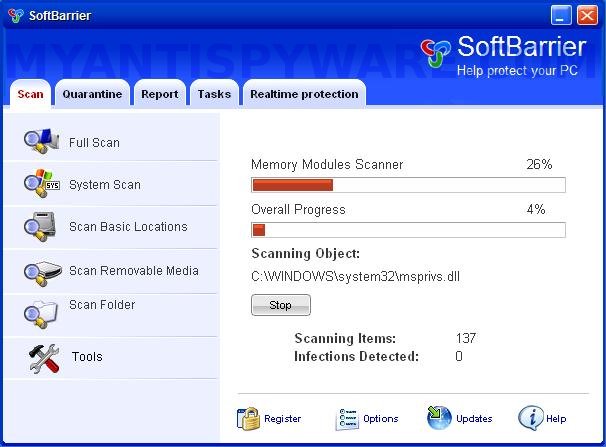
SoftBarrier is a fresh rogue antispyware program from WiniGuard family as ShieldSafeness and SoftStronghold. It uses trojans to install itself. When the trojan is run, it will download and install SoftBarrier. After that the trojan will configure SoftBarrier to run automatically when Windows loads and create a lot of harmless files with random names. When SoftBarrier is installed and run, it will perform a scan of your computer and list files previously created by trojan as threats that will not be fixed unless you first purchase the software. All of these threats are fake, so you can safely ignore them.
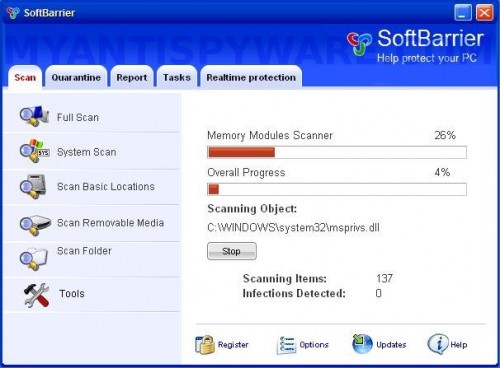
SoftBarrier
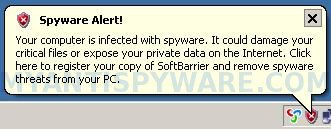
When SoftBarrier is running your computer will display nag screens, fake security alerts and notifications from Windows task bar. An example:
Spyware Alert!
Your computer is infected with spyware. It could damage your
critical files or expose your private data on the Internet. Click
here to register your copy of SoftBarrier and remove spyware
threats from your PC.
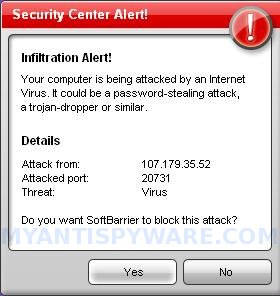
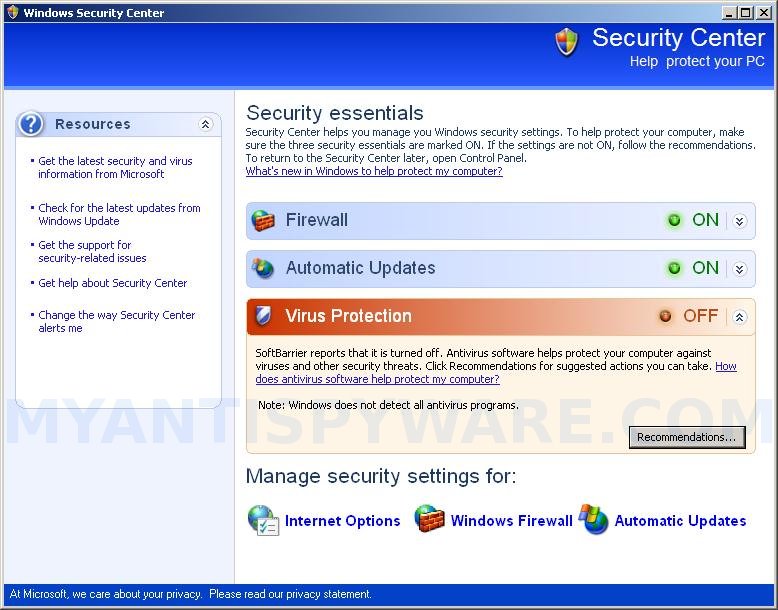
Like scan false results, these alerts and warnings are all fake and should be ignored. Also SoftBarrier will show a fake Windows Security Center that will recommend you register the software. As you can see, the program is designed only for one to trick you into buying the software. Instead of doing so, use these SoftBarrier removal instructions below in order to remove this infection and any associated malware from your computer for free.
More SoftBarrier screen shoots
Symptoms in a HijackThis Log
O4 – HKCU\..\Run: [cza4.tmp.exe] C:\WINDOWS\system32\cza4.tmp.exe
O4 – HKCU\..\Run: [SoftBarrier] C:\Program Files\SoftBarrier Software\SoftBarrier\SoftBarrier.exe -min
Use the following instructions to remove SoftBarrier (Uninstall instructions)
1. Remove SoftBarrier main components.
Please download OTM by OldTimer from here and save it to desktop.
Run OTM. Copy,then paste the following text in “Paste Instructions for Items to be Moved” window (under the yellow bar):
:reg

[HKEY_CURRENT_USER\Software\Microsoft\Windows\CurrentVersion\Run]

"SoftBarrier"=-
:files

%ProgramFiles%\SoftBarrier Software
:commands

[reboot]
Click the red Moveit! button. When the tool is finished, it will produce a report for you. If you are asked to reboot the machine choose Yes.
2. Remove SoftBarrier associated malware.
Download MalwareBytes Anti-malware (MBAM). Close all programs and Windows on your computer.
Double Click mbam-setup.exe to install the application. When the installation begins, keep following the prompts in order to continue with the installation process. Do not make any changes to default settings and when the program has finished installing, make sure a checkmark is placed next to Update Malwarebytes’ Anti-Malware and Launch Malwarebytes’ Anti-Malware, then click Finish.
If an update is found, it will download and install the latest version.
Once the program has loaded you will see window similar to the one below.

Malwarebytes Anti-Malware Window
Select Perform Quick Scan, then click Scan, it will start scanning your computer for SoftBarrier infection. This procedure can take some time, so please be patient.
When the scan is complete, click OK, then Show Results to view the results. You will see a list of infected items similar as shown below. Note: list of infected items may be different than what is shown in the image below.
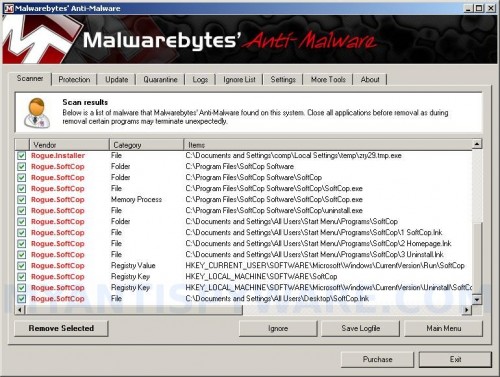
Malwarebytes Anti-malware, list of infected items
Make sure that everything is checked, and click Remove Selected for start SoftBarrier removal process. When disinfection is completed, a log will open in Notepad and you may be prompted to Restart.
Note: if you need help with the instructions, then post your questions in our Spyware Removal forum.
SoftBarrier creates the following files and folders
C:\Program Files\SoftBarrier Software
C:\Program Files\SoftBarrier Software\SoftBarrier
C:\Documents and Settings\All Users\Start Menu\Programs\SoftBarrier
C:\WINDOWS\system32\cza4.tmp.exe
C:\Program Files\SoftBarrier Software\SoftBarrier\SoftBarrier.exe
C:\Program Files\SoftBarrier Software\SoftBarrier\uninstall.exe
C:\Documents and Settings\All Users\Start Menu\Programs\SoftBarrier\1 SoftBarrier.lnk
C:\Documents and Settings\All Users\Start Menu\Programs\SoftBarrier\2 Homepage.lnk
C:\Documents and Settings\All Users\Start Menu\Programs\SoftBarrier\3 Uninstall.lnk
C:\Documents and Settings\All Users\Desktop\SoftBarrier.lnk
SoftBarrier creates the following registry keys and values
HKEY_LOCAL_MACHINE\SOFTWARE\SoftBarrier
HKEY_LOCAL_MACHINE\SOFTWARE\Microsoft\Windows\CurrentVersion\Uninstall\SoftBarrier
HKEY_CURRENT_USER\SOFTWARE\Microsoft\Windows\CurrentVersion\Run\cza4.tmp.exe
HKEY_CURRENT_USER\SOFTWARE\Microsoft\Windows\CurrentVersion\Run\SoftBarrier





