1. Been infected with spyware? Tell us about your problem.
2. Protect your PC from viruses, spyware.
3. For fast automatic spyware removal, try CounterSpy, SUPERAntiSpyware

Brute Force Uninstaller - uninstaller unwanted software

Brute Force Uninstaller (BFU) is a scripting program that can execute a series of preset commands like a Windows batch file, aimed at uninstalled programs that are hard to remove, uninstall improperly or simply unwanted. Scripts are plaintext and can be written with Notepad, and the command syntax is very transparent.
BFU is very complete and powerful, has a small memory footprint and has no uninstaller.

Download from MajorGeeks
Download from DKnoppix
Download from CastleCops
Download from Merijn.org

October 23, 2007 on 7:08 pm | In Free Software | No Comments |
Submit to: Digg | SlashDot | Del.icio.us

Found new rogue antispyware - Web Spy Shield

Sunbelt team found a new scam, which does a fake scan of your PC.

It installs a toolbar and an exe in a webspyshield folder however, it is a fake web based scam. You have to be connected for it to run and I would hate to think what anyone may pay for to register it as it is no real software but only a new form of their online scanner scams.

The hijackthis shows Web Spy Shield:

R0 - HKCU\Software\Microsoft\Internet Explorer\Main,Start Page = http://webspyshield(dot)com/scan.html
O2 - BHO: WebSpyShieldToolBarShower - {DC87418B-0B2C-424E-900D-54F2ECE15B6B} - C:\Program Files\WebSpyShield\WebSpyShield.dll
O3 - Toolbar: WebSpyShield - {E4988DE7-C5DB-4173-96F9-AAC426AF7BCE} - C:\Program Files\WebSpyShield\WebSpyShield.dll
O4 - HKCU\..\Run: [WebSpyShield] C:\Program Files\WebSpyShield\WebSpyShield.exe

If have problems with uninstall WebSpyShield, then please follow the steps outlined in the topic linked below

Spyware removal - Read Before Posting

Read more: New Scam: Web Spy Shield

October 11, 2007 on 3:18 am | In Rogue Anti Spyware | No Comments |
Submit to: Digg | SlashDot | Del.icio.us

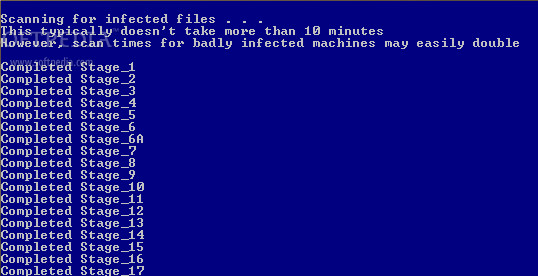
ComboFix another free anti spyware tool

This tool removes SurfSideKick, QooLogic, Look2Me or any combination of that group.
Also nicely picks out Vundo infections.

One of the better things it does is pick files recently created which can give clues to other infections. You can use it to unhook any dll in the system32 folder.You can use it to delete up to as many as 8 files using its command line functions.

Also it deletes a bunch of files related to the infections above automatically and is updated fairly regularly.

For use combofix, Download ComboFix from Here to your Desktop.

  • Double click combofix.exe and follow the prompts.
  • When finished, it shall produce a log for you.

Note: Do not mouseclick combofix’s window while its running. That may cause it to stall

Post the log at spyware remover help forum and finally remove the items as directed by the Member helping you. This involves no analysis of the list contents by you. That will be done by the Help Forum Staff.

October 8, 2007 on 8:39 pm | In Free Software, Spyware protection and removal | 46 Comments |
Submit to: Digg | SlashDot | Del.icio.us

Microsoft Antispyware ? Check twice before install !

Sunbelt blog and Swatkat reported about new Fake Microsoft Antispyware Center.

Fake Microsoft Antispyware Center.

The website that pushes this rogue application calls itself as “Microsoft Antispyware Center”! Layout of this website is identical to old rogue applications like SpyShredder, MalwareMonitor etc.

Read more:
Fake Microsoft Antispyware Center
Rogue application pretends as Microsoft Antispyware
October 8, 2007 on 2:40 am | In Rogue Anti Spyware | No Comments |
Submit to: Digg | SlashDot | Del.icio.us

MY ANTI SPYWARE Powered by WordPress with Pool theme design by Borja Fernandez.
Entries and comments feeds. Valid XHTML and CSS. ^Top^