![]() | Do you have pop-ups or your computer infected with trojan or spyware ? Learn how to ask us for help, click here! |
How to remove System Security 2009 (Uninstall instructions)
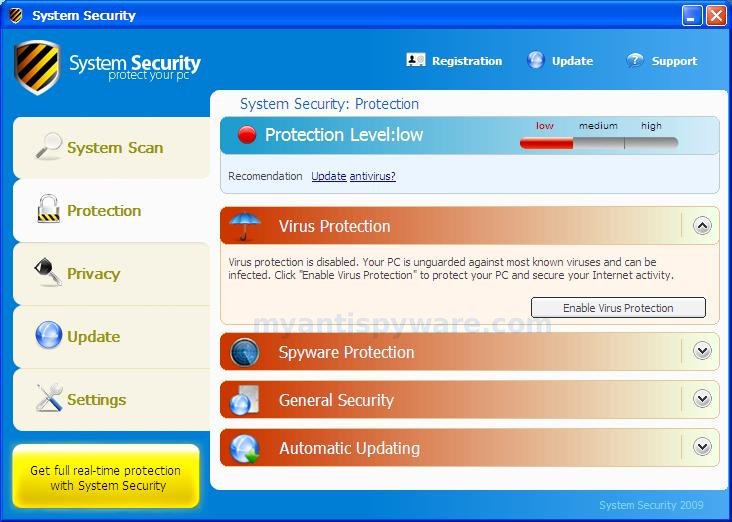
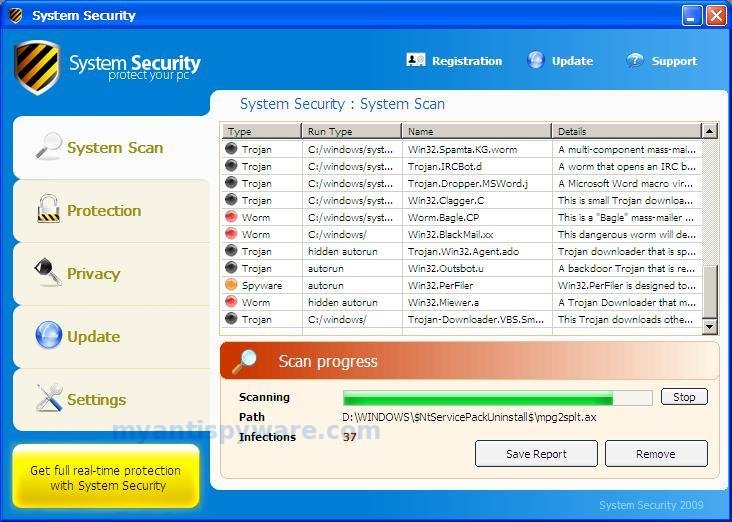
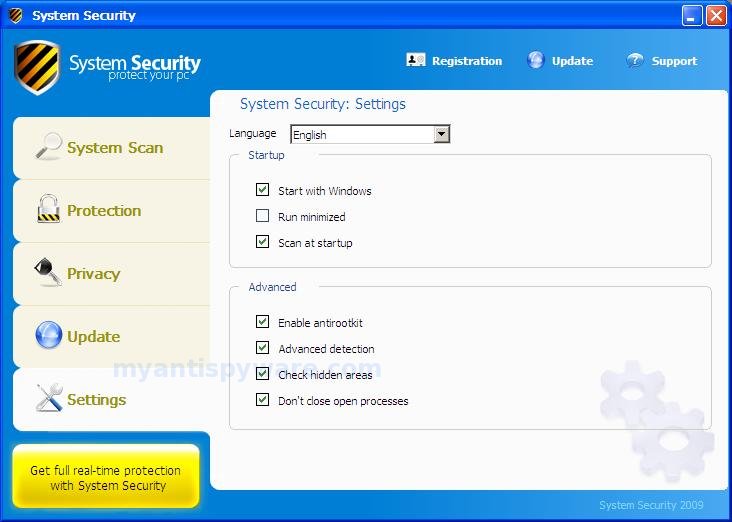
System Security also known as System Security 2009 is a rogue antispyware program The rogue (fake) antispyware application is fresh version of Winweb Security. System Security is distributed through the use fake online malware scanners that tells you that your computer infected with variety of trojans and spyware and that you must install the software to clean your computer. During installation, System Security configures itself to run automatically every time, when you start your PC. The rogue antispyware may drastically slow the performance of your computer.
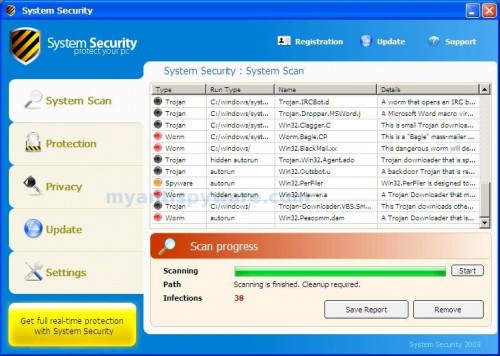
Once running, System Security will scan your computer and list a large amount of infections. All of these infections are fake, so you can safely ignore them. Also one of these infections is c:\windows\system32\svchost.exe is actually legitimate Windows file. This file a very important system file, w/o that file, your computer would not work correctly.
System Security blocks the ability to run any programs, including Malwarebytes Anti-Malware. The following warning will be shown when you try to run any program:
WARNING!
Application cannot be executed. The file mbam.exe is
infected.
Please activate your antivirus software.
Also System Security changes desktop background to black with the message:
WARNING
YOUR`RE IN DANGER!
YOUR COMPUTER IS INFECTED WITH SPYWARE
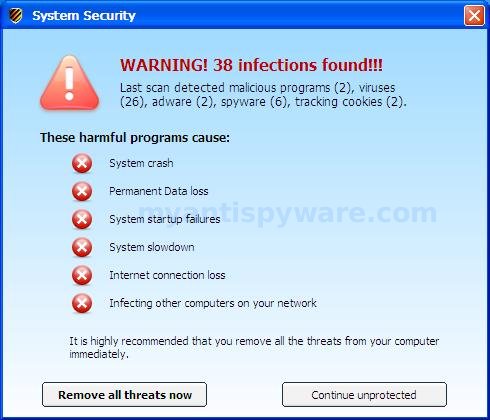
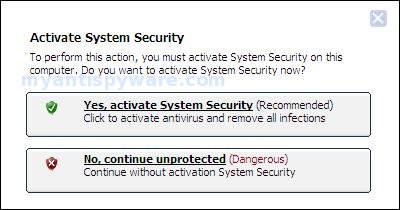
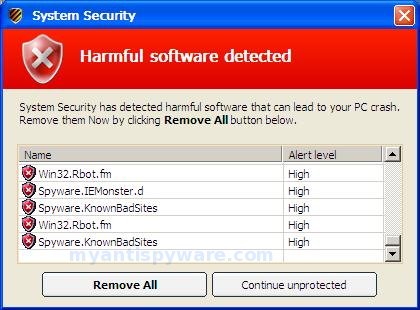
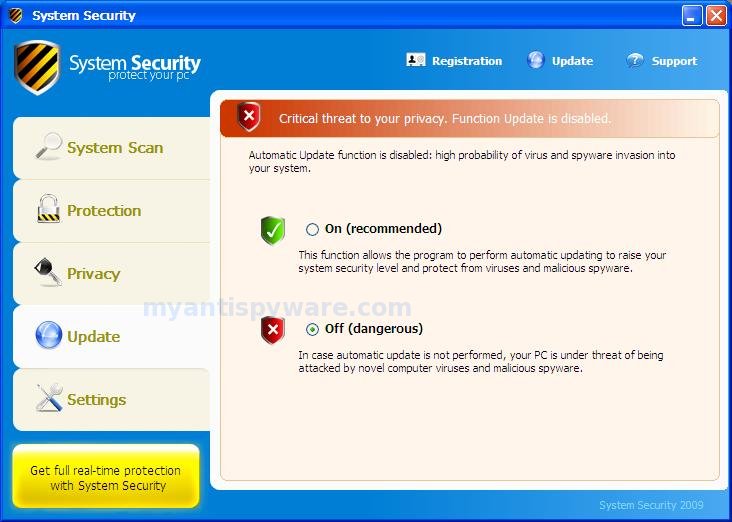
While System Security is running your computer will show false security alerts and nag screens:
System Security Warning
Spyware.IEMonster activity detected. This is spyware that
attempts to steal passwords from Internet Explorer, Mozilla
Firefox, Outlook and other programs.
Click here to remove it immediately with System Security
System Security Warning
System Security has detected harmful software in your system.
We strongly recomended you to register System Security to
remove these threats immediately.
System Security
Harmful software detected
System Security has detected harmful software that can lead your PC crash.
Remove them Now by clicking Remove All button below.
System Security Warning
Intercepting program that may compromise your privacy and
harm your system have been detected on your PC.
Click here to remove them immediately with System Security
System Security
WARNING 38 infections found!!!
If you are clicking on the fake alert then System Security will start a web browser and open a web site asking you to purchase the fake program. Computer users are urged to avoid purchasing this bogus program! Please ignore all fake alerts and use the following System Security removal instructions below in order to remove this infection and any associated malware from your computer for free.
Symptoms in a HijackThis Log.
O4 – HKLM\..\Run: [16847964] C:\Documents and Settings\All Users\Application Data\16847964\16847964.exe
O4 – HKLM\..\Run: [96857956] C:\Documents and Settings\All Users\Application Data\96857956\96857956.exe
O4 – HKLM\..\Run: [66867959] C:\Documents and Settings\All Users\Application Data\66867959\66867959.exe
Note: System Security uses random names for hide itself.
Use the following instructions to remove System Security (Uninstall instructions).
Download HijackThis from here, but before saving HijackThis.exe, rename it first to explorer.exe and click Save button to save it to desktop.
Doubleclick on the explorer.exe icon on your desktop for run HijackThis. HijackThis main menu opens.
Click “Do a system scan only” button. Look for lines that looks like:
O4 – HKLM\..\Run: [16847964] C:\Documents and Settings\All Users\Application Data\16847964\16847964.exe
O4 – HKLM\..\Run: [96857956] C:\Documents and Settings\All Users\Application Data\96857956\96857956.exe
O4 – HKLM\..\Run: [66867959] C:\Documents and Settings\All Users\Application Data\66867959\66867959.exe
Place a checkmark against each of them. Once you have selected all entries, close all running programs then click once on the “fix checked” button.
Download MalwareBytes Anti-malware (MBAM). Close all programs and Windows on your computer.
Double Click mbam-setup.exe to install the application. When the installation begins, keep following the prompts in order to continue with the installation process. Do not make any changes to default settings and when the program has finished installing, make sure a checkmark is placed next to Update Malwarebytes’ Anti-Malware and Launch Malwarebytes’ Anti-Malware, then click Finish.
If an update is found, it will download and install the latest version.
Once the program has loaded you will see window similar to the one below.
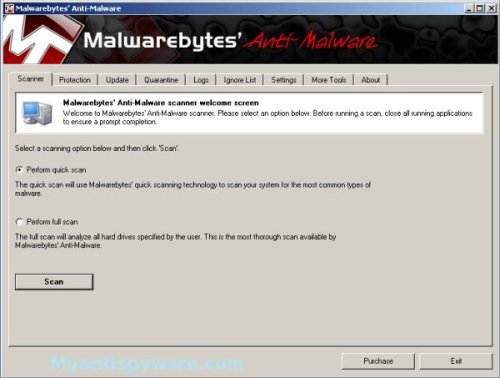
Malwarebytes Anti-Malware Window
Select “Perform Quick Scan”, then click Scan to start scanning your computer for System Security associated files and any other trojan infections. The scan may take some time to finish,so please be patient.
When the scan is complete, click OK, then Show Results to view the results. You will see a list of System Security related items similar as shown below.
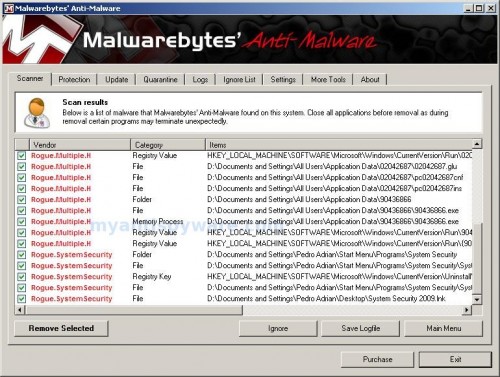
Malwarebytes Anti-malware, list of infected items
Make sure that everything is checked, and click Remove Selected for start System Security removal process. When disinfection is completed, a log will open in Notepad and you may be prompted to Restart.
Note: if you need help with the instructions, then post your questions in our Spyware Removal forum.
System Security creates the following files and folders
C:\Documents and Settings\All Users\Application Data\02042687
C:\Documents and Settings\All Users\Application Data\90436866
%UserProfile%\Pedro Adrian\Start Menu\Programs\System Security
C:\Documents and Settings\All Users\Application Data\02042687\02042687.exe
C:\Documents and Settings\All Users\Application Data\02042687\02042687.glu
C:\Documents and Settings\All Users\Application Data\02042687\pc02042687cnf
C:\Documents and Settings\All Users\Application Data\02042687\pc02042687ins
C:\Documents and Settings\All Users\Application Data\90436866\90436866.exe
%UserProfile%\Start Menu\Programs\System Security\System Security 2009 Support.lnk
%UserProfile%\Start Menu\Programs\System Security\System Security 2009.lnk
%UserProfile%\Desktop\System Security 2009.lnk
65 Comments »
RSS feed for comments on this post. TrackBack URI
Leave a comment
My Anti Spyware - Free antispyware programs and Spyware Removal Instructions.


Thank you VERY much. I was able to delete System Security from my computer. What a pain it has been, but thanks to someone who shared how to get rid of it, you have MADE MY DAY!!!
Comment by Madonna Linville — January 19, 2009 #
If you have XP then i can help well it mite work for Vista but i had system security stuck on my comp. And what I did was go to the start menu, all programs, accessories, system tools, system restore. And from there you click the first one selected that says “restore computer to an earlier time” (before you go system security) then like it says select a bold date. then hit next and just follow it through. So at the end your comp. should go to shut down mode and it will restore then and restart and your comp should be fine! Well let me know if that helps any of you wahoo’s out there.
Comment by ThE aNtI vIrUs — February 18, 2009 #
Just want to say thanks ThE aNti virUs.I have done what you suggested and was able to get rid of system security virus.Thanks for sharing your suggestion.
Comment by Deepika — March 5, 2009 #
it didnt work..i did what the instructions said, but system security protect your pc is still popping…i dont know what to do..
Comment by eugene — March 9, 2009 #
eugene, please follow these steps.
Comment by Patrik — March 9, 2009 #
i did what The anti virus said but it didn’t work. i hate that fucking virus. Can some1 help me plz…
Comment by david — March 16, 2009 #
David, please follow these steps. I will help you at our forum.
Comment by Patrik — March 16, 2009 #
I WANT TO DELETE FOR DELETE 2008 System Protector
Comment by Mirsamir — April 3, 2009 #
Mirsamir, if these instructions above, don`t help you, then ask help at our forum.
Comment by Patrik — April 4, 2009 #
I did it but it deleted files needed for Windows to run properly. what do I do?
Comment by rob — May 9, 2009 #
rob, what are system files ?
Comment by Patrik — May 9, 2009 #
I have System Security on my computer and it is keeping me from opening the MBAM file. Please someone help me!!!!!!!!!!!!!
Comment by Donna — May 13, 2009 #
System Security is installed on my computer. I installed the MBAM program to it, but System Security claims that the file is infected and will not allow it to open or run. Someone please help me!!!!!!!!!!!!
Comment by Donna — May 13, 2009 #
Donna, click Start, then Run.
Type %ProgramFiles%\Malwarebytes’ Anti-Malware
Press Enter.
Malwarebytes home dir will be open.
Locate file mbam.exe or mbam and rename it to myapp.exe (if you have mbam.exe) or myapp.
Run it file.
Also you can ask help at our Spyware Removal forum.
Comment by Patrik — May 13, 2009 #
Using Malwarebytes i war able to destroy System Security. In the beginning i could not run any .exe
Suddenly it was possible to run Malwarbytes setup.
No idea wy? But the virus is destroyed
Thanks Heinz
Comment by Bernhardt — May 16, 2009 #
reverse situation
Probably mistake in the virus code.
Comment by Patrik — May 16, 2009 #
My computer had System Security. It ran fine in safe mode, but no scan seemed to be able to delete SS. In normal mode, I couldn’t run any exe file–even after renaming mbam.exe to myapp.exe. I also couldn’t even open up websites to redownload and \
Comment by Jack Maney — May 16, 2009 #
Jack, please follow these steps. I will help you at our forum.
Comment by Patrik — May 16, 2009 #
Hi guys.You can download a perfect tool,which will delete your system security virus forever.Try this – siri.geekstogo.com/SmitfraudFix.php
Comment by David — May 18, 2009 #
Yes, SmitfraudFix is good free tool, read How to use smitfraudfix.
Comment by Patrik — May 18, 2009 #
Its not letting me open mbam-setup a little bubble comes out saying warning and blah blah!
I need help
Comment by Cristina — May 19, 2009 #
Cristina, ask help at our forum.
Comment by Patrik — May 19, 2009 #
I have a customer who has the system security virus and I can’t download and open/run any of the suggestions. Can’t do sys restore; can’t do any of the normal things – don’t have original cd to wipe and reboot.
More suggestions?
Comment by Linda — May 19, 2009 #
I have tried everything please help remove system security
Comment by Donald — May 19, 2009 #
Donald, make a new topic at our Spyware removal forum. I will help you.
Comment by Patrik — May 20, 2009 #
Linda,he can transfer files to infected computer using a CD or Flash disk.
Comment by Patrik — May 20, 2009 #
Soooo I fixed it! xD i just had to know how to put it in safe mode and i learned how woot woot! aha! this thing was a ReALLY pain in the effin ass! xDDD
Comment by Cristina — May 20, 2009 #
Ive tried everything on here and still cant get rid of it
Cant open any programs because system security isnt allowing it
Comment by Tiarnan — May 25, 2009 #
Tiarnan, please follow these steps. I will help you at our forum.
Comment by Patrik — May 25, 2009 #
I had the same problem with the computer not allowing run anything. When the computer first booted up I right clicked the task bar and opened task manager. I went to processes and there were two that were trying to open with numbers *(ie. 12825874 etc). I clicked on those and selected end process before they could load. This allowed me to run the malware program.
Comment by Vince — June 6, 2009 #
I got sucked into this shit last night it wont let me go onto my tools not web page wont let me do anythink on my pc i tried to deleate the programme it stops me no matter what i clcik i get the message do you want to continue without protection then is closes me down i reboot and the same thing now im logged into my daughters account on same computer and it seems to be ok but slow so now i have no idea what to do apart from if i could ring them up
Comment by val — June 7, 2009 #
Looks like you are still infected, please follow these steps.
Comment by Patrik — June 7, 2009 #
Need help, everytime i try to downloand malware, this system sercuity program blocks it, saying its infected. How do i get around this?
Comment by Tim — June 10, 2009 #
Tim, before saving Malwarebytes Anti-malware, rename it first. Read the article – Malwarebytes won`t install, run or update – How to fix it
Comment by Patrik — June 10, 2009 #
my windows XP SP2 was installed System Security when I visited a youtube site. I lost control to my computer & I can’t open any program. By the way, my XP is protected by antivirus software CA. They showed a lot of things. Warning me a lot. I can not use my computer even though I restarted it. So I registered System Security & paid by credit card. Then my computer is back. I can change its settings & forbide it start with windows. But I got other problem.
1. when I start my computer, it always shows me MEMCHECK.EXE as problem before I login to my account.
2. After I login, it seems everything looks fine. But I can’t print anything from Outlook express, word, excel, etc. My printer always printed blank paper. Just one time, I printed 2 pages of excel file. the first page is blank & second page is OK. I tried to switch to Aministrator account, printing is work. By the way, my account is also admi privilege.
3. my computer is connected to company server. So I can check our software to check our stock or some info. Before system security invade, it works properly. But now, it still works & would closed suddenly. Just several minutes. But I don’t have similar problem with IE or Excel, etc.
I called system security & cancelled it. They said I can delete it from systemsecurityonline.com & there is a file wscleaner.exe. I can use it to unistall system security. But I used it & it loaded system security to system & nothing happened. so they told me I had to wait for 2 business days.
please let me know if I have to wait for that tow days. Or I can use your suggested software to remove it thoroughly. Can I get my printing & our software working properly? Thanks for help.
I use my personal computer to post this. So some info I said is not so exactly as I saw today. Just want you know what happend & what’s my present problem. Hope you can help me out? Thanks
Comment by chris j — June 13, 2009 #
do you think it would be better if I use smitfraudfix first?
Comment by chris j — June 13, 2009 #
Chris, try Malwarebytes Anti-malware, its very good program, and free for use.
Comment by Patrik — June 13, 2009 #
I finally was able to do a quick scan Malwarebytes and I deleted all files that were infected but as soon as I went on the internet the Virus came back. How do I keep it from coming back after I get rid of it?
Comment by Marqus — June 22, 2009 #
Marqus, probably your computer infected with hidden trojan/rootkit. Ask help at our Spyware removal forum.
Comment by Patrik — June 22, 2009 #
What a briliant idea to rename scanner to explorer.exe . Makes me feel bad I didn’t come with that idea… lol
I’ve spent few hours renaming and trying to start Malwarebytes from safe mode and whatewer, but renaming it to explorer.exe did the job. Frikin \
Comment by motomart — June 24, 2009 #
HOW DO I TAKE THAT OFF’
Comment by JH0N — June 27, 2009 #
Awesome, thanks. I really got scared by this virus since I did not have admin rights on the computer. You made my day =)
Comment by Simen — June 27, 2009 #
JH0N, use steps above or ask help at our Spyware removal forum.
Comment by Patrik — June 27, 2009 #
H-E-L-P HELP!!!
i’ve Been Sitting Here For Hours! Trying All These Thing Yuh Have All Said! and Nothing i Mean Nothing At All Will Open and iTs Aggervating Me!!
i’ve Tried TO Download Hijack and Restore System But Nothing At All iS Working!!! Please Please Please Hope Someone Can Help My Cause iM Completly Hopeless!
Comment by Chelsea — June 29, 2009 #
P.S.
Please Help Fast
Before We Have To Pay To
Get iT Removed! Thanks!
Comment by Chelsea — June 29, 2009 #
Chelsea, if the instructions above did not help you, then follow these steps. I will help at our Spyware removal forum.
Comment by Patrik — June 29, 2009 #
Patrik, The Link Won’t Go Everytime i Try And Click On iT, iT Just Highlights The Text So Can You Do Something About That Please And Thank You.
Comment by Chelsea — July 3, 2009 #
Chelsea,
sorry, i have made a mistake in the link. Please try again.
Comment by Patrik — July 3, 2009 #
Patrik,
Thanks For Trying To Help But HijackThis Doesn’t Even Open On My Computer SYSTEM SECURITY Won’t Let iT.
Comment by Chelsea — July 6, 2009 #
Chelsea, ask help at our Spyware removal forum.
Comment by Patrik — July 6, 2009 #
Here is how I fixed it:
Per another users advice, hit CTRL ALT DEL as soon as desktop comes up and kill the process that is all numbers – might have to reboot a couple of times to get get it to work – it’s a timing issue. You have to kill the process that is all numbers BEFORE it shutsdown task manager
Once I killed that process, I ran HiJackThis and killed the suspicious looking items. I had to run a script file(google regtools.vbs) to re-enable registry editing.Reboot, then run Hijack This and delete any other weird stuff.
After that I installed and ran SuperAntispyware, Malware Bytes, Ad-aware, Spybot and AVG Antivirus.
Comment by Shannon — July 7, 2009 #
I spent almost 5 hours trying to get rid of the system security virus. I tried the task mgr, safe mode, start, msconfig but my applications just won’t work!! BUT I finally got lucky using the ctl-alt-del just before all the programs got set-up, the task manager pop up and the SS virus didn’t get the chance to show up! Then I did system restore, change the date to maybe 3 days ago. Now everything is back to normal!! i hope i am making sense but it does worked!
Comment by Mitzi — July 7, 2009 #
Hey there, I managed to get rid of the System Security 2009 from my computer but when I went and ran an anti-malware software to make sure it was gone it found numerous ‘infections’. I deleted these infections but now my internet won’t work. Any suggestions as to why ?? Is it possible the anti-malware software deleted files that my computer need to run the internet ??
Comment by PB — July 7, 2009 #
PB, read the article, scroll down to Additional steps.
Comment by Patrik — July 7, 2009 #
Thank you so much! Worked perfectly, I read through all the steps and followed them exactly. No more problems other than my system restore points are all gone
Thanks again!
Comment by AA — July 7, 2009 #
ATTENTION!!!
SOLUTION to SYSTEM SECURITY 2009 (rogue)
For those of you who says: I cant open Task Manager, I cant open any Anti-virus, I cant open any Anti Malware(ex:Malwarebytes), I cant open ANY EXE.FILES!!!(because the virus blocks it ALL).
Then i have a simple yet effective trick:
RENAME THE FILE
if you rename the file then SYSTEM SECURITY will not be able to block it. which is good for you to activate the ANTI-etc.
The only problem is that you wont be able to open the task manager because you cant rename it. So my suggestion is to download: procexp from http://www.sysinternals.com
it is a free software that acts as a task manager; but the difference is that it is BETTER coz it shows even the hidden process (and it’s also user friendly)
if you have it, kill the thing that looks like a shield(SYSTEM SECURITY) then the rest of the instructions are free for you too find. hope this helps… ganbatte kudosai
Comment by SkyWolf — July 10, 2009 #
I thought I couldn’t access ‘safe mode’ – but it was the only option so I just kept rebooting and hitting F8 – finally I caught the timing and I was in! (we’re talking hours). I think I found the 123456 random # file in ‘my favorite playlist’ or something like that. I don\t have a playlist, never did. It was 0 bytes – so I deleted it, ran the anti malware software and I think I’m good.
Thanks to everyone who posted. No one individual solution worked, but by reading and trying, it’s gone!!!!!!!!!!
Thanks Again, Dsh2
Comment by Dsh2 — July 19, 2009 #
The issue I am having is the system security is blocking my access to the internet. I cannot download MBAM as suggested. Is there any other way I can begin to resolve if i don’t have internet access on the infected computer? Any help is appreciated. Thank you!
Comment by jcnote — August 5, 2009 #
used Malwarebytes a few times since intial scan( yeah, i’m paranoid). but it hasnt found anything related to system security 2009.
Comment by Rob T — August 9, 2009 #
though it keeps finding other things..
Comment by Rob T — August 9, 2009 #
Thank you, very, very much. I had 2 infected PCs and all my works are stopped. But with your orientation, the rogue was finished.
May I translate the page to Portuguese? This will help a lot of brazillian friends.
Comment by Luiz Paulo — August 10, 2009 #
jcnote, try boot your PC in Safe mode with netowrking, then download and use Hijackthis
Comment by Patrik — August 12, 2009 #
Luiz Paulo, yes of course. Only please insert a backlink to the article.
Comment by Patrik — August 12, 2009 #
Thank you very much. I was able to get the computer back to normal in under five minutes.
Comment by YD — September 18, 2009 #
Great post. Thanks!
Comment by vigilon — June 24, 2010 #