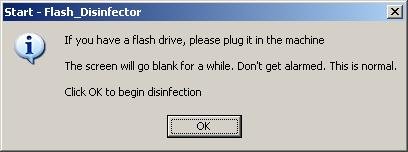
Flash Disinfector is very good free program created by sUBs for removing autorun.inf trojans and protect your Flash/Pen drives from future infection. For protect your computer, the program will create a hidden folder, named autorun.inf in each partition and every USB drive plugged in when you ran it. This autorun.inf folder contains hidden file “lpt3.This folder was created by Flash_Disinfector”. You cannot remove this file using standard remove function. Read below how to remove this file and autorun.inf folder and uninstall Flash Disinfector protection.
Use the following instructions to remove Flash Disinfector protection (autorun.inf folder).
- Click Start -> Run.
- Type notepad and press Enter.
- Copy all the text below into Notepad.
@echo off
set drv=c:\
attrib -A -H -S -R %drv%\autorun.inf
del \\.\%drv%\autorun.inf\"lpt3.This folder was created by Flash_Disinfector"
rd %drv%\autorun.inf - Save this as remove_fd.bat to your Desktop (remember to select Save as file type: All files in Notepad).
- Double Click remove_fd.bat and wait for the dos window to close and file.txt will appear on the desktop.
- Repeat previous steps to all drives, make replacing c with the appropriate drive letter on second line in the code above.
If you need help with the instructions, then post your questions in our Anti-Spyware Software Discussion forum.





this is not working
Dusnt wrk on W7 i guess…
it says “access is Denied”…:(
i have win7….
Thanx buddy
To remove autorun.inf folder with zhengbo. or immunity. inside on it.
run cmd.exe from start menu > Run > type cmd.exe
in cmd.exe type this command.
attrib -r -h -s driveletter:\autorun.inf ;hit enter
ex: attrib -r -h -s c:\autorun.inf
then type this
rmdir /S driveletter:\autorun.inf ;hit enter this will prompt for YES or NO
ex: rmdir /S C:\autorun.inf
or
rmdir /S driveletter:\autorun.inf /Q ;hit enter this is a quite mode don’t ask for YES or No. Ex: rmdir /S c:\autorun.inf /Q
To remove autorun.inf folder with aux, con, lpt, lpt2, lpt3 etc.
run cmd.exe from start menu > Run > type cmd.exe
in cmd.exe type this command.
attrib -r -h -s driveletter:\autorun.inf ;hit enter
ex: attrib -r -h -s c:\autorun.inf
then type this
rmdir /S \\.\\driveletter:\autorun.inf ;Hit enter and ask for YES or NO.
ex: rmdir /S \\.\\c:\autorun.inf
or
rmdir /S \\.\\driveletter\autorun.inf /Q ;Hit enter quite mode don’t ask for YES or NO. Ex: rmdir /S \\.\\c:\autorun.inf /Q
Thats it! Some important options meaning. This might help you.
Attribute or attrib options:
-r = remove read only settings.
-h = remove hide settings.
-s = remove as system settings.
Remove Directory or rmdir options:
/S = Remove Directory with subfolder in it or it is called deltree.
/Q = A quite mode options that won’t ask for YES or NO.
The simple command to delete it is
rmdir /S /Q \\.\%drv%\autorun.inf
no need to type lpt3, con etc. just use RMDIR command it will remove the folder and it’s subfolder. And some autorun folder couldn’t delete this command coz some other disinfectanct uses this command. So if this doesn’t work here is the second trick.
rmdir /S /Q %drv%\autorun.inf
If the folder still exist uninstall any USB anti-viruses like zhengbo or what they called USB Shit Security!
Note: You have to set the read-only and system to negative.
i could’t remove autorun.inf folder from my usb flash drive.
THANKS…this is cool, it worked for me.
Thak you Sir, I am so grateful to you for the great work.
Thanks ‘myantispyware’….. I have search for this type solution but i can’t find any easy way that works for me. at least i found this type solution here and it’s work for me.
Absolut perfekt!
Ich möchte mich noch einmal recht herzlich bedanken…
Beste Grüße aus Germany
thankyou so much it works autorun cracker