 | ShadowExplorer 0.9 Download |
|---|---|
| Author: | ShadowExplorer.com |
| Platforms: | Windows Vista, Windows 7, Windows 8, Windows 10 |
| Category: | Security tools |
| License: | Freeware |
| Downloads: | 440418 |
| Last Updated: | September 15, 2019 |
ShadowExplorer Review
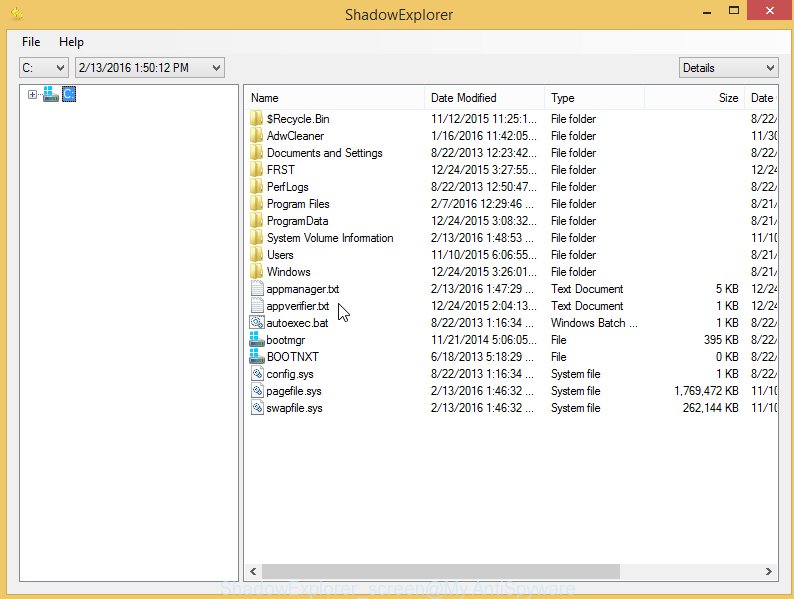
ShadowExplorer is a small free tool that helps you to restore files through the use of Windows Vista, Windows 7, Windows 8, and Windows 10 Volume Shadow Copy Service. Every time, when any Windows Restore Point is created, it will also create copies of changed files on your PC. With the help of ShadowExplorer you can view, access, export the files store in Windows Shadow Volume Copies, look all available restore point-in-time copies, browse through shadow copies and retrieve versions of folders and files.Screenshoots for ShadowExplorer
ShadowExplorer usage guide
1. Download ShadowExplorer from the link above
2. Right click to it and select Extract All
3. Open ShadowExplorer folder and run the tool
4. Select a Drive and a latest restore point
5. On right panel find a file that you want to restore, right click to it and select Export




