TikRegarder “TikTok Reviewer” is the newest scam trying to trick TikTok fans into believing they can earn easy money just by watching videos. On the surface, the site looks like it’s linked to TikTok, using a similar name and a twisted version of the logo complete with a dollar sign to lure users with the promise of quick cash.
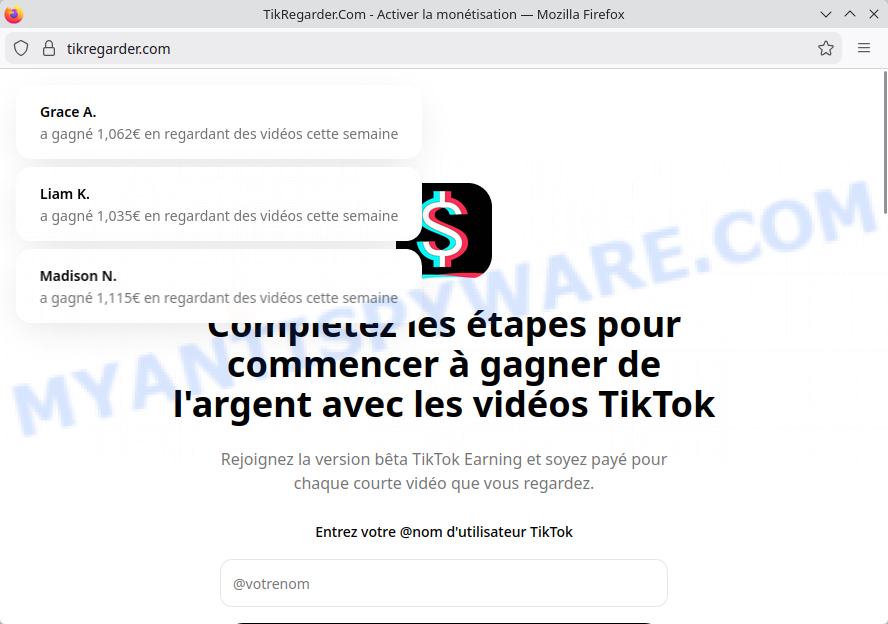
But the reality? It’s a classic con. The suspicious domain “tikregarder.com” isn’t affiliated with TikTok at all. The site makes outrageous claims of earnings around €1,000, asks for your TikTok username, and uses awkward language that screams “fake.” This isn’t some legit TikTok beta program — it’s a clever ploy to harvest personal info and scam unsuspecting users. In short: if it sounds too good to be true, it probably is. Think twice before handing over your details—this is just another digital trap disguised as a shortcut to easy money.
💡 A useful tip to avoid falling for these scams is to always check the website’s background or its ‘WHOIS’ data. Many scam sites, including TikRegarder.com, have been recently set up, which is a significant warning sign. Also, if the website’s owner is hiding their identity or if the contact details seem suspicious, it’s best to avoid the site.
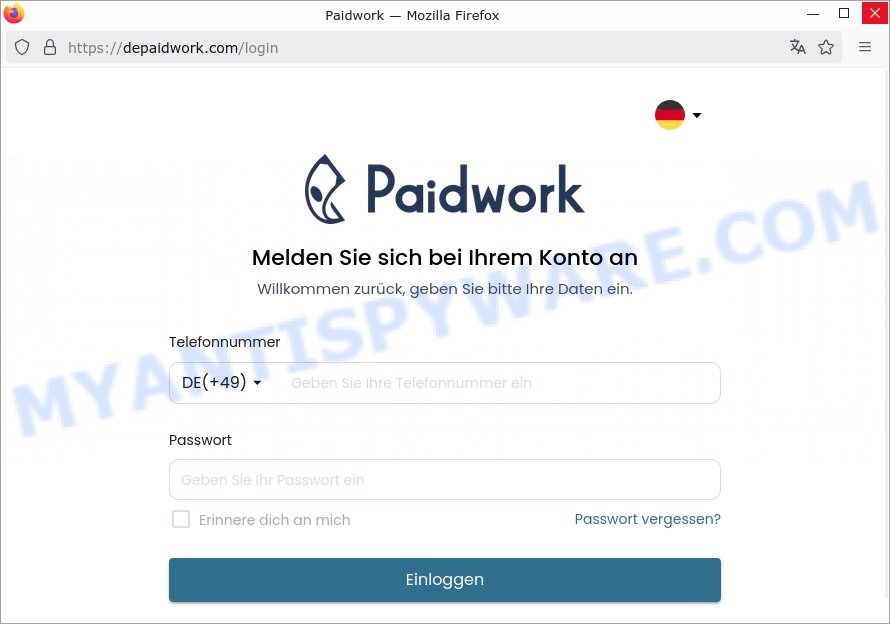
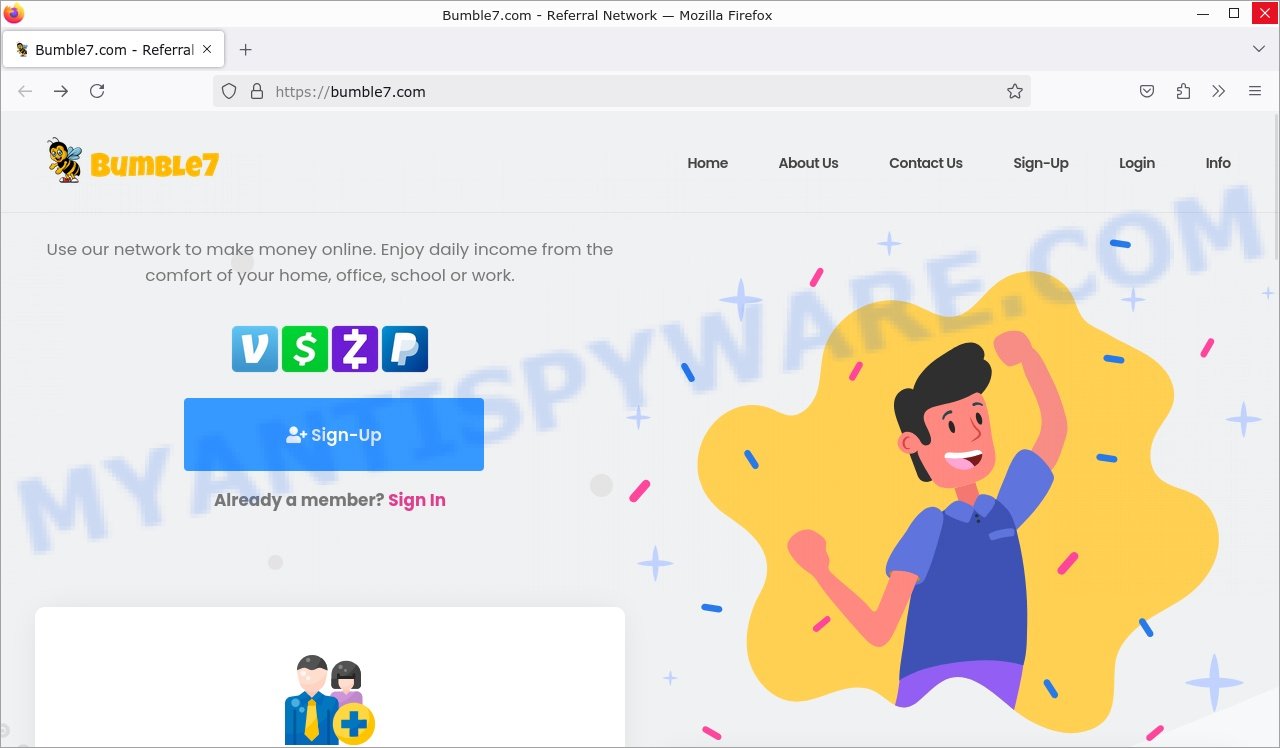
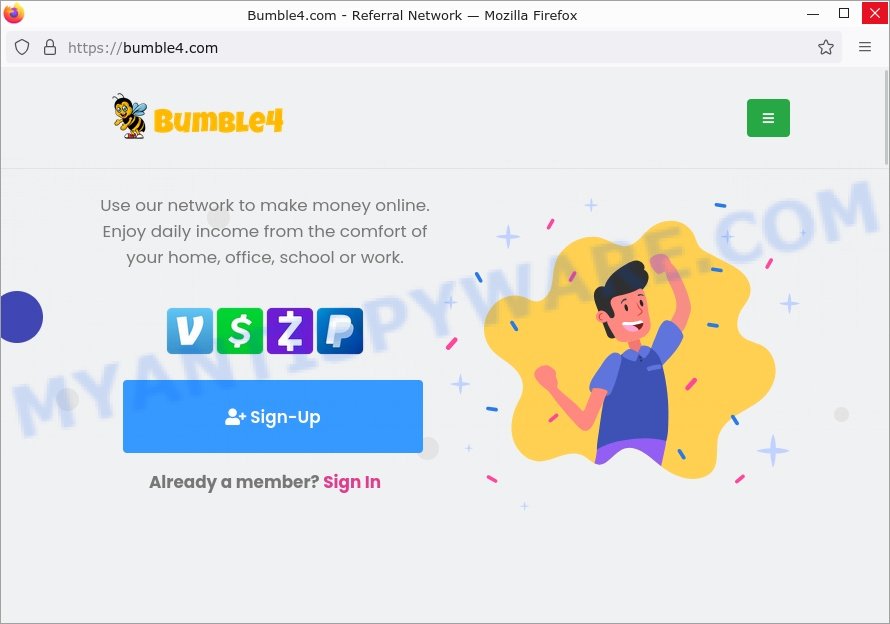
The TikRegarder.com scam is just one example of many fraudulent schemes circulating online. These scams have a common goal: to trick you into giving up your personal details and money. Fraudsters are getting more sophisticated, using tactics like fake websites, bogus promo codes, and even impersonating well-known figures or organizations. Below are examples of recent scams similar to TikRegarder.com that have been circulating: TokPaid.com, MartReviews.com, Moneychik.com, Ram15.com, TikFunds.com.

Quick Links
🚨 Is TikRegarder “TikTok Reviewer” a Scam?
TikRegarder claims to offer users easy earnings by watching TikTok videos, but multiple warning signs reveal it as a fraudulent operation attempting to deceive visitors. This scam preys on individuals seeking quick money through popular platforms like TikTok, leveraging fake promises and misleading tactics.
Key Red Flags:
- 🌐 Suspicious Domain Name: The site uses “tikregarder.com,” a domain name designed to mimic TikTok by blending “Tik” and the French word “regarder” (meaning “watch”). Official TikTok domains do not use this name, marking it as an impersonation attempt.
- ⭐ Misleading Use of TikTok Logo: The logo displayed looks similar to TikTok’s but includes a dollar sign “$”, falsely implying a money-making association with TikTok. This alteration aims to deceive users into trusting the site.
- 💸 Unrealistic Earnings Claims: Promises that users can earn amounts like 1,000€ just by watching videos are too good to be true. Such exaggerations are typical in scams designed to lure users into submitting personal information or engaging in harmful activities.
- 🔒 Requests for TikTok Usernames: The site asks visitors to enter their TikTok usernames, which is unnecessary and suspicious. This tactic likely harvests personal data for fraudulent purposes, as legitimate TikTok earning programs do not require this information via third-party websites.
- 📝 Unprofessional Language and Presentation: The website contains awkward phrasing such as “Rejoignez la version bêta TikTok Earning” that does not reflect official TikTok communications. Poor grammar and formatting are hallmarks of scam pages.
- ❌ Lack of Official TikTok Links or Certification: There is no indication the site is affiliated with TikTok, and the domain and content lack any official certifications or endorsements from the platform.
In summary, TikRegarder is a scam designed to impersonate TikTok and trick users into believing they can easily earn money by watching videos. The questionable domain, altered logos, false earnings claims, suspicious data requests, and unprofessional website traits all signal a fraudulent scheme. Users should avoid providing any personal information and refrain from using this site. For secure opportunities, always rely on official platforms and verified programs.
🕵️♂️ How TikRegarder Operates
TikRegarder is a TikTok-related scam. 🚨 This scam tricks users by pretending to offer easy money for watching TikTok videos, but it’s actually designed to steal personal information or lead to other fraudulent actions.
🔗 Step-by-Step Breakdown of the Scam:
🛒 Creating a Deceptive Website
Scammers set up the fake site tikregarder.com, which looks like it’s linked to TikTok but uses a suspicious domain name (“tikregarder” means “Tik watch” in French) that is not affiliated with the real TikTok platform.
🕸️ Using Fake TikTok Branding
The website displays a logo similar to TikTok’s but altered, including a dollar sign to falsely suggest easy earnings. This is meant to mislead users into thinking the site is official or trustworthy.
📢 Promoting Unrealistic Earnings
TikRegarder claims users can earn around 1,000€ just by watching TikTok videos. These too-good-to-be-true promises attract users but have no basis in reality and are used to lure victims.
💼 Harvesting Personal Information
Visitors are asked to enter their TikTok username (@nom d’utilisateur TikTok), which can be used maliciously for identity theft or to facilitate further scams. Official TikTok programs do not require users to submit such data on third-party sites.
⚠️ Unprofessional Website Design and Language
The site features awkward phrasing and grammatical errors, like “Rejoignez la version bêta TikTok Earning,” which real TikTok promotions do not use. This lack of professionalism is a classic sign of fraudulent sites.
🚫 No Official TikTok Links or Certification
There is no mention of official TikTok URLs or any certification to prove legitimacy. The domain itself does not belong to TikTok.
In summary, the TikRegarder scam deceives people by impersonating TikTok and promising easy money for watching videos. It uses a fake website, misleading logos, impossible earnings claims, data harvesting requests, and poor language to dupe users. Anyone encountering this site should avoid providing any personal information and steer clear of such fraudulent schemes.
Summary Table
| Name | TikRegarder.com Task Scam |
| Type | Task Scam |
| Scam Content | Fraudulent task platform claiming to offer money for completing simple online tasks like watching videos, liking posts, or placing orders. Victims are initially paid small amounts to build trust, but are eventually asked to pay fees to unlock more lucrative tasks. |
| Fake Promise | Earn large sums of money by completing simple tasks. |
| Targeted Information | Personal and payment information for registration and task fees. |
| Harm | Potential risk to personal and financial information. |
| Scammer’s Methods | Using fake testimonials and manipulated task payments to build credibility; creating a sense of urgency and exploiting sunk cost fallacy to encourage continuous payments. |
| Variations | Different task descriptions and fees; varying amounts requested for task unlocking; different social media platforms used for contact. |
| Whois Details | Recently created domain, WHOIS contact information hidden |
| Protection Tips | Be skeptical of jobs that require upfront payments; verify legitimacy of any online task platform; research platforms extensively before providing personal or financial information; use secure and unique passwords; enable two-factor authentication where possible. |
| What To Do If You Suspect A Scam | Avoid paying any fees; cease all communication with the scammers; report the scam to social media platforms and online scam awareness forums; share your experience to warn others; monitor bank accounts for unauthorized transactions. |
| Reporting Info | Do not engage further with the site; report the scam to online consumer protection services and internet fraud bodies; share details on social media to alert potential victims; consider reporting to the authorities for further investigation. |
Watch Out for Similar Scams
The TikRegarder.com scam is just one example of many fraudulent schemes circulating online. These scams have a common goal: to trick you into giving up your personal details and money. Fraudsters are getting more sophisticated, using tactics like fake task platforms, unsolicited job offers, and even impersonating HR professionals or legitimate businesses.
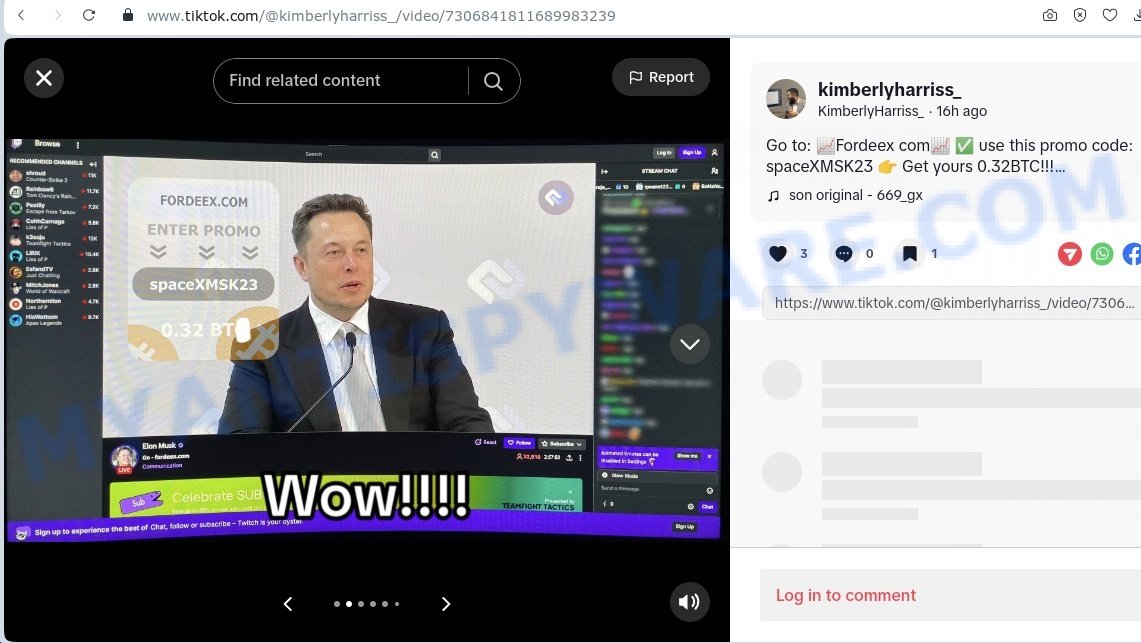
Elon Musk Bitcoin Promo Code Scam
Uses fake endorsements from Elon Musk to offer special Bitcoin deals. Victims send cryptocurrency to a fraudulent wallet to “unlock” rewards. Scammers withdraw funds immediately, leaving victims with nothing.
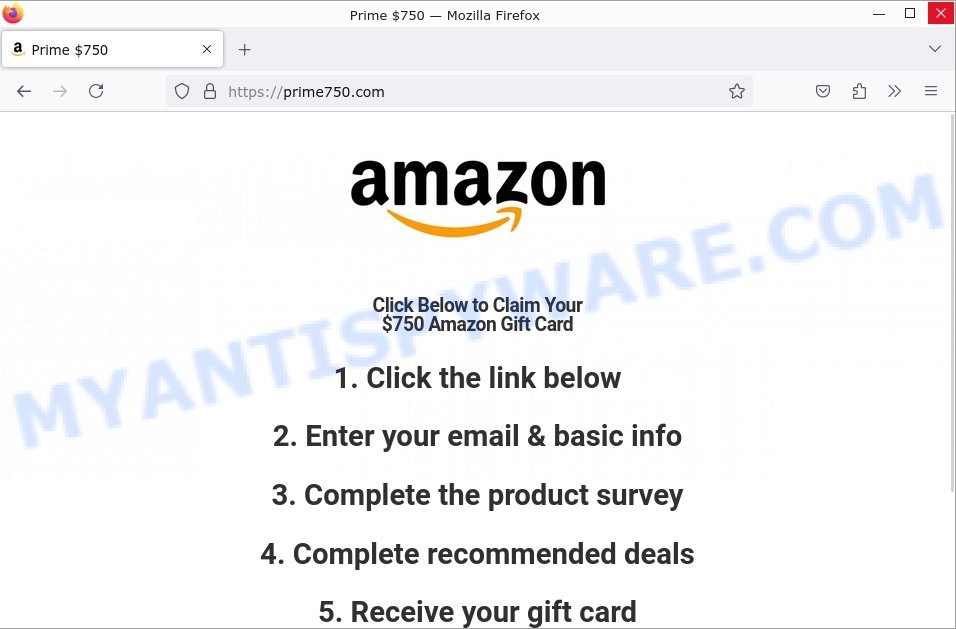
Amazon Reviewer Scam
This scam begins with an advertisement or message falsely claiming you can get a $750 Amazon Gift Card by becoming an Amazon Product Reviewer. It plays on your desires for rewards and savings, leading you to follow their deceptive instructions without questioning their legitimacy.
Netflix Video Tagger Scam
Advertises remote jobs to categorize Netflix content. Requires payment for “training materials” upfront. No actual employment is provided, and contact ceases after payment.

What to Do If Scammed 😱
If you’ve fallen prey to the TikRegarder.com scam, immediate action is crucial to mitigate the damage and prevent others from becoming victims. Here’s a list of steps you should take right away:
🛑 Stop All Deposits and Sharing of Personal Info
Cease any further deposits and refrain from sharing any more personal information with the website.
🏦 Contact Your Bank Immediately
Notify your bank of the unauthorized transaction. They may be able to halt the transaction or provide further steps for you to take.
🛡️ Report Scam Ads
If you encountered scam ads on Facebook, Instagram, LinkedIn, or other platforms, report them so they can be removed. For Facebook and Instagram: 📱 Open the App, 🔍 Locate the Scam Ad, ⚙️ Access More Options, 🚫 Select ‘Report’.
🏛️ File a Complaint with Consumer Protection Agencies
In the U.S., this would mean contacting the Federal Trade Commission (FTC) at reportfraud.ftc.gov. If you’re in another country, reach out to your national consumer protection agency.
📣 Use Social Media to Warn Others
Share the information on your social media accounts to alert friends, family, and followers, reducing their risk of falling for the same scam.
How to Report A Scam
If you come across the TikRegarder.com scam or anything like it, it’s really important to report it. Not only does this help keep you safe, but it also helps protect others. Here’s how you can make a report, including specific steps for popular social media platforms like TikTok, Instagram, YouTube, and Facebook.
General Tips on Reporting Scams
- Keep Records: Take screenshots or save any messages, emails, or links connected to the scam.
- Use the Report Button: Look for a report or flag option on the platform where you found the scam.
- Talk to Your Bank: If money was involved, tell your bank or payment service right away.
- Report to Authorities: Letting your local consumer protection or cybercrime authorities know can help too.
How to Report a scam on TikTok
- Go to the scammy video.
- Tap “Report”. Choose the reason that fits, like “Scams or fraud”.
How to Report a scam on Instagram
- Go to the scam post or the scammer’s profile.
- Click on the three dots at the top.
- Hit “Report” and follow the steps to say why you’re reporting it.
How to Report a scam on YouTube
- Start by going to the video in question.
- Look for three dots below the video and click them.
- Select “Report”, choose “Spam or misleading” then “Scams/Fraud” to explain why.
How to Report a scam on Facebook
- Find the scam post, profile, or page.
- Click on Three Dots, these are usually at the top right of the post or page.
- Press “Report”, pick the reason for reporting and follow the prompts.
Conclusion
The TikRegarder “TikTok Reviewer” website is a scam, using deceptive branding, fake earning promises, and manipulative tactics to lure unsuspecting users. This fraudulent site attempts to mimic the TikTok brand with a misleading domain name and altered logos, promising easy money by simply watching videos—claims that are unrealistic and designed to exploit users.
Instead of offering genuine opportunities, TikRegarder seeks to harvest personal information such as TikTok usernames, likely for malicious purposes. The site’s unprofessional language, unusual formatting, and lack of any official TikTok certification further expose it as illegitimate.
Bottom Line: Avoid TikRegarder and similar suspicious platforms. Always verify the authenticity of websites claiming to be affiliated with well-known brands like TikTok, especially if they make exaggerated promises of quick earnings or request personal data. Exercise caution and conduct thorough research to protect yourself from scams. If an offer sounds too good to be true, it usually is.





