If Windows won’t boot (start or run) in Safe mode, then you’ve probably got malware or the effects of malware on the computer. Some types of malware may disable Safe mode by removing the HKEY_LOCAL_MACHINE\SYSTEM\CurrentControlSet\Control\SafeBoot registry keys from Windows registry. Read below how to restore the SafeBoot keys.
How to restore the SafeBoot keys
Variant 1. Using SuperAntispyware.
Download SuperAntispyware from here and save it to desktop. Run and follow the prompts. Once installation process is finished, you will be shown SuperAntispyware Main menu as shown below.
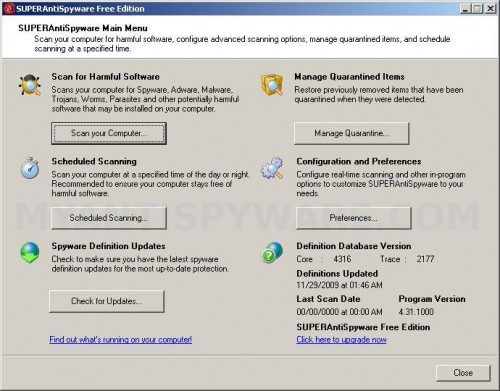
SuperAntispyware Main menu
Click on Preferences button. Click on the Repairs tab and scroll down until you get to Repair broken SafeBoot key and select it as shown below.
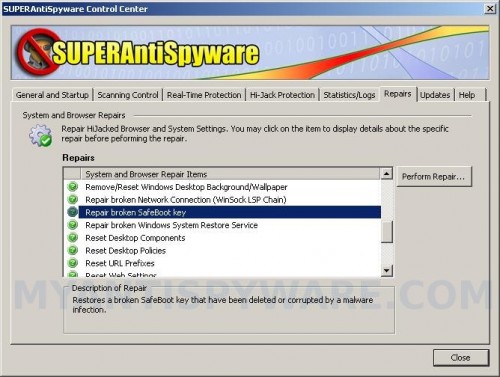
SuperAntispyware – Repairs tab – Repair broken SafeBoot key
Click on Perform Repair and Yes to confirm it. SuperAntispyware will prompt you to reboot your PC. Click OK. Then your computer should boot in Safe Mode without any problems.
Variant 2. Using SafeBootKeyRepair.
Download SafeBootKeyRepair from here and save it to your desktop. Once finished, you will now see SafeBootKeyRepair icon on your desktop as shown below.
SafeBootKeyRepair icon
Double-click SafeBootKeyRepair.exe icon to run it and you will see the image below.
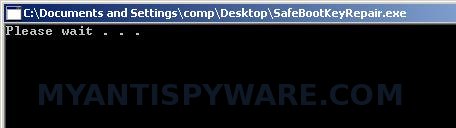
SafeBootKeyRepair
When the program is finished, it will open a log and display it in Notepad. Close it and try boot your PC in Safe mode.





How do i get this page up when my pc screen just goes blank before it even loads anything?? i can get to the safe mood etc but it still wont boot when i try it in safe etc, any way to get it to load?
Jamie, Safe mode works fine ?
No i can get into the options for safe mode but when i try boot in safe it doesnt work
Jamie, you have tried Last good configuration ?
Okay……if my computer cannot boot, then how the hell am I gonna download something onto my desktop?
crichton55, the above instructions for a situation when you can`t boot your PC in Safe mode, but Normal mode is ok.
Your PC won`t boot in Normal mode too ?
I downloaded Variant 2 but the icon did not appear on the desktop. I went into the Download folder and ran the program. The black box appeared for about 3 secs then an error message (“SafeBootKeyRepair.exe” has encountered a problem and needs to close.” Pls advise.
Variant 1 website is down today.
Louie, try the first variant.