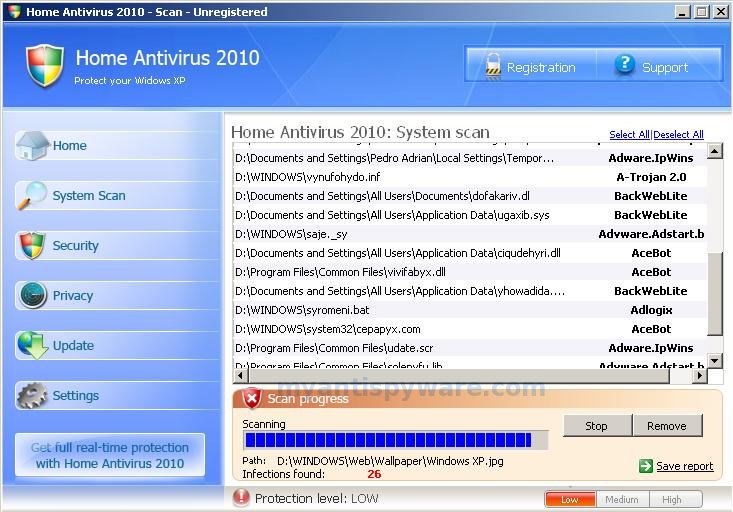
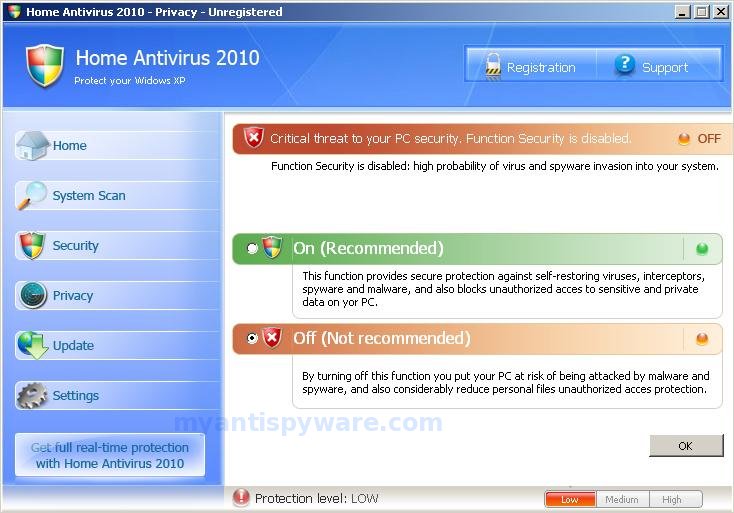
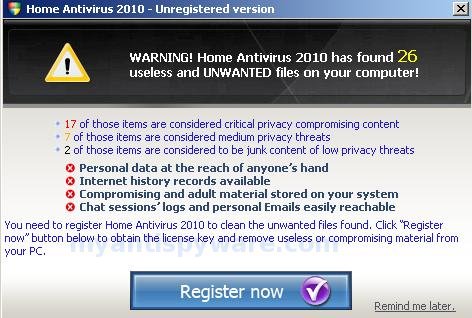
Home Antivirus 2010 is a fake antivirus/antispyware program that designed to trick you into buying the fake software by using scare tactics: fake privacy alerts and false positives. When installed, the rogue is set to start automatically when your computer starts and creates a few files. These files during the scan will determine as infections. Once running, Home Antivirus 2010 starts scanning the computer and found a lot of trojans and spyware that cannot be removed unless you first purchase the software. All of these infections are fake, so you can safely ignore them.
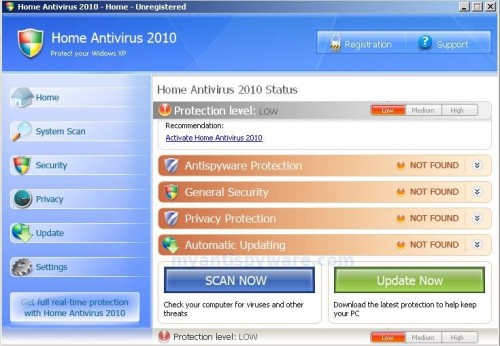
While Home Antivirus 2010 is running your computer will display nag screens and fake security alerts from your windows taskbar. An example:
Privacy alert!
Your system was found to be infected with intercepting
programs. These can log your activity and damage your
privacy. Click here for Home Antivirus 2010 spyware removal.
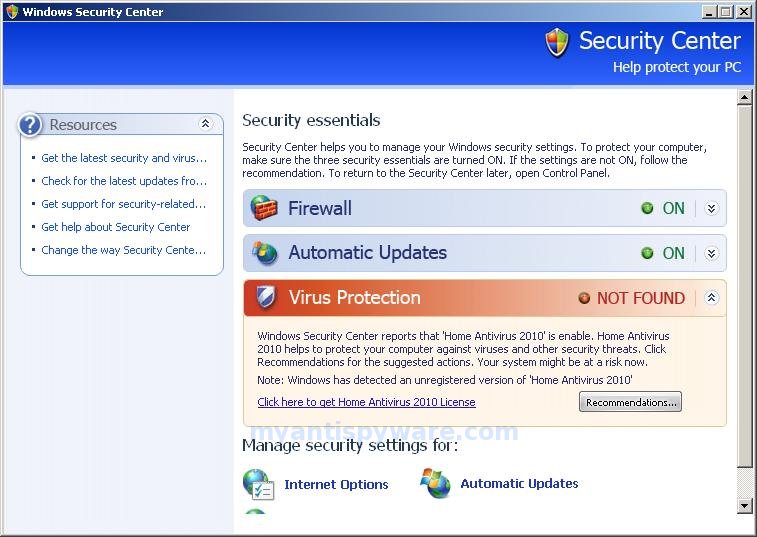
Also the program will show fake Windows Security Center that will recommend you register Home Antivirus 2010. Instead of doing so, use these Home Antivirus 2010 removal instructions below in order to remove this infection and any associated malware from your computer for free.
Symptoms in a HijackThis Log
O4 – HKLM\..\Run: [Home Antivirus 2010] “C:\Program Files\HomeAntivirus2010\HomeAntivirus2010.exe” /hide
Use the following instructions to remove Home Antivirus 2010 (Uninstall instructions)
Download Avenger from here and unzip to your desktop.
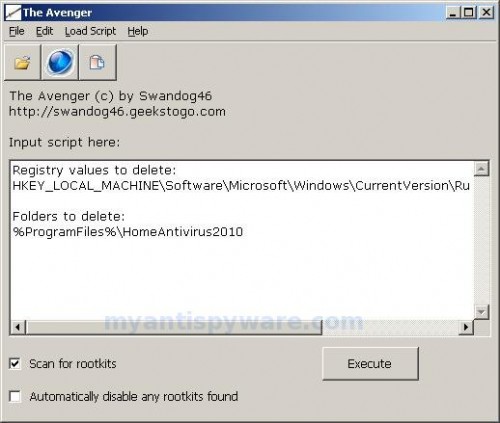
Run Avenger, make sure that “Scan for rootkits” and “Automatically disable any rootkits found” both are checked. Copy,then paste the following text in Input script Box:
Registry values to delete:

HKEY_LOCAL_MACHINE\Software\Microsoft\Windows\CurrentVersion\Run | Home Antivirus 2010
Folders to delete:

%ProgramFiles%\HomeAntivirus2010
You will see window similar to the one below.
Avenger
Click on ‘Execute’. You will be asked Are you sure you want to execute the current script?. Click Yes.
You will now be asked First step completed — The Avenger has been successfully set up to run on next boot. Reboot now?. Click Yes.
Your PC will now be rebooted.
Download MalwareBytes Anti-malware (MBAM). Close all programs and Windows on your computer.
Double Click mbam-setup.exe to install the application. When the installation begins, keep following the prompts in order to continue with the installation process. Do not make any changes to default settings and when the program has finished installing, make sure a checkmark is placed next to Update Malwarebytes’ Anti-Malware and Launch Malwarebytes’ Anti-Malware, then click Finish.
If an update is found, it will download and install the latest version.
Once the program has loaded you will see window similar to the one below.

Malwarebytes Anti-Malware Window
Select Perform Quick Scan, then click Scan, it will start scanning your computer for Home Antivirus 2010 infection. This procedure can take some time, so please be patient.
When the scan is complete, click OK, then Show Results to view the results. You will see a list of infected items similar as shown below. Note: list of infected items may be different than what is shown in the image below.
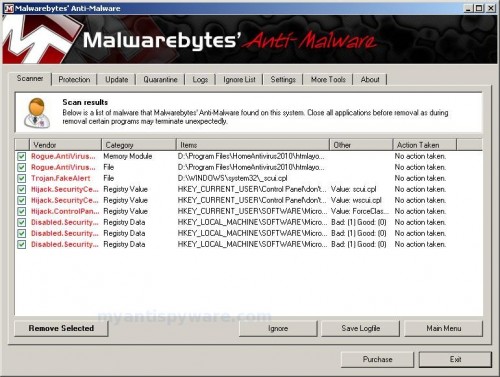
Malwarebytes Anti-malware, list of infected items
Make sure that everything is checked, and click Remove Selected for start Home Antivirus 2010 removal process. When disinfection is completed, a log will open in Notepad and you may be prompted to Restart.
Note: if you need help with the instructions, then post your questions in our Spyware Removal forum.
Update: a new version of Home Antivirus 2010 has been released. It is called PC Antispyware 2010. Read the article: How to remove PC Antispyware 2010.
Home Antivirus 2010 creates the following files and folders
C:\Program Files\HomeAntivirus2010
C:\Program Files\HomeAntivirus2010\HomeAntivirus2010.exe
C:\Program Files\HomeAntivirus2010\htmlayout.dll
C:\WINDOWS\system32\cepapyx.com
C:\WINDOWS\syromeni.bat
C:\Program Files\Common Files\ywukynota.com
C:\Program Files\Common Files\vivifabyx.dll
C:\Documents and Settings\All Users\Application Data\ciqudehyri.dll
C:\WINDOWS\system32\_scui.cpl
Home Antivirus 2010 creates the following registry keys and values
HKEY_LOCAL_MACHINE\Software\Microsoft\Windows\CurrentVersion\Run\Home Antivirus 2010
HKEY_CURRENT_USER\Control Panel\don’t load\scui.cpl
HKEY_CURRENT_USER\Control Panel\don’t load\wscui.cpl
HKEY_CURRENT_USER\SOFTWARE\Microsoft\Windows\CurrentVersion\Policies\Explorer\ForceClassicControlPanel





I have the antivirus 2010 in my laptop and cant seem to get rid of it without paying for anything!! isnt there a way of doing it without purchasing an anyspyware??
Ana, if instructions above does not help you, then ask for help in our Spywar removal forum.
Dose this thing really work? I would not like to have another virus on my computer.
It really works. Read comments above.
removal anti virus 2010 succefull:
1- remove Antispyware 2010.exe(or equivelent) proces in taskmanager
2- run spyhunter security suite(first update definitions)
3- run Norman security suite(after this norman asks reboot due to non removable files)
4- reboot with downloadable AVIRA rescue cd(this is a virus scan before windows startup); then run scan, make sure check the box in configuration delete file
5- Then normal reboot; virus gone also red circle with white cross
All used programms can be downloaded.
Great help sorting out my daughters Pc – BIG THANKS.
Those who can’t run malwarebytes once downloaded might want to try and run it as administrator.
Cheers
Hi
Like others I was unable to run mbam (fresh download) after installing it.
To run it I had to use the Admin acc in safemode. It found some stuff and required a reboot.
On reboot pc still infected.
Installed Avast and told it to do a boot time scan. But it complained about some missing start point???
In the normal user acc I ran the sysinternals process explorer and found that av.exe was running multiple instances. Bizarely some of these instances seemed to be children of bonefide programs??? Killing av.exe just opened more instances
I traced av.exe to docs’n’settings/user/localdata/appdata and deleted it.
Not a good move!!! Now I was unable to run anything as clicking on any icons opened the “what program should windows open this with?”.
I got pissed off and reformatted…
Follow directions exactly and it worked, as of this evening. Thanks alot dude
cheers
I just extracted this virus off a laptop running Vista Home Basic for a customer today and noticed after running mbam and hijack this, that when the av.exe process was ended through task manager, the pop ups went away. Then when anything was clicked to run, they started again. HijackThis told me that the av.exe was in C:\Users\%username%\AppData\Local\av.exe. After many failed attempts, I got mad, then backed up and deleted av.exe, as I figured I knew enough to recover from whatever. When I rebooted, .exe’s had lost their file association. This Antivirus 2010 modifies the registry key to have all .exe’s ran through av.exe. The only way to get the regedit up was to find it in the Windows folder, right click, and run as administrator.
The reg keys that I modified are:
These are the CORRECT values
HKEY_CLASSES_ROOT\.exe | “exefile”
HKEY_CLASSES_ROOT\exefile\shell\open\command | “%1” %*
Once those are fixed, and av.exe is deleted, you should be able to get your system back fairly easy with mbam and HijackThis.
Arrrgh!! Malwarebytes couldn´t find anything wrong with the computor.. Going to download spydoctor now. Really, really hope it works!
…and the only way to this webpage is from ´search´..
are u kidding me?? Spydoctor is not free!
Maline, if you need a help, please open a new topic in our Spyware removal forum.
Chris Riney, you are a legend. I exported those registry keys from another computer, imported them into the sick one and it’s all fixed. Just running some more scans to make sure, but at least programs are running again.
Thanks!!!
hi i really can remove antivirus 2010 pls some help
dont say it will cost £20 to each bit of software downloaded to work though do you i bet your in on it with them!!!!!!!!!!!!!!!