BitDefender Online Scanner is a fully functional antivirus product. It features all required elements for thorough antivirus scanning and effective cleaning: it scans your system’s memory, all files, folders and drives’ boot sectors, providing you with the option to automatically clean the infected files.
BitDefender Online Scanner uses ActiveX technology to perform the scan which is only compatible with Internet Explorer.
Use the following instructions to scan your computer with BitDefender Online Virus Scan
Click here for open BitDefender Online Scanner site.
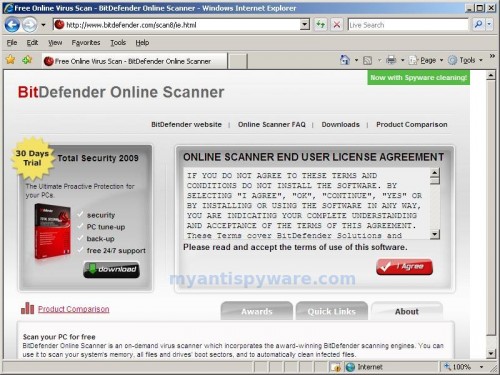
Read End User License Agreement and I Agree button. The scanner will start downloading the active X component. Once the downloads have finished, you will see a prompt simular shown below.
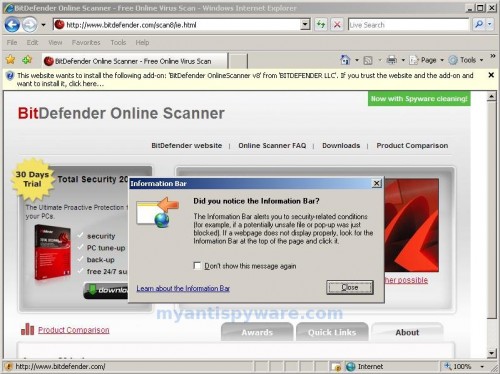
Click to yellow bar at top and select Install Active X control as shown below.
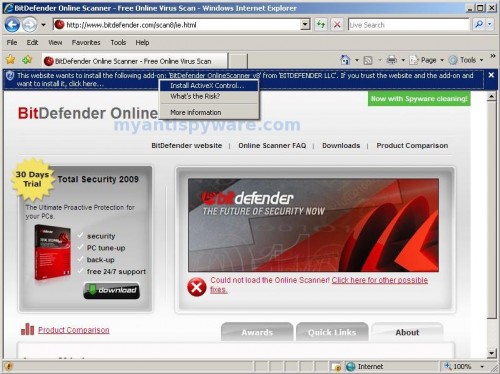
BitDefender Online Scanner Active X will be loaded after that you will see a Security Warning prompt similar to the figure below.
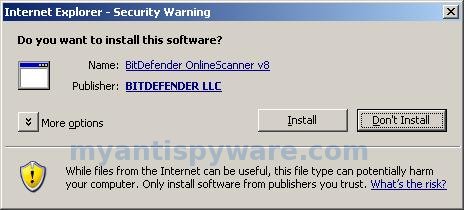
This is normal and safe and you can click on the Install button to continue. You will now see the main BitDefender Online Scanner screen as shown below.
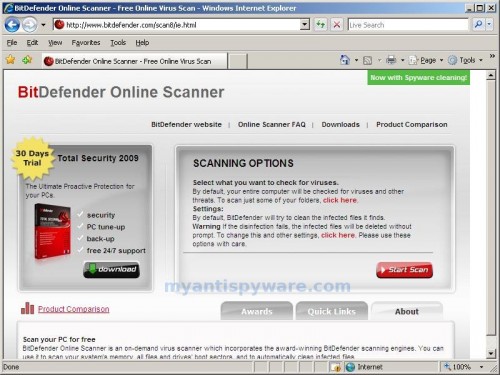
At the screen you can make a few changes. Select whats you want to check for viruses (entire computer or only a few folders) and how is BitDefender will try to clean the infected files it finds. Default settings: scan entire computer and disinfect infected files.
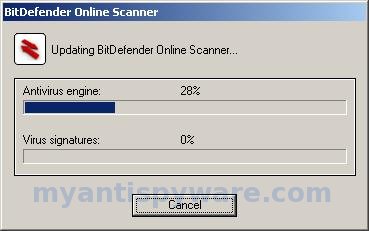
Click Start Scan button. BitDefender Online Scanner will now start updating Antivirus Engine and Virus Signatutes as shown below.
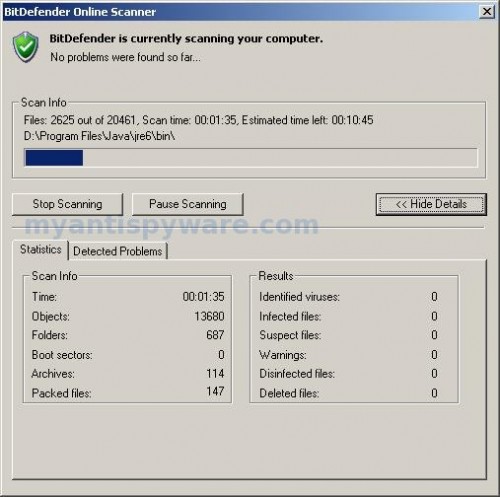
When BitDefender Online Scanner has finished updating, it will start scanning your computer for known infections. This procedure can take some time, so please be patient.
When BitDefender Online Scanner has finished scanning, you will see a screen as shown below.
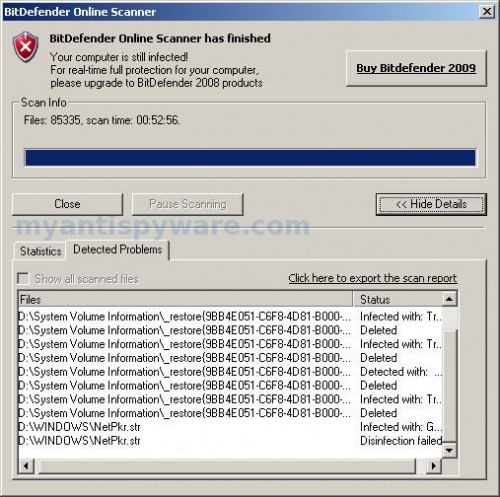
Click on Click here to export the scan results, if you need to save the scan results.





There is a new version of the Online Scanner that looks more cooler and doesn\’t have these type of adds. I have Bitdefender installed on my PC, so I don’t need to use the online scanner but I use it on other PCs.
There is also Qscan.bitdefender.com and another online av at malwarecity.com , both are great!
Thank you i am really need to scan my pc
thank youuuuuu very much
I have installed bitdefender, but need to know how to scan for viruses.