![]() | Do you have pop-ups or your computer infected with trojan or spyware ? Learn how to ask us for help, click here! |
FixIEDef – free program for removing rogue antispyware
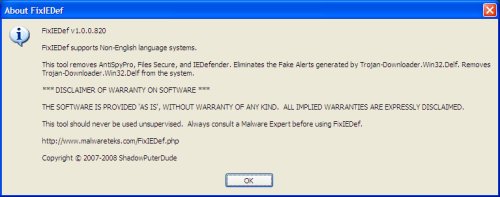
FixIEDef by ShadowPuterDude is a small good program. It help you to remove rogue antispyware apps: AntiSpyPro, Files Secure, IE AntiVirus, IEDefender, Malware Bell and Malware Protector 2008. Also FixIEDef eliminates the “Fake Alerts” generated by Trojan-Downloader.Win32.Delf and Removes Trojan-Downloader.Win32.Delf from the system.
Continue reading FixIEDef – free program for removing rogue antispyware…
June 28, 2008 on 8:08 am | In Free Software, Rogue Anti Spyware | 6 Comments |Found new fake antispyware – PestSweeper
PestSweeper is a rogue antispyware. Usuallly, rogue antispyware infects systems via misleading advertising on free download, warez and porn websites, trojans and browser security holes. PestSweeper reports false or exaggerated system security threats on the computer. The user is then prompted to pay for a full license of the application in order to remove the errors.
PestSweeper can be installed from the PestSweeper . com
Hijackthis shows infection:
O4 – HKLM\..\Run: [pestsweeper] C:\Program Files\PestSweeper\pestsweeper.exe
If you can`t to remove PestSweeper, I would recommend that you follow the instructions – how to use Spyware Removal Forum and post your logs in the spyware removal forum. I will check your logs and advise you on PestSweeper removal.
June 28, 2008 on 4:03 am | In Rogue Anti Spyware | No Comments |MalwareProtector2008 – fresh rogue antispyware.
MalwareProtector2008 is a rogue antispyware, uses deceptive means for installation and purpose, may display fake scan results. This program usually installed itself onto your PC without your permission, through Zlob Trojan, Virus, fake audio/video codecs.

MalwareProtector2008 looks like AdvancedXPFixer.
Hijackthis shows MalwareProtector2008 infection:
O4 – HKLM\..\Run: [SMshcev9j0e1b1] C:\Program Files\shcev9j0e1b1\shcev9j0e1b1.exe
How to remove:
The first place to look when attempting to remove MalwareProtector2008 is in the “Add/Remove Programs” utility in the Control Panel.
Download and install SuperAntiSpyware. Run and scan your computer.
If you are still having problems, then I would recommend you follow these instructions and post your logs in the spyware removal forum. I will check your logs and advise you on MalwareProtector2008 removal.
June 4, 2008 on 8:25 pm | In Rogue Anti Spyware | 3 Comments |How to disable/enable the autorun feature to prevent malware from spreading
Autorun or “Autoplay” are extended automatic functions. Windows looks in the disk’s root directory, finds, reads, and follows specific instructions defined in a text based configuration file, Autorun.inf. Spyware and trojans uses autorun feature to spread from removable drives to PC. I would recommend that you disable the autorun feature to prevent malware from spreading.
Continue reading How to disable/enable the autorun feature to prevent malware from spreading…
My Anti Spyware - Free antispyware programs and Spyware Removal Instructions.


