AntiSpywareMaster looks like AntiSpywareExpert, AntispywareDeluxe.
The program reports false or exaggerated system security threats on the computer. The user is then prompted to pay for a full license of the application in order to remove the errors.
Usuallly, rogue antispyware infects systems via misleading advertising on free download, warez and porn websites, trojans and browser security holes.
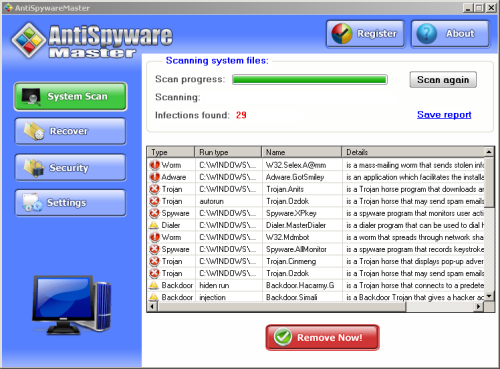
Hijackthis shows infection:
O4 – HKLM\..\Run: [AntiSpywareMaster] C:\Program Files\AntiSpywareMaster\asm.exe
AntiSpywareMaster Files:
%UserProfile%\Application Data\Microsoft\Internet Explorer\Quick Launch\AntiSpywareMaster.lnk
%UserProfile%\Desktop\AntiSpywareMaster.lnk
C:\Documents and Settings\All Users\Start Menu\Programs\AntiSpywareMaster\AntiSpywareMaster.lnk
C:\Documents and Settings\All Users\Start Menu\Programs\AntiSpywareMaster\Uninstall AntiSpywareMaster.lnk
%ProgramFiles%\AntiSpywareMaster\asm.exe
RegistryGreat
The program may then give a report of exaggerated registry errors on the computer.
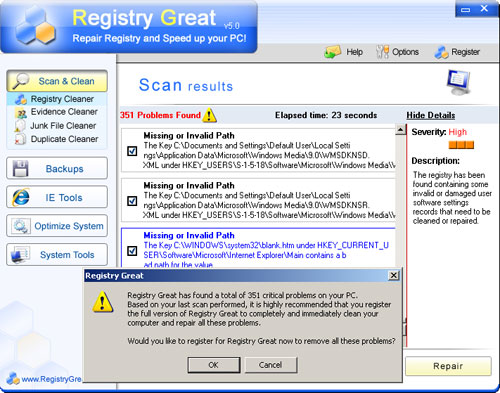
Hijackthis shows infection:
O4 – HKLM\..\Run: [RegistryGreat] C:\Program Files\RegistryGreat\RegistryGreat.exe
RegistryGreat files:
%UserProfile%\Application Data\Microsoft\Internet Explorer\Quick Launch\Registry Easy.lnk
%UserProfile%\Desktop\Registry Great.lnk
%UserProfile%\Local Settings\Temp\Perflib_Perfdata_e04.dat
C:\Documents and Settings\All Users\Start Menu\Programs\Registry Great\Registry Great Help.lnk
C:\Documents and Settings\All Users\Start Menu\Programs\Registry Great\Registry Great on the Web.lnk
C:\Documents and Settings\All Users\Start Menu\Programs\Registry Great\Registry Great.lnk
C:\Documents and Settings\All Users\Start Menu\Programs\Registry Great\Uninstall Registry Great.lnk
%ProgramFiles%\Registry Great\Code
%ProgramFiles%\Registry Great\errorlist.txt
%ProgramFiles%\Registry Great\GreatHelp.chm
%ProgramFiles%\Registry Great\RegGreatUpdate.exe
%ProgramFiles%\Registry Great\RegistryGreat.exe
%ProgramFiles%\Registry Great\RegistryGreat.url
%ProgramFiles%\Registry Great\ScanResult
%ProgramFiles%\Registry Great\unins000.dat
%ProgramFiles%\Registry Great\unins000.exe
%ProgramFiles%\Registry Great\Update.ini
How to remove
Download and install SuperAntiSpyware.
Start SuperAntiSpyware. On the main screen click on ‘Scan your computer’. Check: ‘Perform Complete Scan’. Click ‘Next’ to start the scan.
Superantispyware will now scan your computer,when it’s finished it will list all/any infections found. Make sure everything found has a checkmark next to it,then press ‘Next’. Click on ‘Finish’ when you’ve done.
If you are still having problems with spyware after completing these instructions, it`s possible, then please follow the steps: How to use Spyware Removal Forum





