Some days ago, was found IE vulnerability. Today no patches available. You can only disable Active Scripting support.
Read how to…
Open Internet Explorer and hit the “Tools” menu and click “Internet options”. Jump to the “Security” tab, chouse “Internet” and click to “Custom Level” button.
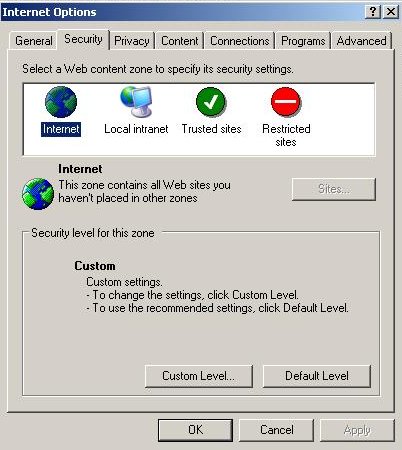
After that, you would see:
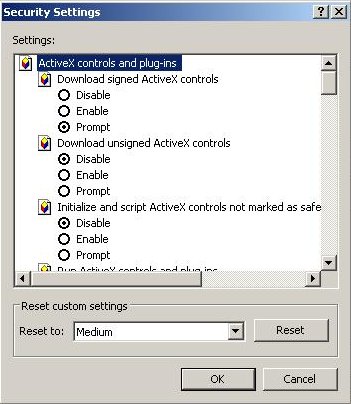
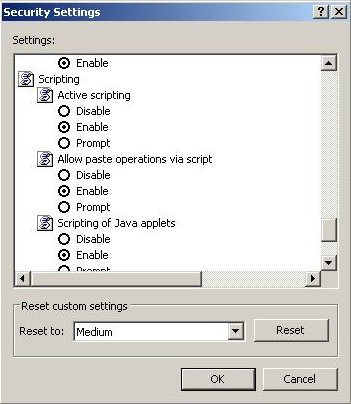
Scroll down and change Active Scripting to Disable and click “OK” button:
If you have trusted sites, then add them to the Trusted Group.
To add a trusted site, chouse”Trusted sites” and then click the “Sites” button.
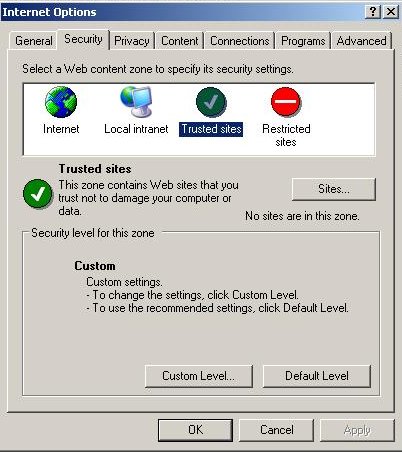
Type trusted domain name and click “Add” button.
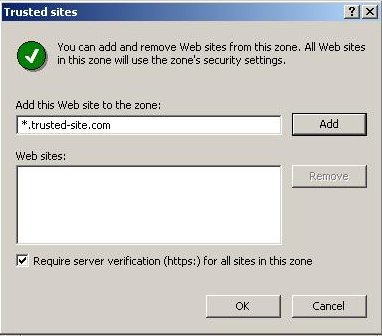
Click “Close” button and close “Internet options”.
Now your PC protected against a new exploits for the vulnerability.





