I`am read about the problem on a many board, and what i`ve found:
You may want to print out or make a copy of these instructions before starting, because you will not be able to connect to the internet during most of this fix.
Go to Start > Control Panel > Add or Remove Programs and remove the following programs, if found: SpyAxe
Then using Windows Explorer, delete the following folder: C:\Program Files\SpyAxe
Download the file from Here.
Save the file to your desktop, and extract illegal_adv_uninstall1.exe and illegal_adv_uninstall2.exe to your desktop.
First run illegal_adv_uninstall1.exe by double-clicking on it.
Then run illegal_adv_uninstall2.exe by double-clicking on it.
Restart your system.
Download the Registry Search Tool from here: http://www.billsway.com/vbspage/vbsfiles/RegSrch.zip
Unzip to your Desktop, you will use it later.
Download smitRem and save the file to your desktop.
Double click on the file to extract it to it’s own folder on the desktop.
Download HijackThis and save the file to your desktop.
Double click on the file to extract it to it’s own folder on the desktop.
Next, Download, install, and update the free version of Ewido trojan scanner:
- When installing, under "Additional Options" uncheck "Install background guard" and "Install scan via context menu".
- Run Ewido — When you run it for the first time, you may get a warning "Database could not be found!". Click OK. We will fix this in a moment.
- From the main ewido screen, click on update in the left menu, then click the Start update button.
- After the update finishes (the status bar at the bottom will display "Update successful")
- Exit Ewido. DO NOT scan yet.
If you do not already have Ad-Aware SE installed, follow these download and setup instructions. Also check for updates.
Again, do NOT run a scan yet.
Next, please reboot your computer in Safe Mode by doing the following:
- Restart your computer
- After hearing your computer beep once during startup, but before the Windows icon appears, press F8.
- Instead of Windows loading as normal, a menu should appear
- Select the first option, to run Windows in Safe Mode.
Now you need to run HijackThis and click "Do a system scan only." Place a check next to the following entries (if they are still there): may
O2 – BHO: HomepageBHO – {e9ccf15d-4c68-4b5a-9e9a-8e12e4bd39bd} – C:\WINDOWS\system32\hp4D6E.tmp (maybe another filename, hp6810.tmp, for example)
O4 – HKLM\..\Run: [SpyAxe] C:\Program Files\SpyAxe\spyaxe.exe /h
O16 – DPF: {FF3F0F03-0F01-131A-A3F9-08F02B23E0CC} – http://66.117.37.13/dba2218.exe
Now close all browser and other windows except for HijackThis, and click "Fix Checked" to have HijackThis fix the entries you checked.
Open the smitRem folder, then double click the RunThis.bat file to start the tool. Follow the prompts on screen. Your desktop and icons will disappear and then reappear again — this is normal.
Wait for the tool to complete and Disk Cleanup to finish — this may take a while; please be patient.
Next, run Ad-aware and perform a full scan. Remove everything found.
Run Ewido
- Click on the Scanner button in the left menu, then click on Complete System Scan. This scan can take quite a while to run.
- If Ewido finds anything, it will pop up a notification. Please select "clean" and check the boxes "Perform action with all infections" and "Create encrypted backup" before clicking on OK.
- When the scan finishes, click on "Save Report". This will create a text file. Make sure you know where to find this file again.
Next go to Start -> Control Panel, click Display -> Desktop -> Customize Desktop -> Web -> Uncheck "Security Info" if present.
Using Windows Explorer, locate and delete the following file:
C:\Windows\System32\ svchosts.dll <- Be VERY careful to delete that file and NOT svchost.exe
Restart your computer in normal mode.
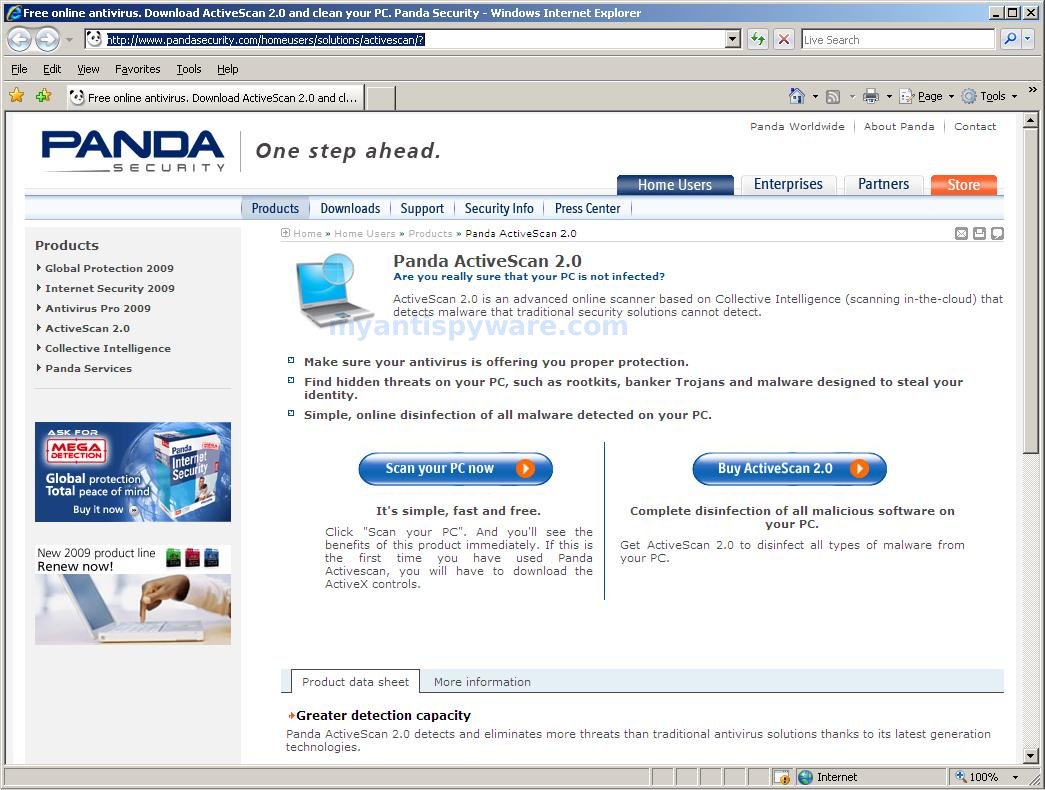
Run the Panda online virus scan.
– Once you are on the Panda site click the Scan your PC button
– A new window will open…click the Check Now button
– Enter your Country
– Enter your State/Province
– Enter your e-mail address and click send
– Select either Home User or Company
– Click the big Scan Now button
– If it wants to install an ActiveX component allow it
– It will start downloading the files it requires for the scan (Note: It may take a couple of minutes)
– When download is complete, click on Local Disks to start the scan
– When the scan completes, if anything malicious is detected, click the See Report button, then Save Report and save it to a convenient location.
Go to your Desktop and double click on regsrch.vbs
(if you have script protection, please allow this to run)
In the dialog that opens enter the following: svchosts.dll
Press ‘OK’
The search will run for a while then alert you when it is finished.
Press ‘OK’ and copy the contents of the WordPad window for save.
Finally, restart your computer.
If after that you have a problem with SpyAxe, then please post a new HijackThis log as well as the log from the Ewido scan the log from the smitRem tool, which will be located at C:\smitfiles.txt, the Panda ActiveScan log, and the text from the Registry Search Tool to a CompTech Forum (spywareinfo.com for example)
by topics from spywarewarrior






I’ve got this stupid SpyAxe thing and I want to remove it…does this removal really work?…just checking since there are obviously a bunch of frauds on the internet…
Thx,
Philip Simmons
it`s realy work 🙂 you can try the “how to” or reinstall windows or go to comp tech forums and you`ve found a simular “How to” …
Thanks a lot about anti spy axe